Briefings, digests and Assistant emails
The Advisor summary, urgent insights, the Assistant briefing and emails the Assistant sends for you.
The Advisor and the Assistant can keep you informed by email. You decide in their settings what you receive.
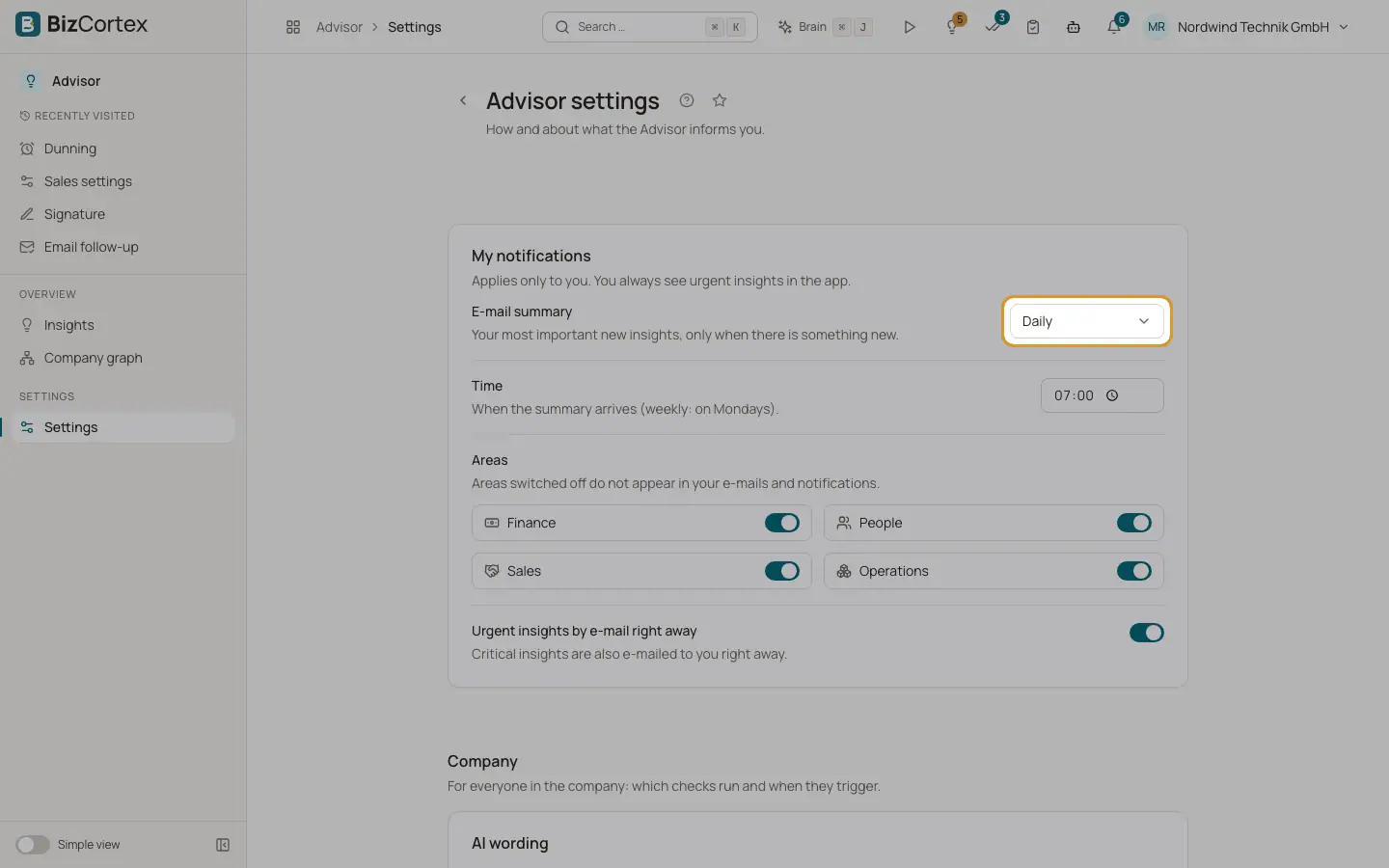
Fields and options
- Advisor "Email summary"
Advisor settings, "My notifications". Daily, Weekly (on Mondays) or Off, at the "Time" you choose. Contains your most important new insights (up to 10) and arrives only when there is something new. Default: weekly at 07:00 for Owner and Admin, off for everybody else.
- Advisor "Urgent insights by email right away"
Off by default. Critical insights that are new or got worse are emailed at once. Areas switched off under "Areas" are left out.
- Assistant briefing
Assistant settings, profile: "Send briefing via" Email (besides app, WhatsApp and SMS). The email contains the intro, the briefing items by section with links, and links to the Assistant and its settings.
- Emails the Assistant sends for you
Emails and replies the Assistant drafts are sent from your own connected Microsoft 365 mailbox after you approve them. They appear in your Sent Items. They end with salutation, closing and signature: the signature of the Assistant profile, else your personal text signature (when "Use in emails" is on), else your name.
Good to know
- Google mail is not available for the Assistant yet. Only Microsoft 365 mailboxes can send.
- BizCortex never resends an Assistant email blindly. If the outcome is unknown, it looks in your Sent Items first.
Related
- Your email signature and handwritten signature
Set up your text signature for emails and your drawn signature for letters, quotes and order confirmations.