Sender address and mail server
Which address emails come from, how to use your own mail server and which sender settings exist.
There are two ways an email can leave BizCortex.
Platform sender: the default for all emails. The platform operator sets the sender name, the sender address and the mail server for the whole installation. You cannot change this address per company.
Your own mail server: used only by the follow up feature of the AI sales agent (recap and reminder emails to contacts, meeting confirmations and reminders, enquiry acknowledgements and the test email). These emails then show your company name as the sender, use the From address of your own mail server and keep a stable message thread so that replies can be matched.
Who can use this
- Owner
- Admin
- Anyone with the Sales settings write permission (for the sales email settings)
Steps
1. Store your own mail server
Your own server is stored as the integration credential "smtp" with the values host, port, user, password, starttls and from_email. Host and from_email are required, and from_email must be a valid email address.
2. Send a test email
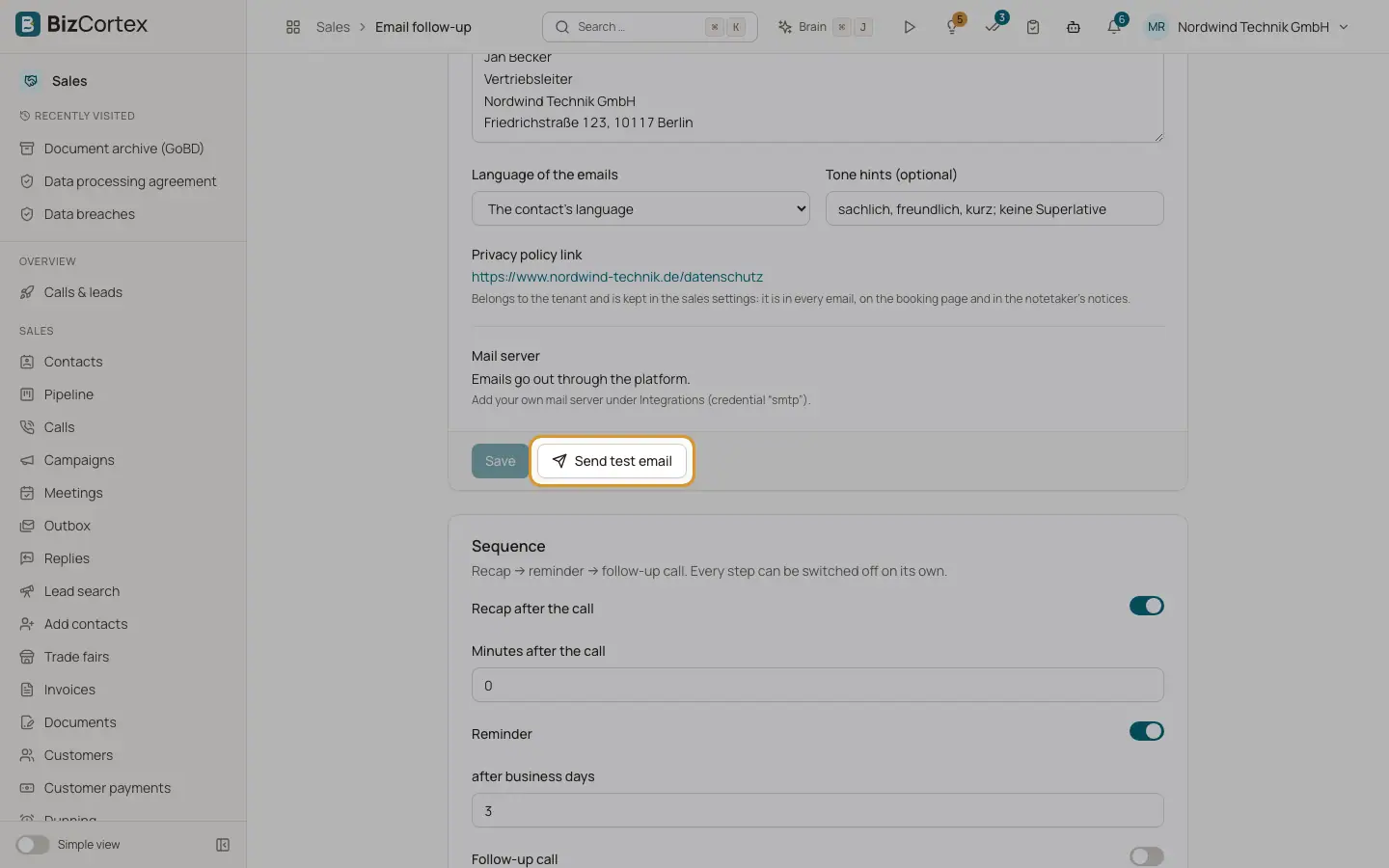
Open the follow up settings and click "Send test email". The test shows how follow up emails arrive: sender, reply address and signature. If the server refuses the email, the error text is shown.
3. Set the BCC and the public base URL
Open Sales, Settings, General tab. Fill in "Base URL for public links" and "BCC for all document emails" and save.
Fields and options
- Base URL for public links
Sales app, Settings, General tab, section "Delivery and links". The web address that is put in front of public document links ("View and pay online") and customer portal sign in links. It must start with https. Leave it empty only if your platform operator tells you to.
- BCC for all document emails
Same section. One email address that receives a blind copy of every invoice, credit note, quote, order confirmation, delivery note, statement and dunning email. Useful for an archive mailbox.
- Sender name
Follow up settings. The name the contact sees. Empty means your company name.
- Reply to
Follow up settings. Where answers from contacts should go. Empty means the email address of the sales rep. With reply tracking switched on, answers first go to a tracked address and are read by the agent.
- Signature
Follow up settings. A signature only for follow up emails. When it is empty, the personal email signature of the sales rep is used, and if the rep has none, the rep name and the company name.
- Mail server
Follow up settings show "Own server" with a short hint when your own mail server is stored, or "Emails go out through the platform." when not.
Good to know
- The Integrations page does not offer a form for the "smtp" credential yet. Your administrator stores it through the REST API, or the platform operator does it for you.
- Your own mail server is used only by the follow up and meeting features. Invoices, quotes, portal links, signature requests and all internal notices always leave through the platform sender.
- Some mail providers (for example Gmail) reject a From address they do not own. For this reason the From address of follow up emails is always the address of your mail server.
Related
- How BizCortex sends email
The sender address, delivery queue, languages and logs behind every email.
- Follow up and meeting emails of the sales agent
Emails to contacts and sales reps around AI calls, enquiries, meetings and the notetaker.