Dunning emails
How payment reminders and dunning notices are emailed during a dunning run.
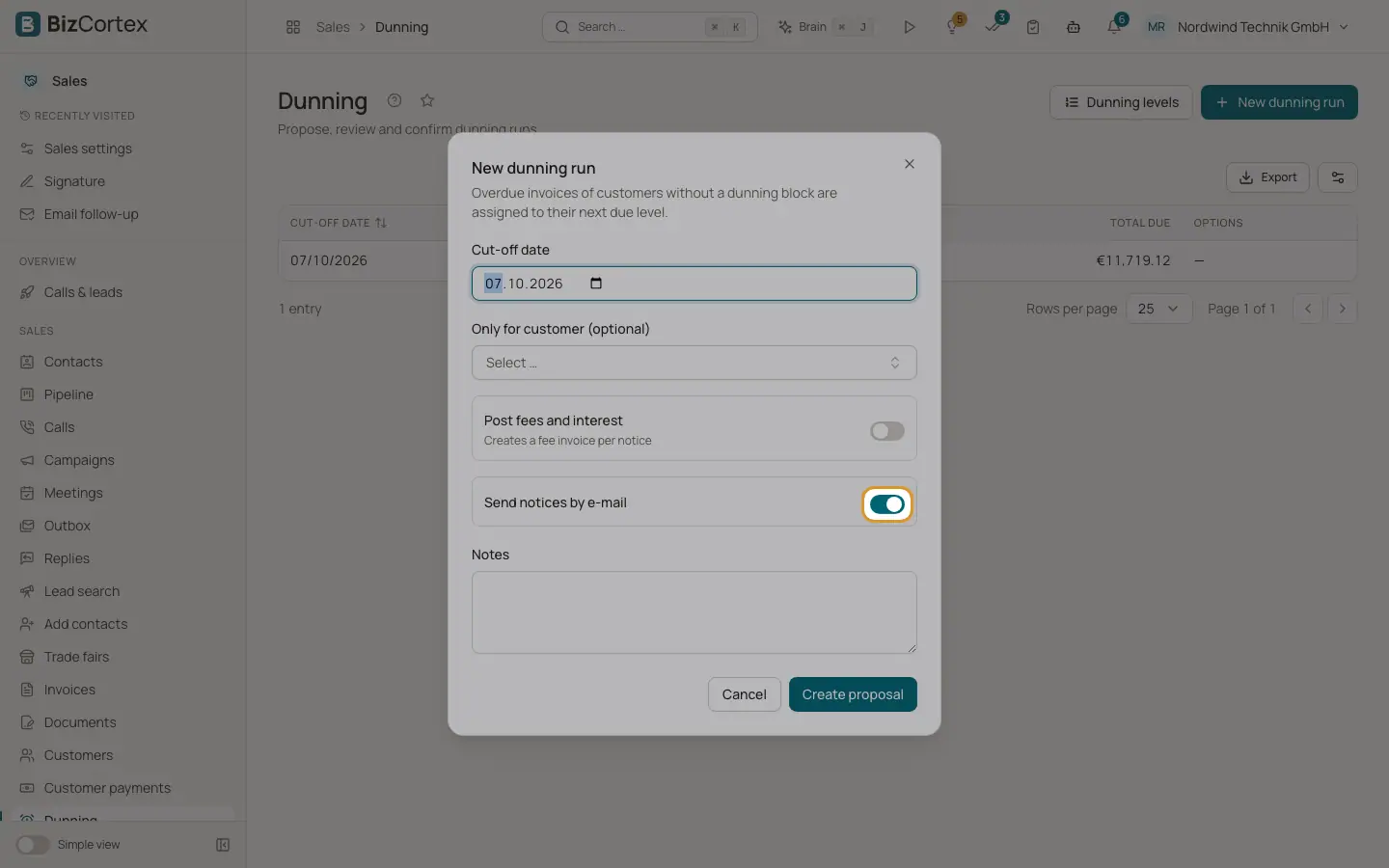
A dunning run proposes notices for overdue invoices. When you confirm the run, every notice gets a number, the PDF is created and, if "Send notices by email" was switched on for the run, the notice is emailed to the customer.
Who can use this
- Owner
- Admin
- Accountant
- Sales
Fields and options
- Send notices by email
Switch on the dunning run, on by default. The run then shows "Notices will be emailed."
- Recipient
The main email address of the customer. Customers without an email address get no email; print and post their notice.
- Subject and text
From the dunning level in the customer language. Placeholders such as {{ customer.name }}, {{ invoice.number }}, {{ open_amount }}, {{ fee }}, {{ interest }}, {{ total_due }} and {{ new_due_date }} are filled in. Without a level subject, the subject is the word for dunning and the notice number.
- Link and attachment
The link to the public invoice page (where the customer can pay online) is added at the end. The dunning PDF is attached.
Good to know
- Dunning emails do not contain your personal signature. Write the closing into the dunning level text.
- Fee and interest invoices created by the run are not emailed separately.
Related
- Email templates for sales documents
Change the subject and text of document emails per document type and language.
- Email log
See every document email that was sent from Sales, with its status.