Dashboard widget catalog
The key figures, charts and lists you can add to the dashboard or to Home.
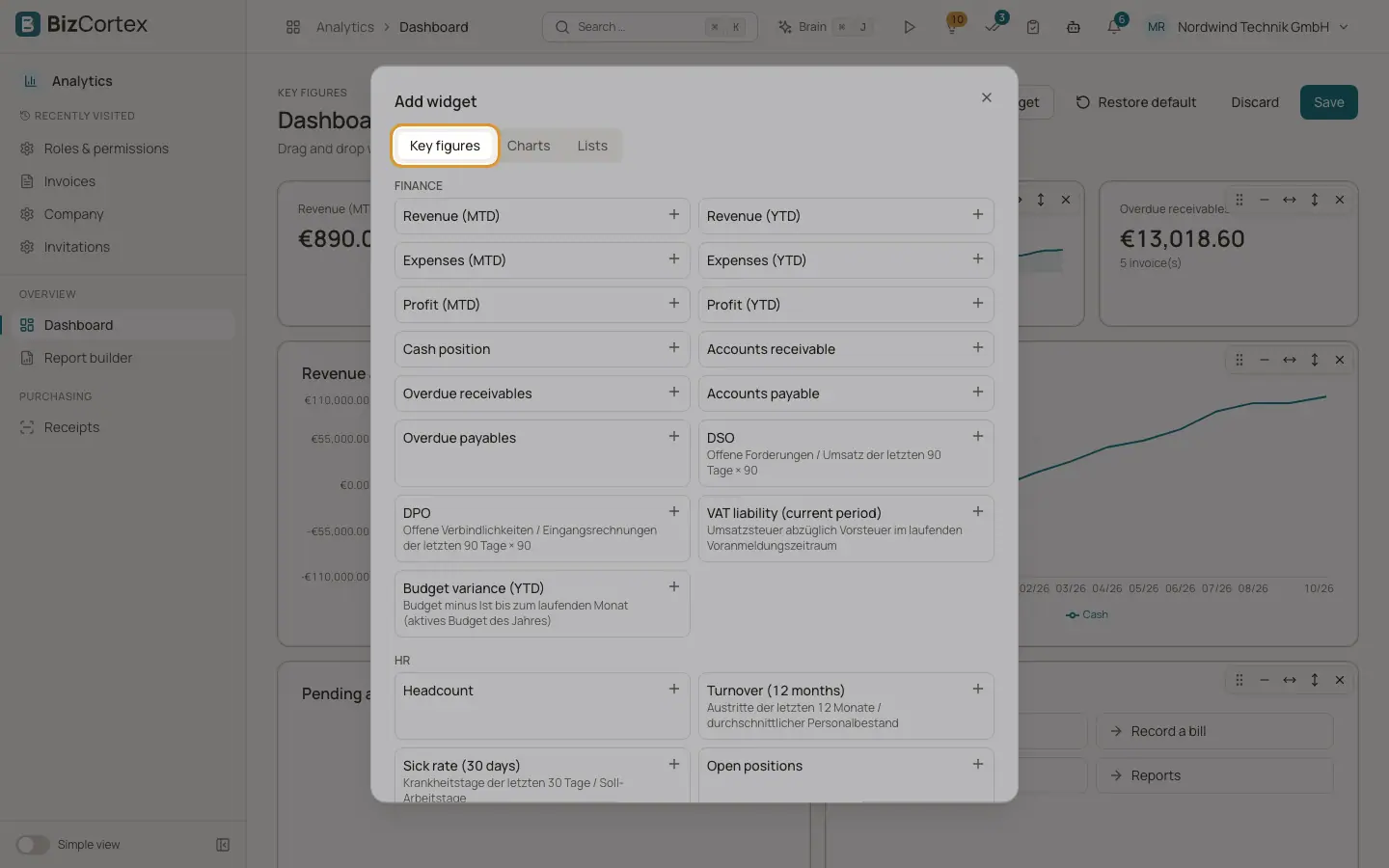
The dialog "Add widget" has three tabs: "Key figures", "Charts" and "Lists". It only offers what your role may see.
Who can use this
- Owner
- Administrator
- Accountant
- Sales
- Purchasing
- HR manager
- Employee
Fields and options
- Key figures
Single values, grouped into Finance, Sales, HR, Operations and Approvals. Examples: Revenue (MTD and YTD), Expenses, Profit, Cash position, Accounts receivable and payable, Overdue receivables and payables, DSO, DPO, VAT liability, Budget variance, Quote pipeline, Quote conversion rate, MRR, ARR, Churn, Headcount, Turnover, Sick rate, Open positions, Stock value, Low stock items, Open manufacturing orders, Utilization, Unbilled time, Tracked hours and My pending approvals.
- Charts
Time series such as Revenue and expenses, Cash, Expenses by account or the MRR trend. Choose the chart type Line, Bar or Pie, then click "Add". Charts show 12 months.
- Pending approvals
A list of your five newest approvals. Only offered if you have an approval inbox.
- Shortcuts
A box with quick links, for example to create an invoice, record a bill, open approvals or open reports.
- List
A list version of some key figures: Top customers (YTD), Upcoming leave (14 days), Expiring contracts (60 days), Low stock items and Project budget burn.
- Saved report
A table from one of your saved reports. Only offered if you may read reports.
Tips
- A new key figure tile is 3 columns wide; charts and lists are 6 columns wide and 2 rows tall. You can resize them afterwards.
Related
- The KPI dashboard
Key figures, charts and lists on one page in the Analytics app.