The KPI dashboard
Key figures, charts and lists on one page in the Analytics app.
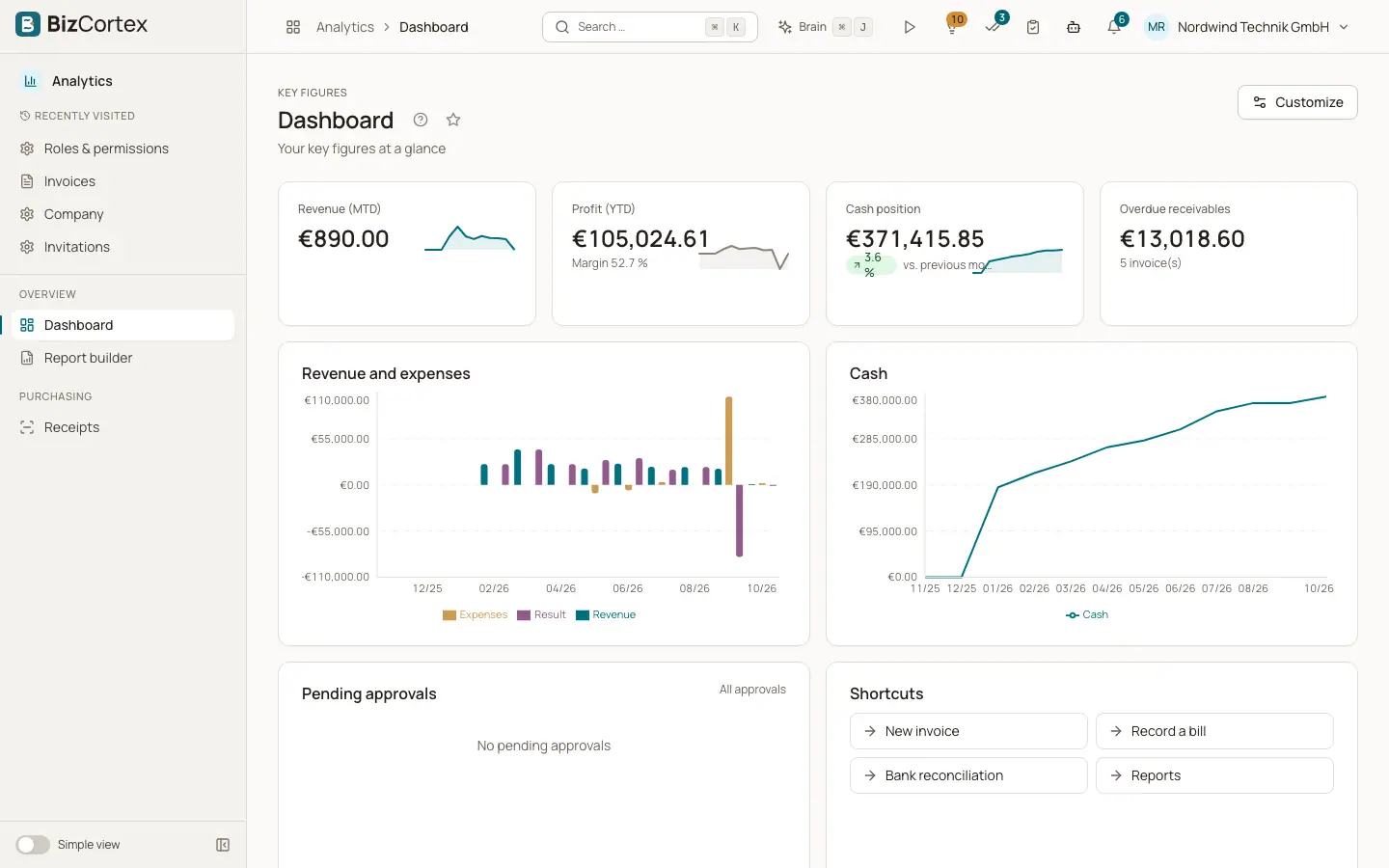
The KPI dashboard ("Dashboard", subtitle "Your key figures at a glance") is the first page of the Analytics app. It shows key figures, charts and lists on a grid. Each person can arrange their own dashboard.
The dashboard you see is chosen in this order: your own saved dashboard, a default that an administrator saved for your role, or the built in dashboard of your role. Widgets whose data you may not see are removed automatically.
Who can use this
- Owner
- Administrator
- Accountant
- Sales
- Purchasing
- HR manager
- Employee
- Viewer (read only)
Steps
1. Open the dashboard
Open the app launcher, choose Analytics, then "Dashboard".
2. Read a key figure
A key figure tile shows the value and, where available, the change "vs. previous year", "vs. previous month" or "vs. previous period".
3. Customise
Click "Customize". The hint "Drag and drop widgets to arrange them" appears.
4. Move and resize widgets
Drag a widget onto another widget to move it to that place. Use "Narrower" and "Wider" to change the width, and "Taller" or "Shorter" to change the height. Click "Remove" to delete a widget.
5. Add widgets
Click "Add widget" and choose from the catalog.
6. Save
Click "Save" ("Dashboard saved"). "Discard" leaves without changes. "Restore default" removes your own dashboard so the default applies again.
Fields and options
- No permission for this key figure
Shown in a tile when you may not see the data behind it.
- The key figure could not be calculated
Shown when the value could not be computed, for example because data is missing.
- No widgets yet
Shown on an empty dashboard, with a button "Add widget".
Good to know
- The dashboard grid has 12 columns. Widgets are at least 2 columns wide and 1 to 4 rows tall.
- Viewers can look at the dashboard but cannot save changes.
- The KPI dashboard needs the Analytics package.
Related
- Key figures (KPIs)
The key figures and charts available for dashboards, and which permission each one needs.
- Dashboard widget catalog
The key figures, charts and lists you can add to the dashboard or to Home.
- Home widgets
Every widget you can place on Home and what it shows.