Email signature and title
The text below emails you send from BizCortex, your position, and the "Use in emails" and "Use on documents" switches.
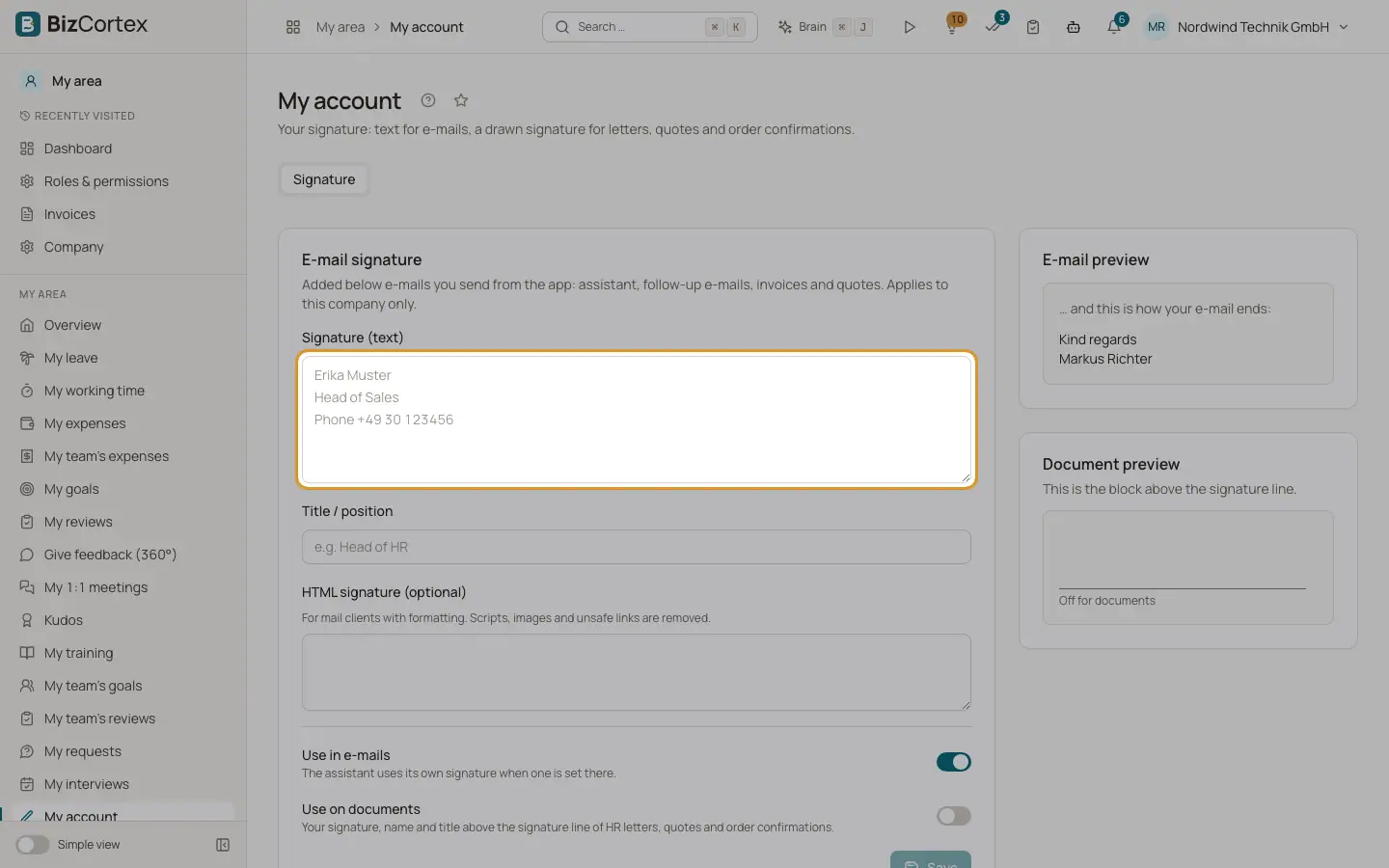
In My account, tab "Signature", the card "Email signature" holds the text that is added below emails you send from BizCortex: assistant emails, follow up emails, invoices and quotes. It applies to this company only.
On the right side you see two live previews: the email preview shows how your email ends, and "Document preview" shows the block above the signature line of a document.
Who can use this
- Everyone
Steps
1. Write your signature
In "Signature (text)" enter your signature, for example your name, position and phone number on separate lines.
2. Enter your position
In "Title / position" enter your job title, for example "Head of HR". It is printed under your name on documents.
3. Add an HTML signature (optional)
In "HTML signature (optional)" you can paste a formatted signature for mail clients with formatting. Scripts, images and unsafe links are removed.
4. Choose where it is used
Turn the switches "Use in emails" and "Use on documents" on or off.
5. Save
Click "Save". The button is only active when you changed something.
Fields and options
- Signature (text)
Plain text, up to 2,000 characters.
- Title / position
Up to 200 characters.
- HTML signature (optional)
Up to 20,000 characters. Only formatting tags and web, mail and phone links are kept.
- Use in emails
On by default. When off, your emails end with only your name or the company name. The Assistant uses its own signature when one is set there.
- Use on documents
Off by default. When on, your handwritten signature, name and title appear above the signature line of HR letters, quotes and order confirmations.
Good to know
- Your signature texts are stored encrypted. Every change is recorded in the audit log without the text itself.
- Signatures belong to people. API keys cannot have a signature.
Related
- Your email signature and handwritten signature
Set up your text signature for emails and your drawn signature for letters, quotes and order confirmations.
- Handwritten signature and initials
Draw or upload your signature and initials for documents and electronic signatures.
- Where your signature is used
Which emails and documents use your signature, and who can see it.