My area: overview
Your personal HR matters: leave, time, documents and tasks at a glance.
My area is the self service app for every employee. Its pages only ever show your own data (and, on "My team", your direct reports). The self service pages belong to the People package; My account is always available.
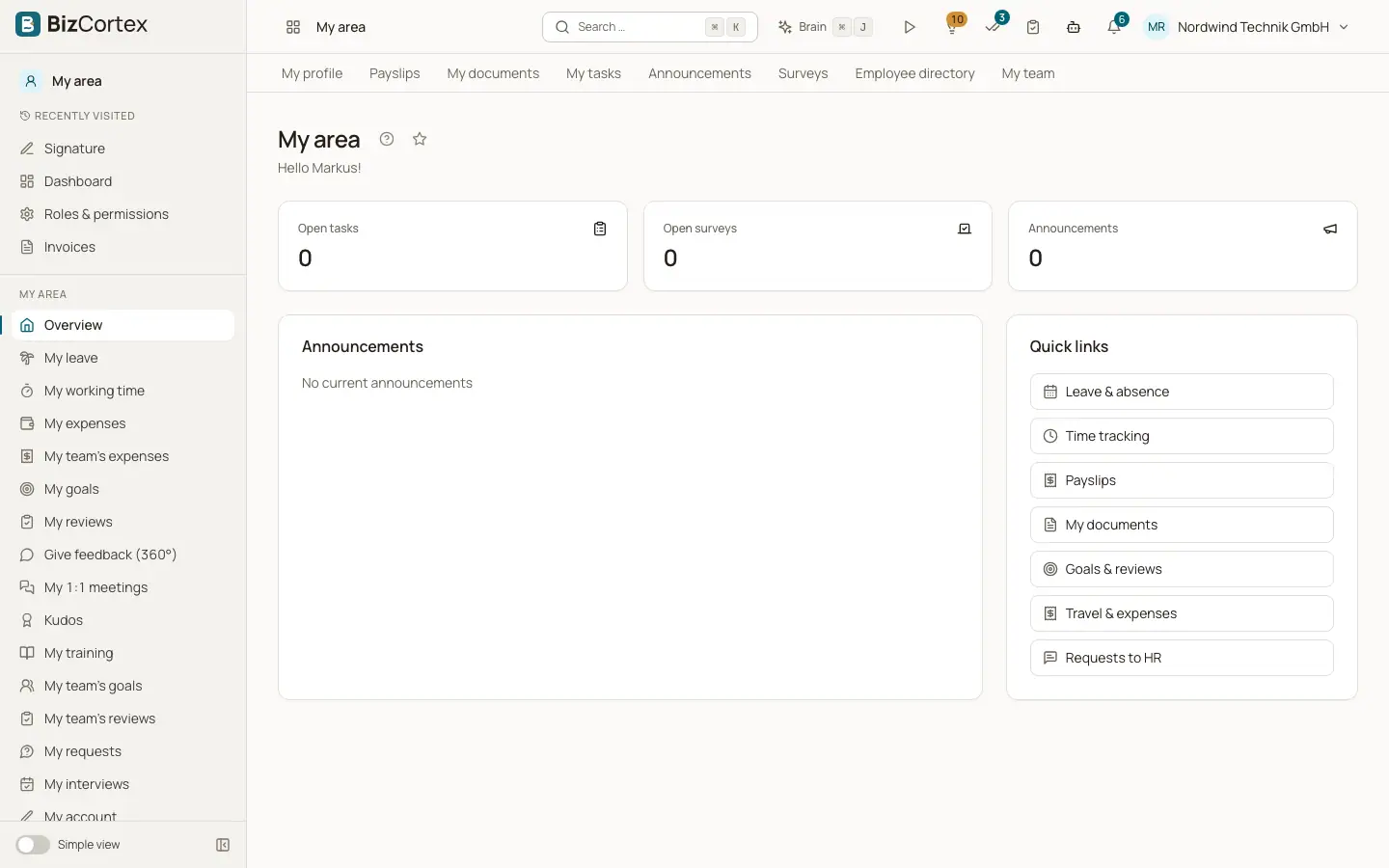
The overview page greets you by first name and shows three counters and two cards.
Who can use this
- Owner
- Administrator
- Accountant
- Sales
- Purchasing
- HR manager
- Employee
- Viewer (read only)
Steps
1. Open My area
Click the tile My area on Home, or choose it in the app switcher.
2. Use the sidebar
The sidebar lists the pages: Overview with My profile, Payslips, My documents, My tasks, Announcements, Surveys, Employee directory and My team, followed by the pages of other People modules (leave, time tracking, shifts, expenses, goals, reviews, feedback, one on ones, kudos, trainings, interviews, requests to HR) and My account.
Fields and options
- Open tasks
The number of your open onboarding and offboarding tasks. Click to open My tasks.
- Open surveys
The number of surveys you have not answered yet. Click to open Surveys.
- Announcements
The number of current announcements. Click to open Announcements. The card below shows the three newest ones.
- Quick links
Links to Leave & absence, Time tracking, Payslips, My documents, Goals & reviews, Travel & expenses and Requests to HR.
Good to know
- If your user is not linked to an employee in this company, the pages show "No employee record linked. Your user is not linked to an employee in this company. Please contact HR."
- Common tasks of My area are "Request leave" and "Get your payslip".
Related
- My profile
See the data stored about you and request changes from HR.
- My account
Your personal settings in the current company.