Favourites and recently visited pages
Pin the pages you use most to the top of the sidebar and get back to the pages you visited last.
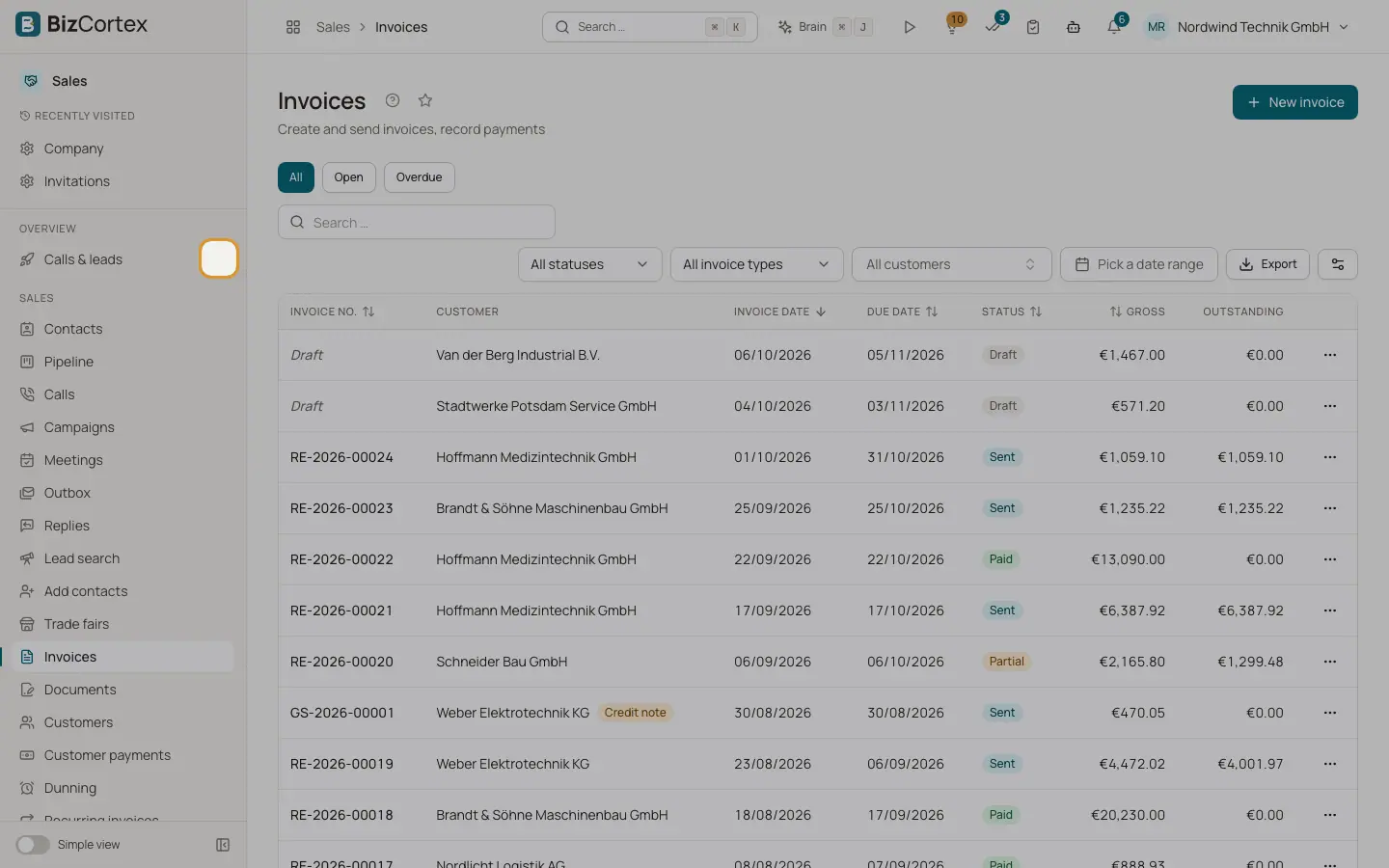
Above the pages of the current app, the sidebar can show two extra groups that work across all apps: "Favourites" and "Recently visited". They let you reach your most used pages without switching apps first.
Who can use this
- Everyone
Steps
1. Add a favourite
Click the star next to a page title ("Add to favourites"), or the star next to a page in the sidebar. The page appears under "Favourites".
2. Remove a favourite
Click the filled star again ("Remove from favourites").
3. Use recently visited pages
Under "Recently visited" the sidebar lists the pages you opened last, except the current page and pages that are already favourites.
Good to know
- You can keep up to 12 favourites. When you add a 13th, the oldest favourite is removed.
- BizCortex remembers your last 5 visited pages per company in this browser; the sidebar shows up to 4 of them. In the collapsed sidebar, recent pages are not shown.
- The star next to the title is only shown on list and overview pages, not on single records.
Related
- Finding your way: header, apps and sidebar
The parts of the screen: app switcher, breadcrumbs, header buttons, sidebar and app overview pages.
- Your personal preferences
Which personal settings BizCortex remembers, and where.