Working for several companies
How to switch between companies and what is kept separate per company.
One sign in can belong to several companies, for example when a tax advisor works for many clients or a group has several legal entities. Each company has its own data, its own booked packages, its own country and its own role for you.
Who can use this
- Everyone who belongs to more than one company
Steps
1. Open the user menu
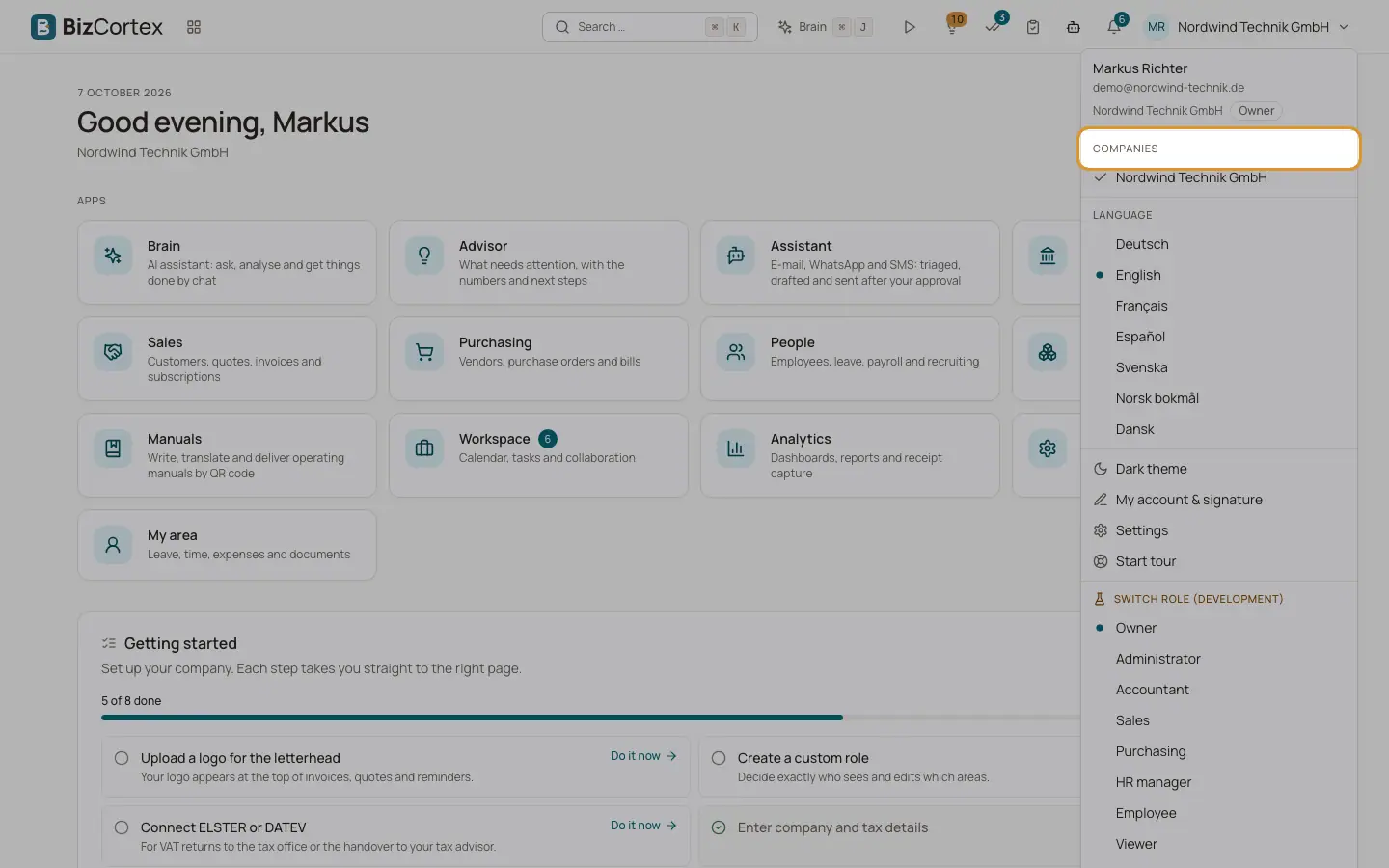
Click your initials and company name at the top right.
2. Choose the company
Under "Companies" you see every company you belong to. The current one has a check mark. Click another company.
3. Continue on Home
BizCortex clears the data of the previous company from the screen and opens Home of the new company. If the company belongs to another organization, you may be signed in again automatically.
Tips
- The user menu also shows your role in the current company as a small badge next to the company name.
- Favourites, home layout, simple view, your signature and the recently visited pages are stored per company.
Related
- Signing in and signing out
How the sign in works, what happens with passwords and two factor sign in, and how you sign out.
- Your personal preferences
Which personal settings BizCortex remembers, and where.