Tenant list
Every tenant of the platform with plan, status, packages, members and Auth0 organization.
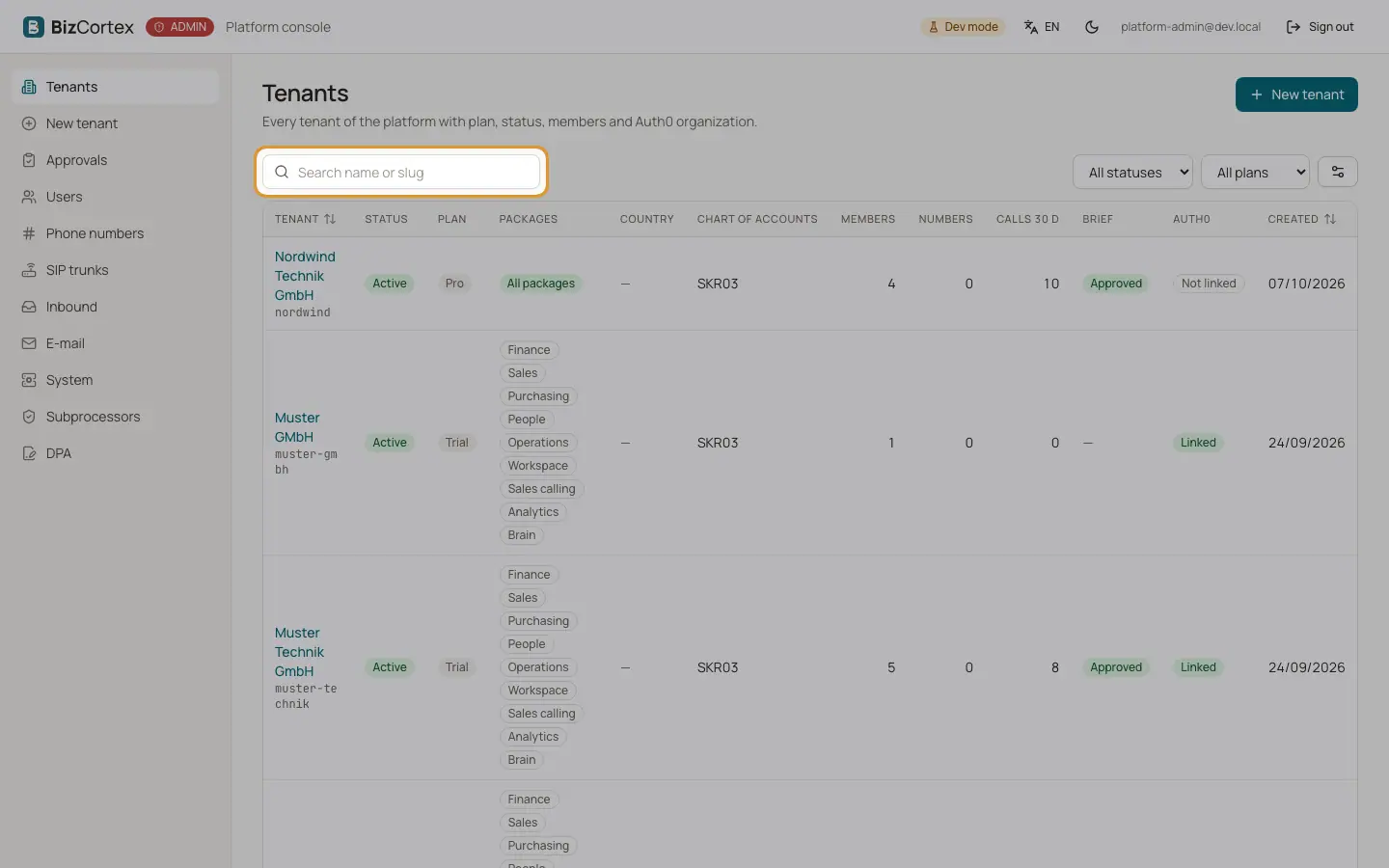
The start page "Tenants" lists every company on the platform. Click a row to open the tenant.
Who can use this
- Platform operators
Steps
1. Search
Type in "Search name or slug". The search also finds the Auth0 organization id.
2. Filter
Filter by status ("All statuses"), plan ("All plans") and booked packages ("All packages").
3. Create
Click "New tenant" to start the wizard.
Fields and options
- Tenant
Name and slug.
- Status
Active, Suspended (calling stopped) or Deactivated (switched off completely).
- Plan
Trial, Starter, Pro or Enterprise. The plan is the commercial label; the booked packages decide what the company can use.
- Packages
The booked packages, or "Base only".
- Country, Chart of accounts
The country pack and the chart of accounts of the tenant.
- Members
Number of members, with the number of open ones in brackets.
- Numbers, Calls 30 d, Brief
Phone numbers, calls in the last 30 days and the status of the agent brief.
- Auth0
Linked or Not linked to an Auth0 organization.
- Created
Creation date.
Related
- Creating a tenant
The wizard creates the company with its accounting base, its Auth0 organization and invites the owner.
- Tenant overview and Auth0 organization
Usage, readiness, identifiers and the link to the Auth0 organization of a tenant.