BizCortex documentation
  • DA
  • DE
  • EN
  • ES
  • FR
  • NB
  • SV
  • Open app
Documentation › Platform administration

Users across the platform

Every user of the platform with their tenants and roles.

Open "Users". The table lists every user with status (Active, Open for users who have not signed in yet, or Deactivated), whether the user is a platform admin, the tenants with the role in each, the last sign in and the creation date. Search by email or name.
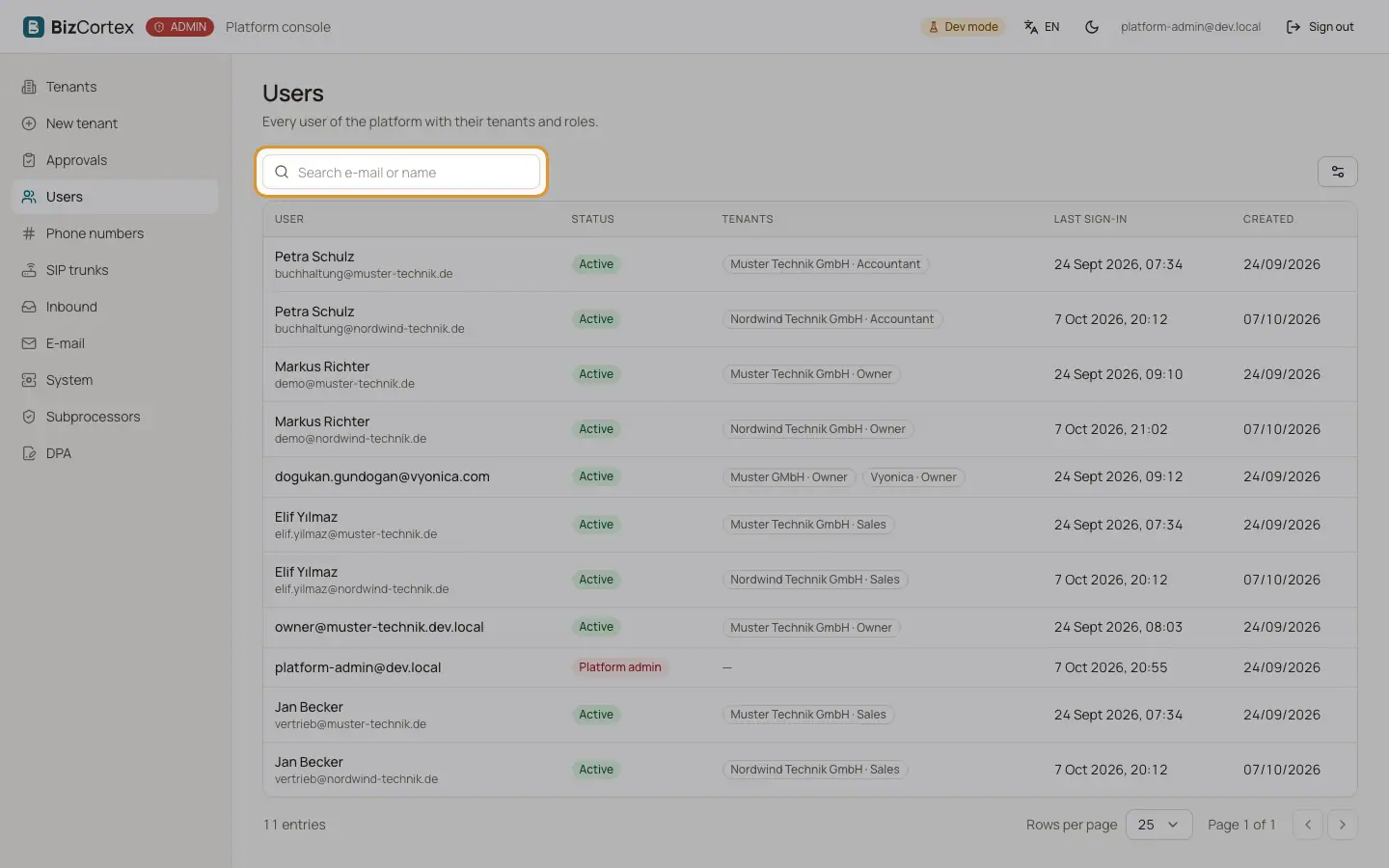
Users across the platform
Screenshot of this screen

Who can use this

  • Platform operators

Tips

  • To change the role of a user in a tenant, open the tenant and use the tab "Members and invitations".
← Brief approvalsPhone numbers →
  • Getting started
  • Key concepts
  • Data transfer
  • Home and My area
  • Finance
  • Sales
  • Purchasing
  • HR and payroll
  • Operations
  • Processes
  • Workspace
  • CRM and calling
  • Analytics and search
  • Brain and Advisor
  • Compliance: versions, approvals and comments
  • Assistant
  • Manuals
  • Administration
  • Platform administration
    • The admin console
    • Signing in to the console
    • Tenant list
    • Creating a tenant
    • Tenant overview and Auth0 organization
    • Booked packages
    • Members and invitations of a tenant
    • Settings and limits
    • Suspending and deactivating a tenant
    • Acting as a tenant
    • Brief approvals
    • Users across the platform
    • Phone numbers
    • SIP trunks
    • Inbound deliveries and platform endpoints
    • Email health
    • System
    • Subprocessors
    • Data processing agreement versions
    • What the console records
  • Countries
  • Emails
  • Public pages
  • FAQ
BizCortex documentationBizCortex