Data processing agreement versions
Publish new versions of the DPA and track which tenants accepted them.
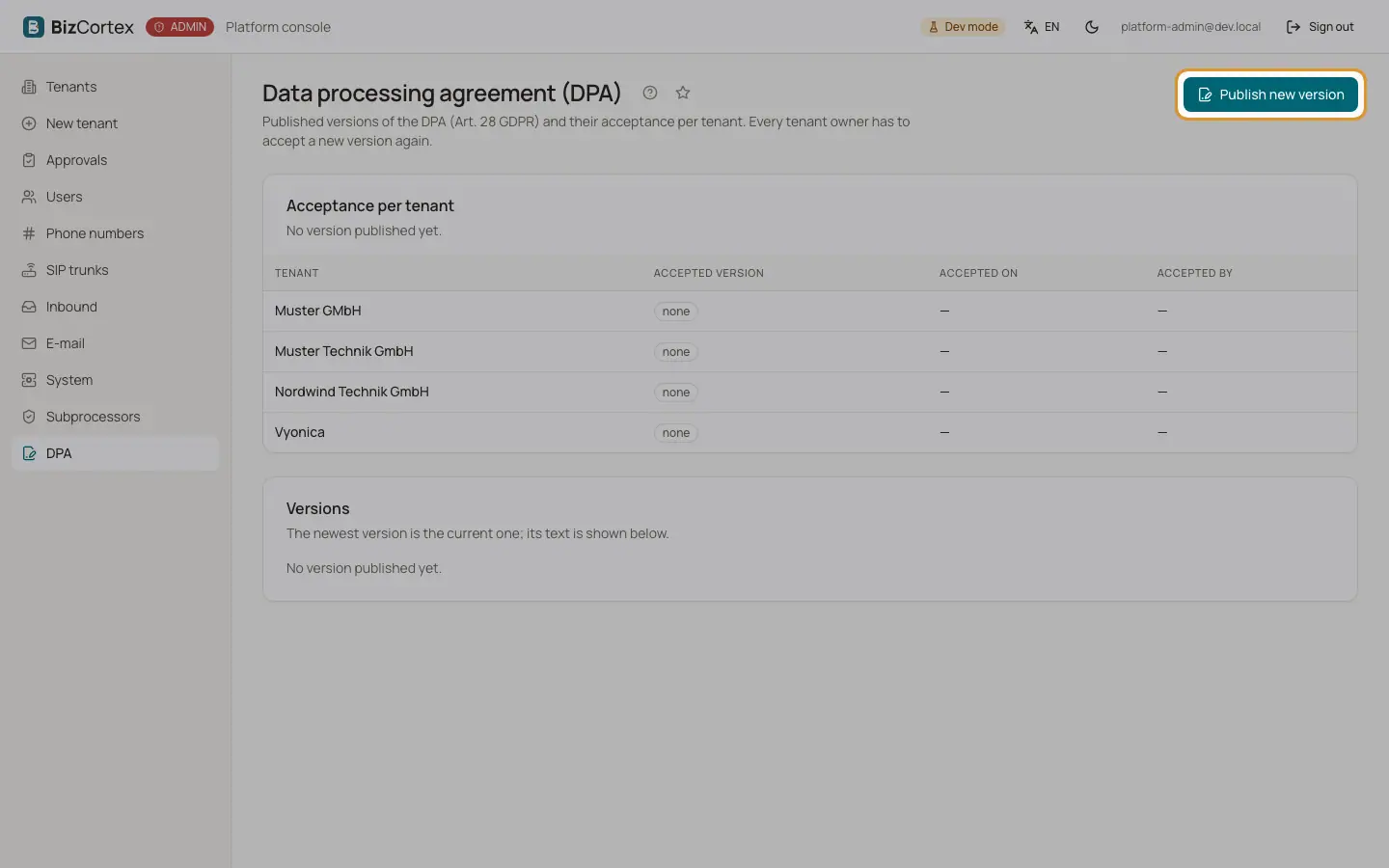
Open "DPA". The page shows the acceptance per tenant ("Current version: accepted of total tenants have accepted"), with the accepted version (current or outdated), the date and the person who accepted. Below are all published versions; the newest one is current and its text is shown.
Who can use this
- Platform operators
Steps
1. Prepare the text
Click "Publish new version". The form starts with the suggested next version number and the default agreement text filled with the operator details.
2. Fill in the version
Enter the version (for example 2.0), a change note, the title and the agreement text.
3. Publish
Publish. Published versions are immutable. Every tenant owner is then asked to accept the new version in BizCortex.
Good to know
- If operator details are missing, the page shows "Operator details missing" with the missing settings. A text that still contains placeholders cannot be published.
- Acceptances are written to the audit log of each tenant.
Related
- Subprocessors
Maintain the subprocessor register of the platform (annex 2 of the DPA).