Creating a tenant
The wizard creates the company with its accounting base, its Auth0 organization and invites the owner.
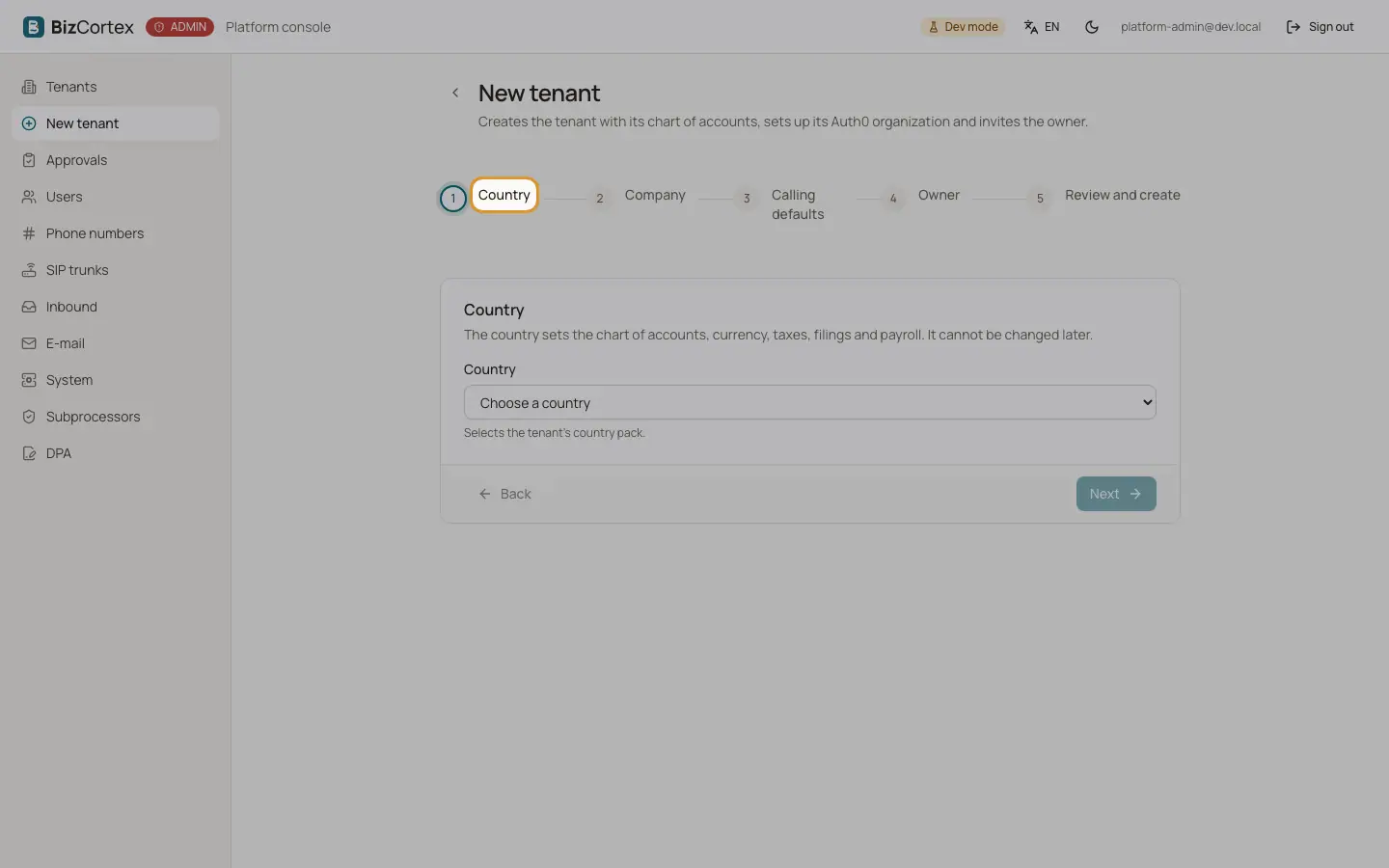
Click "New tenant". The wizard has five steps: Country, Company, Calling defaults, Owner and "Review and create". You can go back with "Back" and forward with "Next" once a step is complete.
When you click "Create tenant", BizCortex sets up the accounting base (chart of accounts, tax codes, base currency, number ranges, fiscal year and company profile), makes the owner email the Owner of the company, stores the calling defaults with an empty agent brief, creates or reuses the Auth0 organization and sends the owner an invitation.
Who can use this
- Platform operators
Steps
1. Country
Choose the country. The country selects the country pack and sets the chart of accounts, currency, taxes, filings and payroll. The step shows the currency, the charts of accounts, the languages, the time zone and the payroll engine of the pack. The country cannot be changed later.
2. Company
Enter the company name. The slug is suggested from the name; it may only contain lowercase letters, digits and single hyphen characters. Choose the chart of accounts (for Germany SKR03 or SKR04; it cannot be changed later), the language, the form of address (Formal or Informal), the time zone, the website, the bundle and the link to the privacy policy (a full https link, optional).
3. Calling defaults
Choose the plan, concurrent calls, the all in price per minute, the retention in days and the recording mode. Tick "Set custom calling windows" to enter your own windows; otherwise the German default windows apply. Write the company profile that the agent speaks, or click "Research" for a draft based on the website.
4. Owner
Enter the owner email (required) and name. The owner receives an invitation to the Auth0 organization with the role tenant_owner.
5. Review and create
Check every detail and click "Create tenant". The tenant page opens with a "Tenant created" message.
Fields and options
- Bundle
Starter (Finance, Sales, Purchasing and Workspace), Pro (Starter plus People, Operations, Analytics and Brain, the default) or Enterprise (every package, including Sales calling, Manuals and Assistant).
- Plan
Trial (default), Starter, Pro or Enterprise.
- Concurrent calls
Maximum number of parallel conversations, 1 to 50. Default 2.
- All in price per minute (EUR)
Leave empty for the default of the plan. Up to four decimals, for example 0,39.
- Retention (days)
Transcripts and recordings are deleted afterwards. Default 90.
- Recording
Recording (with consent), Transcript only (default) or Outcome only.
- Calling windows
JSON: weekday (0 is Monday) to a list of time windows. {} means never call.
- Company profile
The paragraph the agent speaks when someone asks what the company does. Research shows a confidence value and the number of searches. A person must check every sentence before the first call.
Good to know
- An Auth0 failure never removes the new tenant. The message then shows a warning instead of the success text. Use "Set up organization" on the overview tab to try again.
- If no user exists for the owner email yet, a pending user is created and linked at the first sign in. You as the operator do not become a member.
- Research needs a configured search service. Without it, research is refused.
Related
- Tenant overview and Auth0 organization
Usage, readiness, identifiers and the link to the Auth0 organization of a tenant.
- Booked packages
Decide which packages a company can use, one by one or as a bundle.