Acting as a tenant
Open BizCortex as a tenant with administrator rights for debugging and support.
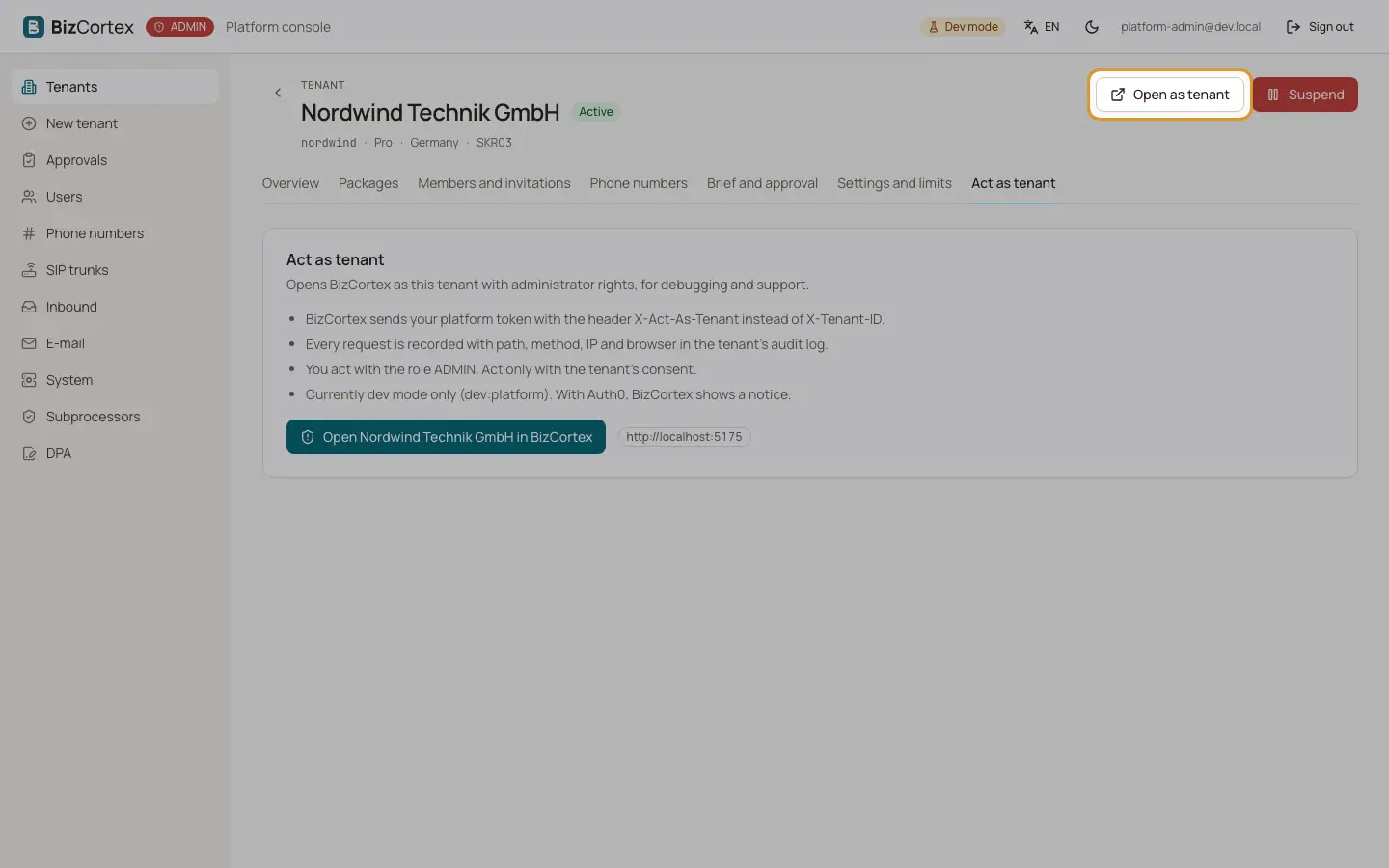
The tab "Act as tenant" and the button "Open as tenant" open BizCortex in a new browser tab as this tenant. You act with the role Administrator. Act only with the consent of the tenant.
Every request you make is recorded in the audit log of the tenant with path, method, IP address and browser.
Who can use this
- Platform operators
Steps
1. Open
Click "Open" followed by the tenant name, or "Open as tenant" at the top of the tenant page.
2. Work
BizCortex signs you in and selects the tenant. Do what you need to do.
3. Leave
Close the browser tab when you are done.
Good to know
- Act as is not available in Auth0 mode. It currently works only in development installations. With Auth0 sign in, BizCortex shows a notice that "open as tenant" is not available yet; work in the admin console instead.
- While acting as a tenant you can never accept the data processing agreement for the company.
Related
- Accounts and sign in
Questions about signing in, passwords, invitations and several companies.