Members and invitations of a tenant
Invite members, change roles, remove members and manage open invitations for any tenant.
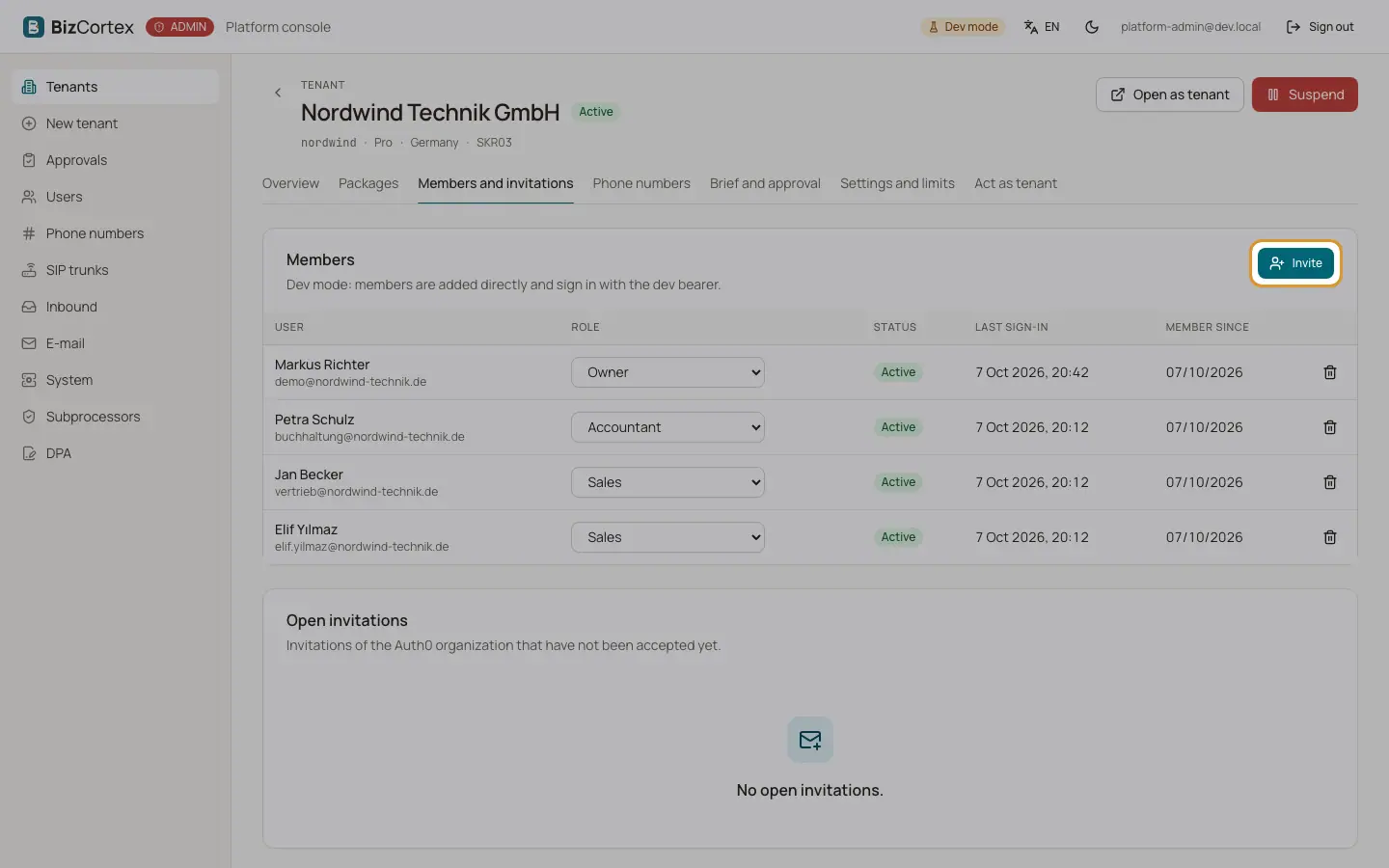
Open the tenant and the tab "Members and invitations". The member table shows user, role, status (Open or Active), last sign in and "Member since". You act with the rights of an Owner here, so you can also assign and remove Owners.
Who can use this
- Platform operators
Steps
1. Invite
Click "Invite", enter the email, an optional name and the role, and click "Send invitation". Auth0 sends the invitation. The membership is created right away as open.
2. Change a role
Choose a new role in the row. With Auth0, the organization roles are replaced too. If the member has a company role, a note shows it; changing the role here replaces it.
3. Remove
Click "Remove" and confirm. The Auth0 organization membership ends too.
4. Open invitations
The card "Open invitations" lists invitations that were not accepted yet, with the expiry date. Use "Copy invitation link", "Resend" (revoke and invite again with the same role) or "Revoke".
Good to know
- If the tenant has no Auth0 organization yet, a warning says that invitations fail until it is set up on the overview tab.
- If Auth0 refuses an invitation, the member is not created and the error from Auth0 is shown.
- A tenant needs at least one Owner. The last Owner cannot be removed or downgraded.
- Roles are the same as in BizCortex: Owner, Administrator, Accountant, Sales, Purchasing, HR manager, Employee, Viewer and Compliance.
Related
- Users across the platform
Every user of the platform with their tenants and roles.