Phone numbers
The number inventory of every tenant: buy, add, assign, wire and release numbers.
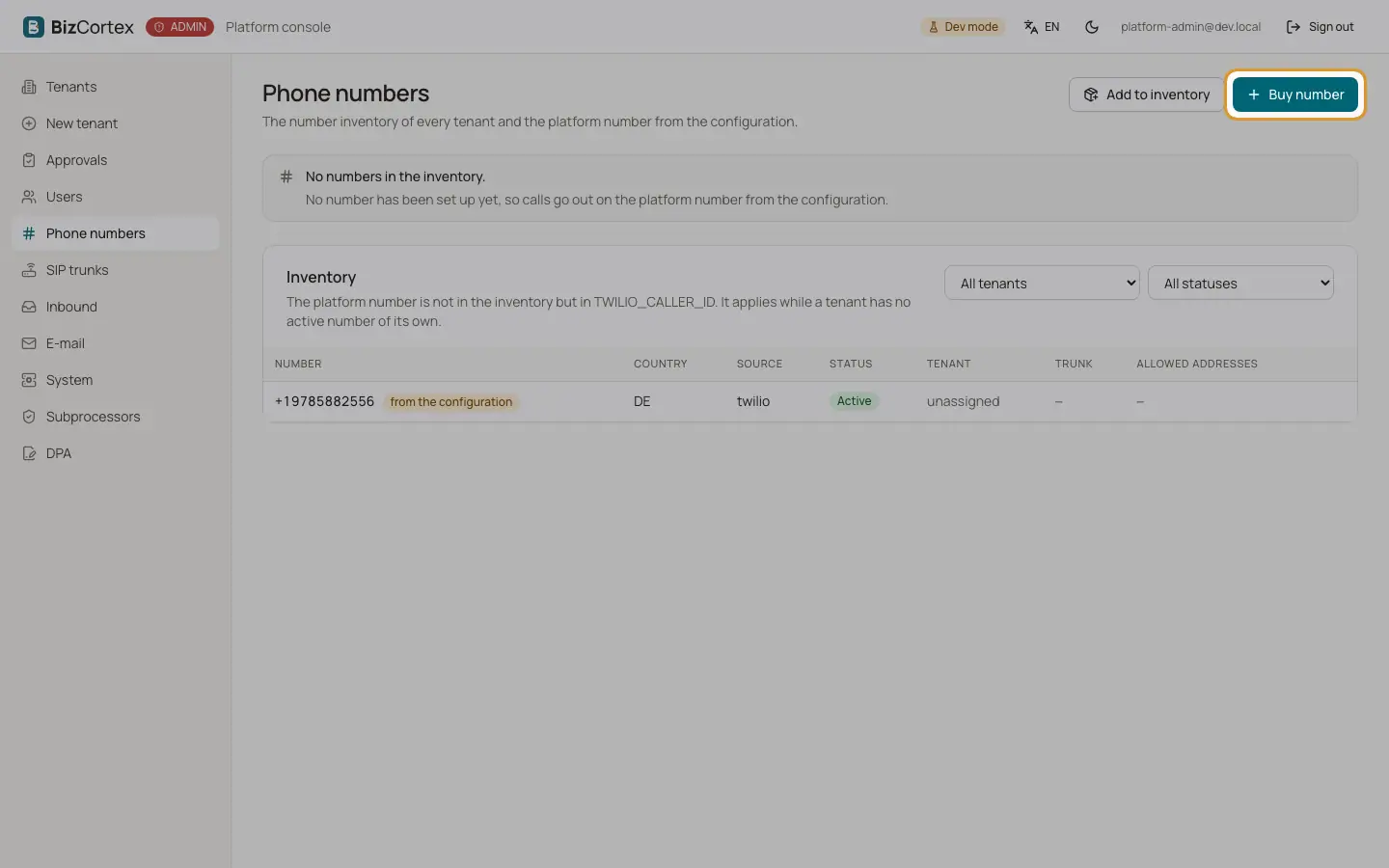
Open "Phone numbers" for the whole inventory, or the tab "Phone numbers" of a tenant for its own numbers. Filter by tenant and status. The table shows number, country, source (Platform (Twilio) or Own number (SIP)), status, tenant, trunk and whether the number is the caller ID.
If a platform number is set in the configuration and not in the inventory, it appears as a read only row "from the configuration". It applies while a tenant has no active number of its own.
Who can use this
- Platform operators
Steps
1. Buy a number
Click "Buy number", choose the tenant and the country, optionally enter digits the number should contain (for example an area code without the 0) and click "Search available numbers". Pick one, or let the platform buy the first available number. The number is bought at Twilio and wired to the hotline of the tenant. The purchase is billed immediately.
2. Add a number
Click "Add to inventory" for numbers bought outside the console or own numbers of a tenant over SIP. For own numbers, enter the allowed addresses: the IP addresses or networks of the carrier, separated by commas.
3. Assign or unassign
Open the row actions and choose "Assign" to give the number to a tenant, or "Unassign" to return it to the pool.
4. Make it the caller ID
Choose "Make caller ID". A tenant has one default; the new one wins. Only a Twilio number of the tenant can be its caller ID.
5. Retry wiring
If the status shows "Wiring failed", choose "Retry wiring". The error is shown if it fails again.
6. Release
Choose "Release" and confirm. Calls to the number no longer reach the tenant, and a bought number goes back to Twilio. The row stays with the status Released.
Fields and options
- Status
Active, Being wired, Waiting for documents or Released.
Good to know
- On the tenant tab, the first usable Twilio number of the tenant becomes its caller ID unless you choose another one.
- A tenant without a number of its own calls out on the platform number from the configuration.
Related
- SIP trunks
Trunks and dispatch rules in LiveKit, queried live.