Roles and permissions
How roles decide what each member may see and do.
Every member has one role in each company. The role is a set of permissions. A permission always names an area and an action, for example "view invoices" or "approve payroll runs". There are four action levels: view, edit, approve and manage.
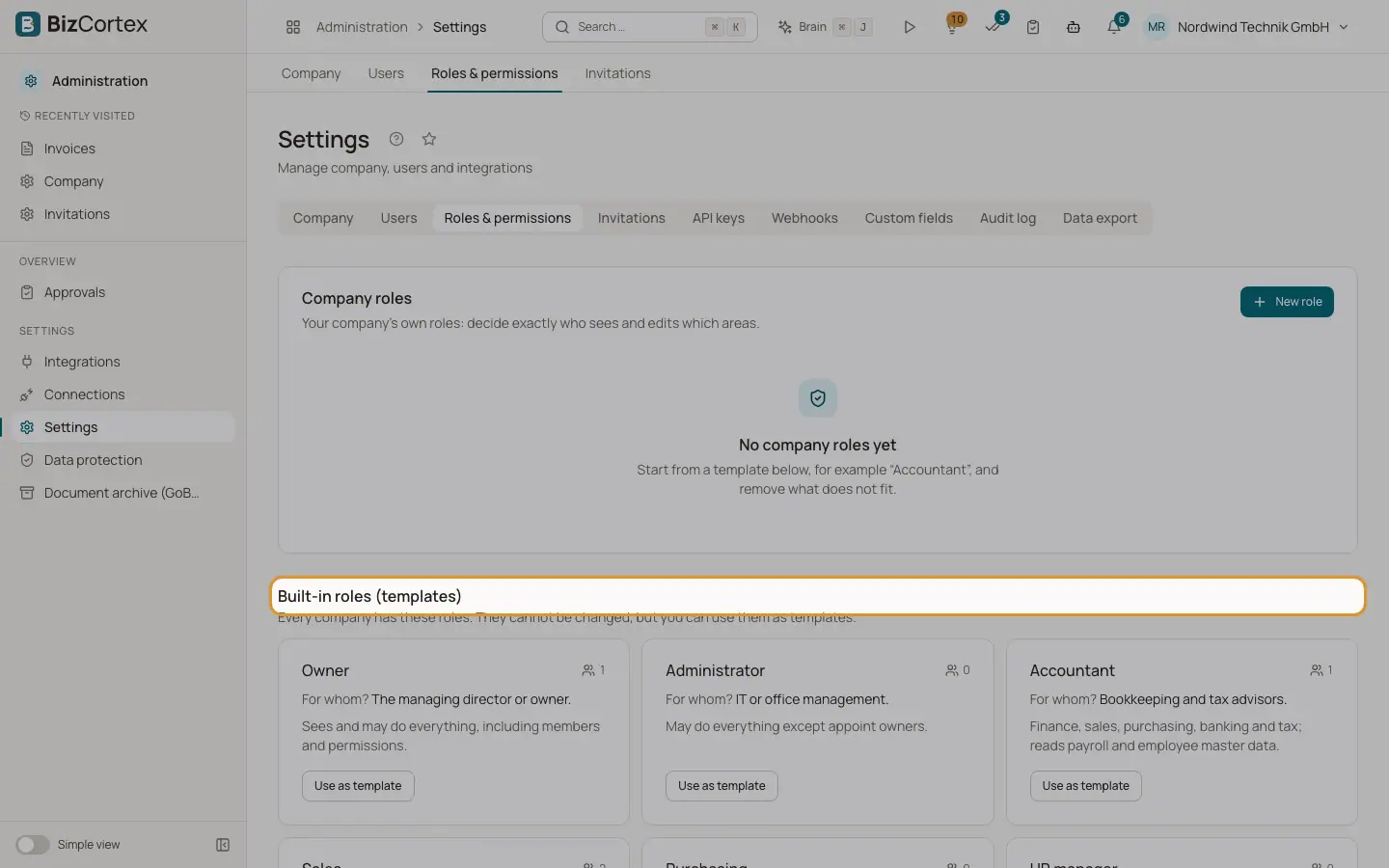
BizCortex comes with nine built in roles. Owners and administrators can also create company roles with exactly the permissions they need. Whatever the role says, a member never sees areas of packages the company has not booked.
Fields and options
- Owner
Sees and may do everything, including members and permissions. For the managing director or owner.
- Administrator
May do everything except appoint owners. For IT or office management.
- Accountant
Finance, sales, purchasing, banking and tax; reads payroll and employee master data. For bookkeeping and tax advisors.
- Sales
Customers, quotes, invoices, projects, leads and calling. For the sales team and inside sales.
- Purchasing
Vendors, purchase orders, bills and inventory; approvals stay with accounting. For purchasing and warehouse.
- HR manager
Employees, leave, payroll and recruiting. For the HR team.
- Employee
Own area (leave, time, expenses), tasks, calendar and documents. For every employee without a special function.
- Viewer
Sees almost everything, changes nothing; no HR or payroll data. For tax auditors, an advisory board or interns.
- Compliance (audit only)
Privacy, audit log and calling compliance; no HR or payroll data. For the data protection officer.
Tips
- Your role in the current company is shown as a badge in the user menu.
- Owners and administrators change roles in Administration, Settings, tab "Users" ("Change role").
Good to know
- Only an owner can make another member an owner or take the owner role away. Administrators can assign every other role.
- Some records add their own checks on top of the role. For example, document spaces decide who sees which pages, and confidential HR helpdesk tickets are only visible to the people assigned to them.
Related
- Users
See who has access to the company, invite people, change roles and remove users.
- Roles and permissions
The nine built in roles and what each of them may do.
- What every member can do
The basic permissions that come with every role.
- Company roles (custom roles)
Create your own roles that decide exactly who sees, edits and approves which areas.
- Owner and Administrator
The two roles with full access.