Roles and permissions
The nine built in roles and what each of them may do.
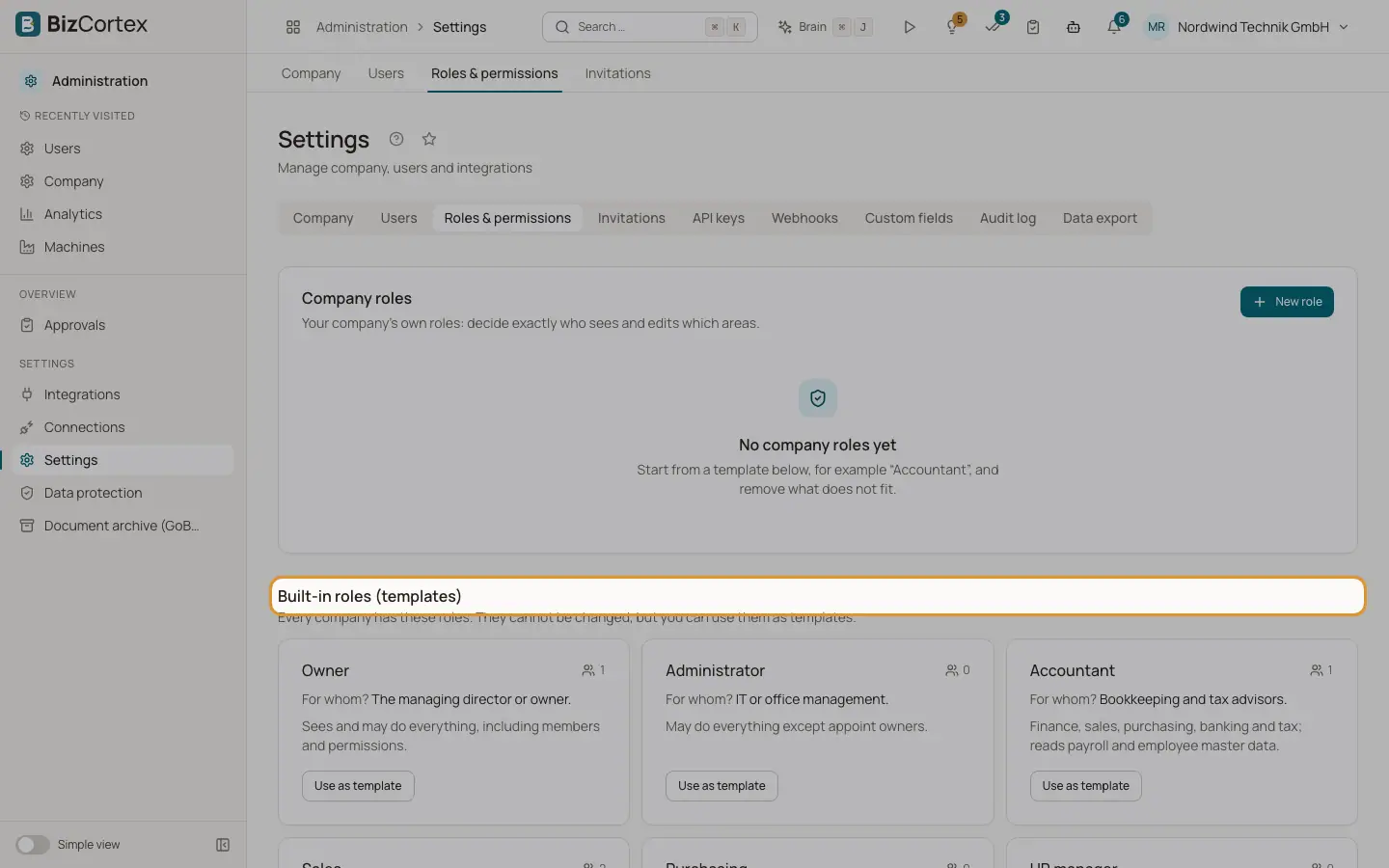
Open "Settings" and the "Roles & permissions" tab. The lower part, "Built in roles (templates)", lists the roles every company has. They cannot be changed, but you can use each of them as a template for a company role. Every card shows "For whom?", a short description and how many members have the role.
Every member, whatever the role, can see the company details and the member list, use comments, notifications, attachments and tags, read custom fields and change their own preferences.
Who can use this
- Owner
- Admin
Fields and options
- Owner
Sees and may do everything, including members and permissions. For the managing director or owner.
- Administrator
May do everything except appoint owners. For IT or office management.
- Accountant
Finance, sales, purchasing, banking and tax; reads payroll and employee master data. Can edit the company master data and custom fields, keeps the archive and reads approval workflows and automations. For bookkeeping and tax advisors.
- Sales
Customers, quotes, invoices, projects, leads and calling. For the sales team and inside sales.
- Purchasing
Vendors, purchase orders, bills and inventory. Approvals of bills stay with accounting. For purchasing and the warehouse.
- HR manager
Employees, leave, payroll and recruiting. Reads data subject requests and manages consents. For the HR team.
- Employee
Own area (leave, time, expenses), tasks, calendar and documents. For every employee without a special function.
- Viewer
Sees almost everything, changes nothing. No HR, payroll, security, privacy or automation data. For tax auditors, an advisory board or interns.
- Compliance
Privacy, the audit log and calling compliance; no HR or payroll data. For the data protection officer.
Good to know
- Members without the "Roles & permissions" right do not see this tab.
Related
- Company roles
Create your own roles and decide per area what a role may see, edit, approve or manage.
- Roles and permissions
How roles decide what each member may see and do.
- Permissions a company role can never have
Rights that stay with the built in Owner and Administrator roles.