Data subject requests
Record and track requests under Articles 15 to 21 GDPR with their one month deadline.
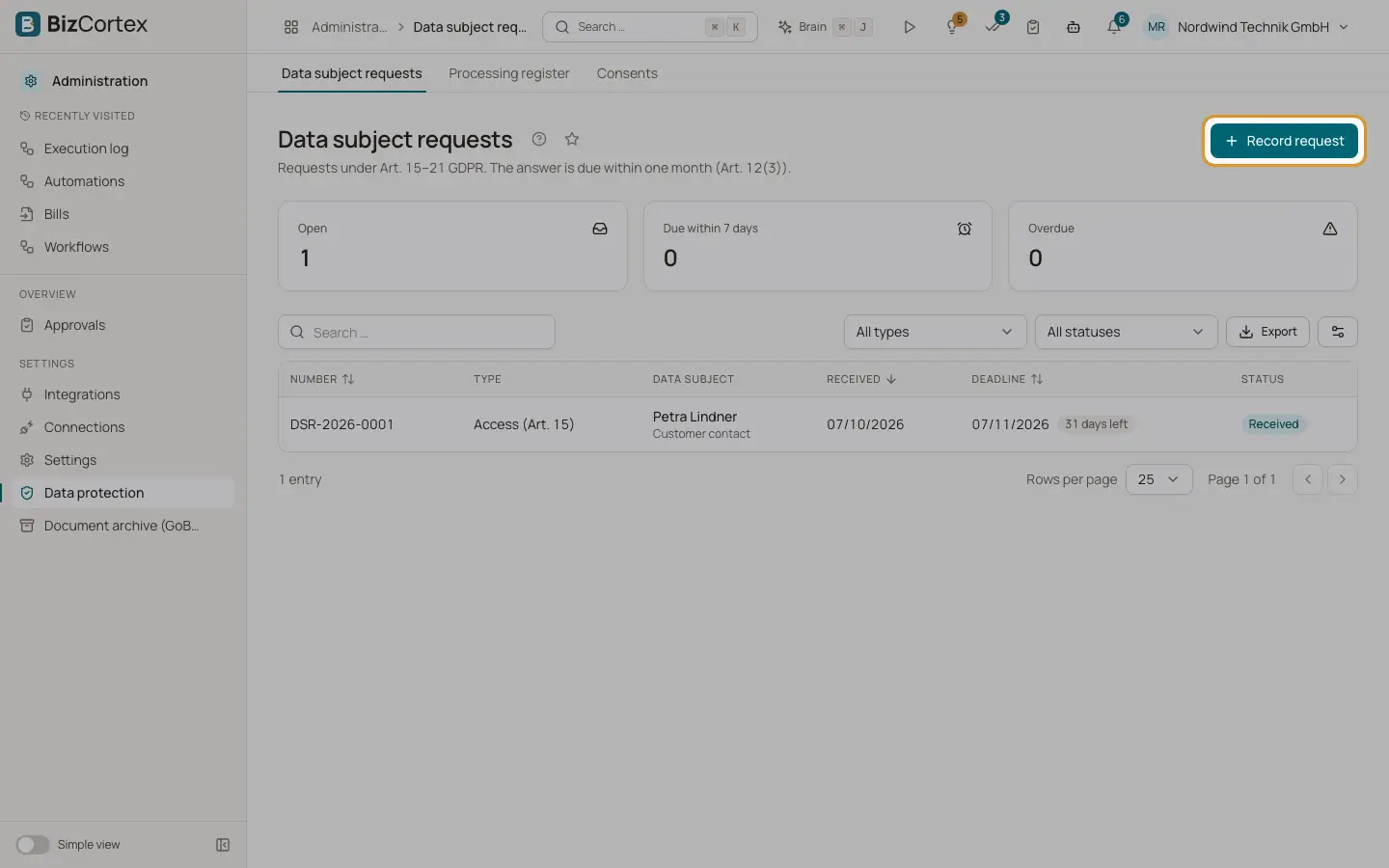
People can ask to access, correct or delete their data. The answer is due within one month (Art. 12(3) GDPR). Open "Data protection" and then "Data subject requests". The list shows number, type, data subject, received date, deadline and status. Deadlines are marked "Due within 7 days" or "Overdue".
Who can use this
- Owner, Admin, Compliance and HR manager can view
- Owner, Admin and Compliance can record and handle
Steps
1. Record a request
Click "Record request". Choose the type, the group of persons and the channel. Identify the person by email address and/or name. Enter the received date and a description. Save. The deadline is set to one month after receipt.
2. Filter
Use "All types" and "All statuses" to narrow the list.
3. Open a request
Click a row to handle the request.
Fields and options
- Access (Art. 15)
Copy of all stored data with purposes, legal bases and retention periods.
- Rectification (Art. 16)
Correct inaccurate data.
- Erasure (Art. 17)
Anonymise data unless a retention obligation applies.
- Restriction (Art. 18)
Restrict processing (storage only).
- Portability (Art. 20)
Provide the data in a structured, machine readable format.
- Objection (Art. 21)
Assess and implement an objection to processing.
- Group of persons
Employee, Applicant, Customer, Customer contact, Vendor, Vendor contact, User or Other person.
- Channel
Email, Letter, Phone, Portal, In person or Other.
- Status
Received, Identity verified, In progress, Completed, Partially completed or Rejected.
Related
- Handling a data subject request
Verify the identity, find the data, export, rectify, restrict or anonymise it and close the request.