Handling a data subject request
Verify the identity, find the data, export, rectify, restrict or anonymise it and close the request.
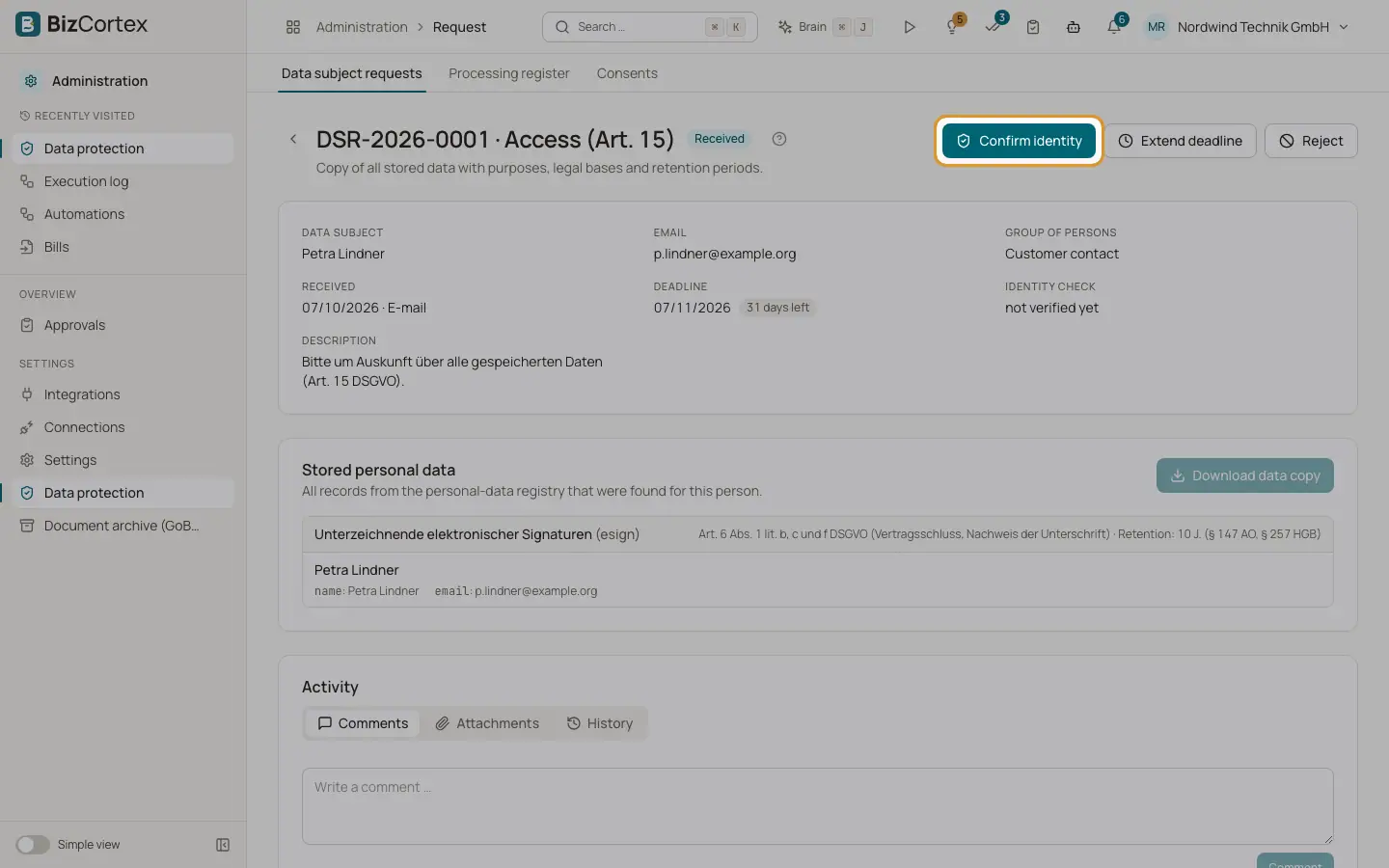
The request page shows the type, the data subject, the received date and the deadline with the days left. If the deadline has passed, a warning "Deadline missed" asks you to handle the request immediately.
The card "Stored personal data" lists every record that BizCortex found for this person, by category, with the retention rule. Only fields that the modules registered as personal data are shown, exported, rectified or anonymised.
Who can use this
- Owner
- Admin
- Compliance
Steps
1. Confirm the identity
Click "Confirm identity" and describe the verification method, for example a confirmation via the email address on file. Only disclose or erase data once the identity is established.
2. Start
Click "Start processing". The status changes to In progress.
3. Access and portability
Click "Download data copy" to get a ZIP with all found data as JSON and CSV, the consents and references to archived documents. This needs a confirmed identity.
4. Rectification
Click "Rectify data", choose the field and enter the new value. An empty value removes it. The old and new value are logged.
5. Restriction
Click "Restrict processing". All found records are marked as restricted.
6. Erasure
Click "Preview" first. Nothing is changed yet. The preview lists every record as "Will be anonymised" or blocked by a "Retention obligation" with the reason. Then click "Anonymise" and confirm. Records without a retention obligation are anonymised irreversibly. Records under a retention obligation are scheduled for the end of the period.
7. Extend the deadline
Only for complex or numerous requests: click "Extend deadline", choose the months (at most two) and give the reason. Inform the person of the reasons.
8. Reject
Click "Reject" and give the reason, for example a manifestly unfounded or excessive request (Art. 12(5)).
9. Complete
Click "Complete" and enter the response or a note.
Good to know
- Anonymised text fields are replaced by the word "Anonymisiert", email addresses by an invalid placeholder address.
- Typical retention obligations: issued invoices and posted bills until the end of the 8th year after the invoice year; payroll records 6 years; the personnel file 3 years after leaving; rejected applicants 6 months; the last Owner of a company cannot be erased.
- Every step is written to the audit log. For erasures only the names of the fields are logged, never the erased values.
- Comments, attachments and the activity history on a request are only visible with the privacy request rights.
Related
- Data subject requests
Record and track requests under Articles 15 to 21 GDPR with their one month deadline.
- Retention and registry
See which modules store personal data, for how long, and which erasures wait for a retention period.