Audit log
A tamper evident log of who created, changed or deleted what and when.
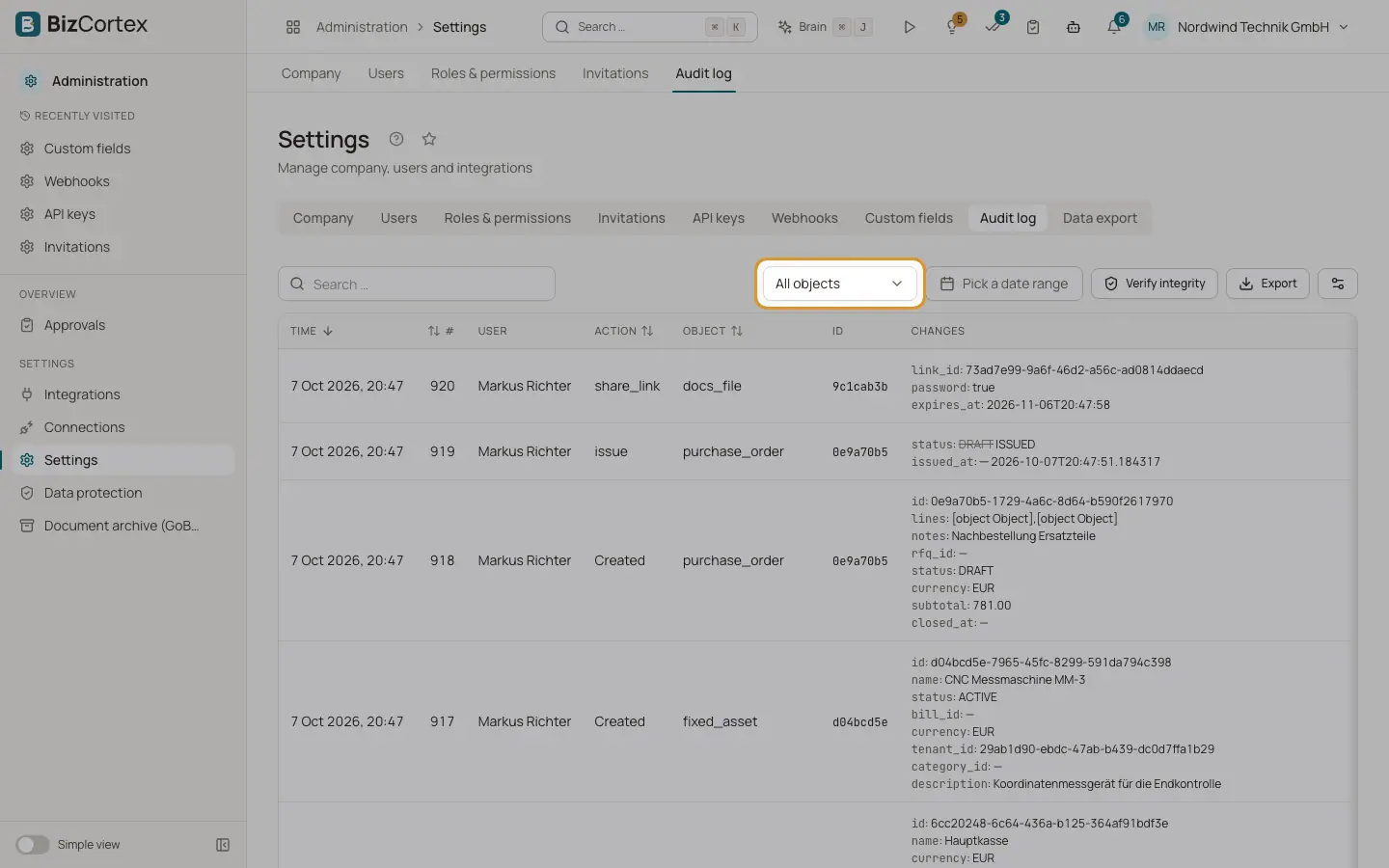
Every important change in BizCortex is written to the audit log. Each entry is chained to the previous one with a SHA256 hash, so a later change to the log can be detected. Open "Settings" and the "Audit log" tab.
The columns are Time, # (the running number), User, Action, Object, ID and Changes. Changes made by BizCortex itself show "System" as the user.
Who can use this
- Owner
- Admin
- Compliance
Steps
1. Filter
Choose an object type in the list ("All objects" by default), for example invoice, payment, client, vendor, bill, expense, transaction, account, fiscal_year, employee, bank_account, fixed_asset, company_profile, membership, api_key or webhook. Choose a date range to narrow the period.
2. Read the changes
The "Changes" column shows which fields changed.
3. Verify the integrity
Click "Verify integrity". BizCortex recalculates the whole chain. The button then shows "Hash chain valid" with the number of entries, or "Hash chain broken at" with the number of the first entry that does not match.
4. Export
Use "Export" to download the filtered list as CSV or Excel (XLSX).
Good to know
- The audit log cannot be edited or deleted. It is kept even after an erasure request under the GDPR, because it serves legal retention duties. Older entries can contain personal data, so only administrators and compliance may read it.
- Actions that the Brain assistant carried out for a user are marked as such in the entry.