Document archive (GoBD)
Invoices, receipts and exports stored unchangeably with checksum and retention period.
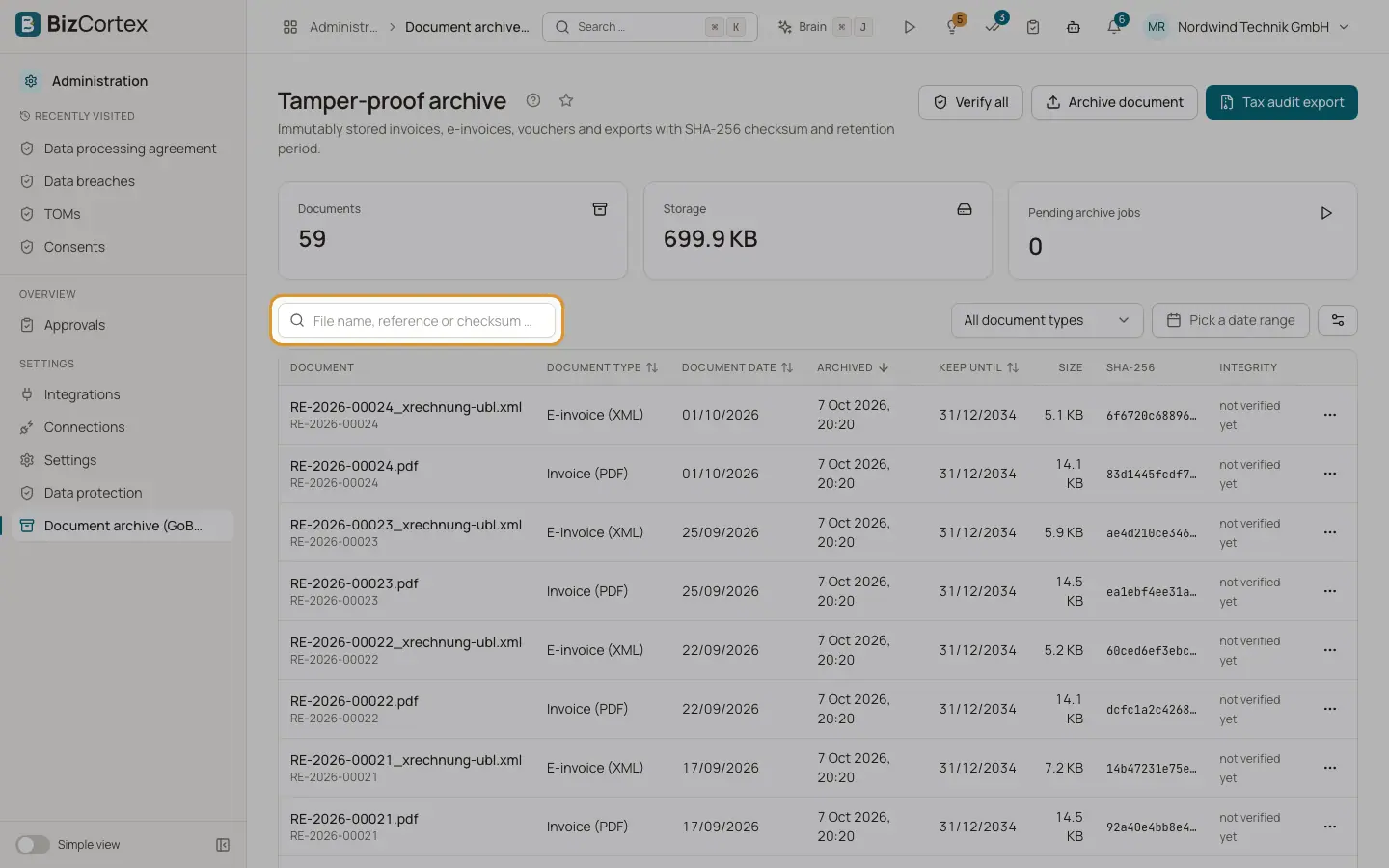
The archive stores documents so they cannot be changed (revisionssichere Archivierung under the GoBD). Every document gets a SHA256 checksum and a retention date. Open the Administration app and "Document archive (GoBD)". Counters show the number of documents, the storage used and pending archive jobs.
BizCortex archives automatically: when an invoice is posted, the invoice or credit note PDF and the electronic invoice XML; when an invoice is cancelled or a credit note is created, the credit note PDF; when a bill is posted, the received electronic invoice and every attachment of the bill. Other modules archive their own documents, and uploads from the vendor portal are archived on receipt.
Who can use this
- Owner, Admin, Accountant, Purchasing, HR manager, Viewer and Compliance can view and download
- Owner, Admin and Accountant can verify and archive documents
Steps
1. Find a document
Search by file name, reference or checksum. Filter by document type ("All document types" by default) and by date range.
2. Download
Open the row menu and choose "Download".
3. Verify integrity
Choose "Verify integrity" in the row menu. The file is read again and its checksum compared. The "Integrity" column shows "unchanged", "damaged" or "not verified yet". Click "Verify all" to check every document at once.
4. Archive a received document
Click "Archive document" to store a document you received, for example a scanned paper invoice. Drop the file, choose the document type, enter the object type (for example bill), the object ID or document number, the document date and a reference.
5. Tax audit export
Click "Tax audit export" to download a ZIP for the tax auditor with the documents of the current filter, an index as CSV and XML, a list of checksums and a readme (in German).
6. Process pending jobs
Click the play icon on "Pending archive jobs" to archive waiting documents now instead of waiting for the next automatic run.
Fields and options
- 8 years
Invoices, credit notes, electronic invoices, received invoices, bill attachments, receipts and bank statements.
- 10 years
Payroll journals, DATEV exports, tax filings, VAT ID confirmations, annual statements, journals, machine operating manuals and other documents.
- 6 years
Dunning letters, payslips, contracts, business letters and certificates.
Good to know
- The retention period counts from the end of the calendar year of the document date.
- Archived documents can never be edited. They can only be removed after the retention date.
- Each document can be up to 100 MB. Uploaded files are checked; executable files and scripts are refused.
- Archiving the same file for the same record twice keeps only one copy.
- Automatic archive jobs run every 10 minutes. A failed job is tried up to 5 times.
- Every document is verified automatically once a week, on Sunday morning.
- Payslips and payroll journals are only listed for people who may read HR payslips.
- Every tax audit export is written to the audit log.