Approval workflows
Rules for who has to approve which documents, including ready made templates.
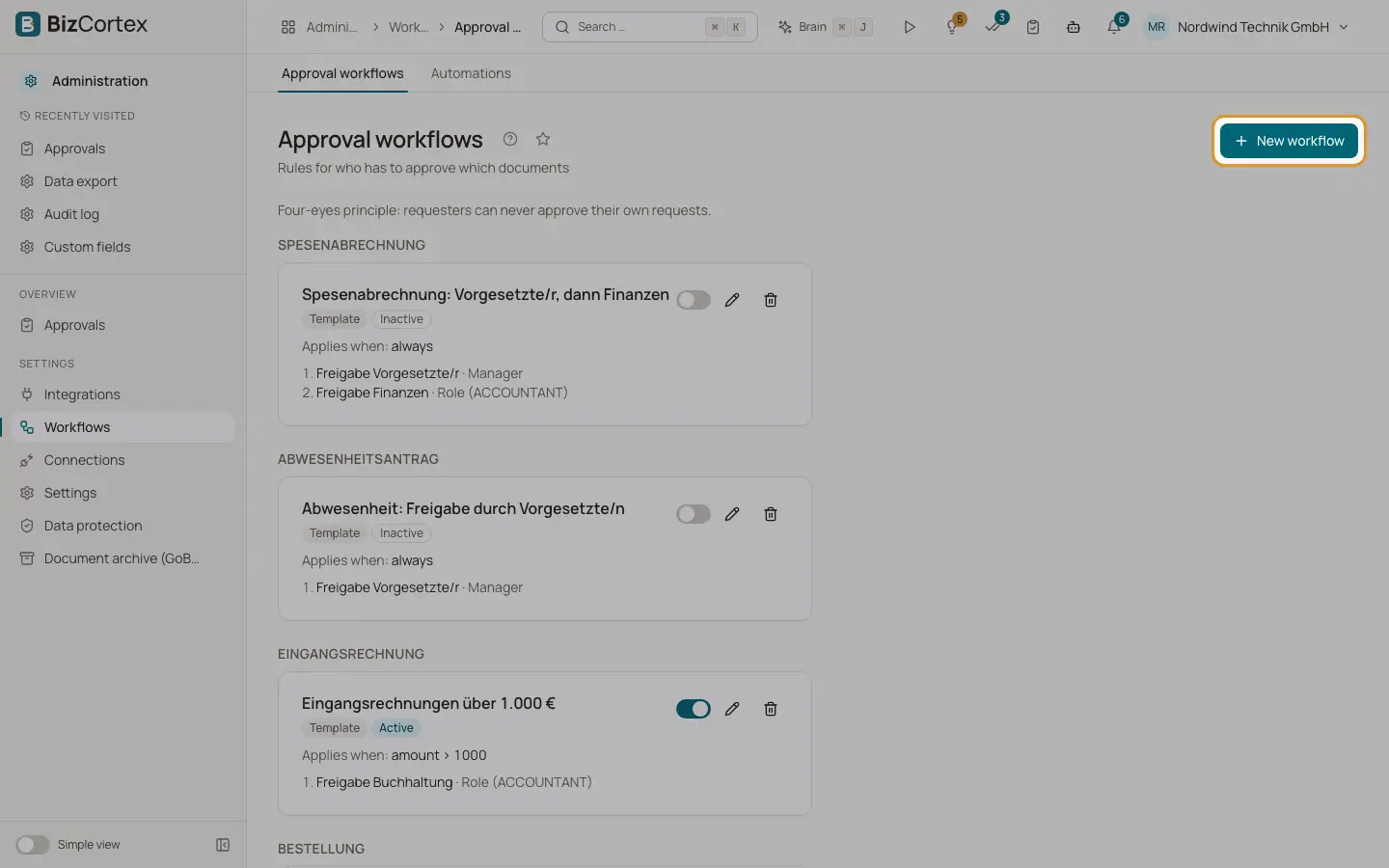
An approval workflow decides who must approve a document before it can be posted or executed. Open "Workflows" and then "Approval workflows". Each card shows the name, the document type, "Template" for ready made workflows, "Active" or "Inactive", the condition ("Applies when") and the steps with their approvers.
For each document type, BizCortex uses the first active workflow (by priority) whose condition matches the record. If no workflow matches, no approval is needed and the record behaves as usual.
Who can use this
- Owner, Admin, Accountant, HR manager and Viewer can view
- Owner and Admin can edit
Steps
1. Activate a template
Use the switch on a card to turn a workflow on or off.
2. Create a workflow
Click "New workflow" and fill in the editor.
3. Edit
Click the edit icon on a card.
4. Delete
Click the delete icon and confirm "Delete workflow?".
Fields and options
- Vendor bills over 1,000 EUR (template)
Bills with a gross amount over 1,000 EUR need approval by the Accountant role. A reminder after 24 hours, escalation to the Owner after 48 hours.
- Purchase orders over 5,000 EUR (template)
Approval by the Owner. A reminder after 24 hours.
- Expense claim: manager, then finance (template)
First the direct manager approves (escalation to the head of department after 72 hours), then the Accountant role (reminder after 48 hours).
- Leave: approval by the manager (template)
The direct manager approves. Escalation to the HR manager role after 72 hours.
Good to know
- The four templates are created automatically the first time the page is opened, and they start inactive. Activate them when you want them. Their names are shown in German.
- A workflow with open approvals cannot be deleted. Deactivate it instead.
- Changing a workflow never changes approvals that are already running. They keep the steps they started with.
- Changes to workflows are written to the audit log.
Related
- Editing an approval workflow
Set the document type, condition, steps, approvers, escalation and reminders.
- Approvals on documents
How approvals work on bills, orders, expense claims, leave, credit notes and journal drafts.