Approvals on documents
How approvals work on bills, orders, expense claims, leave, credit notes and journal drafts.
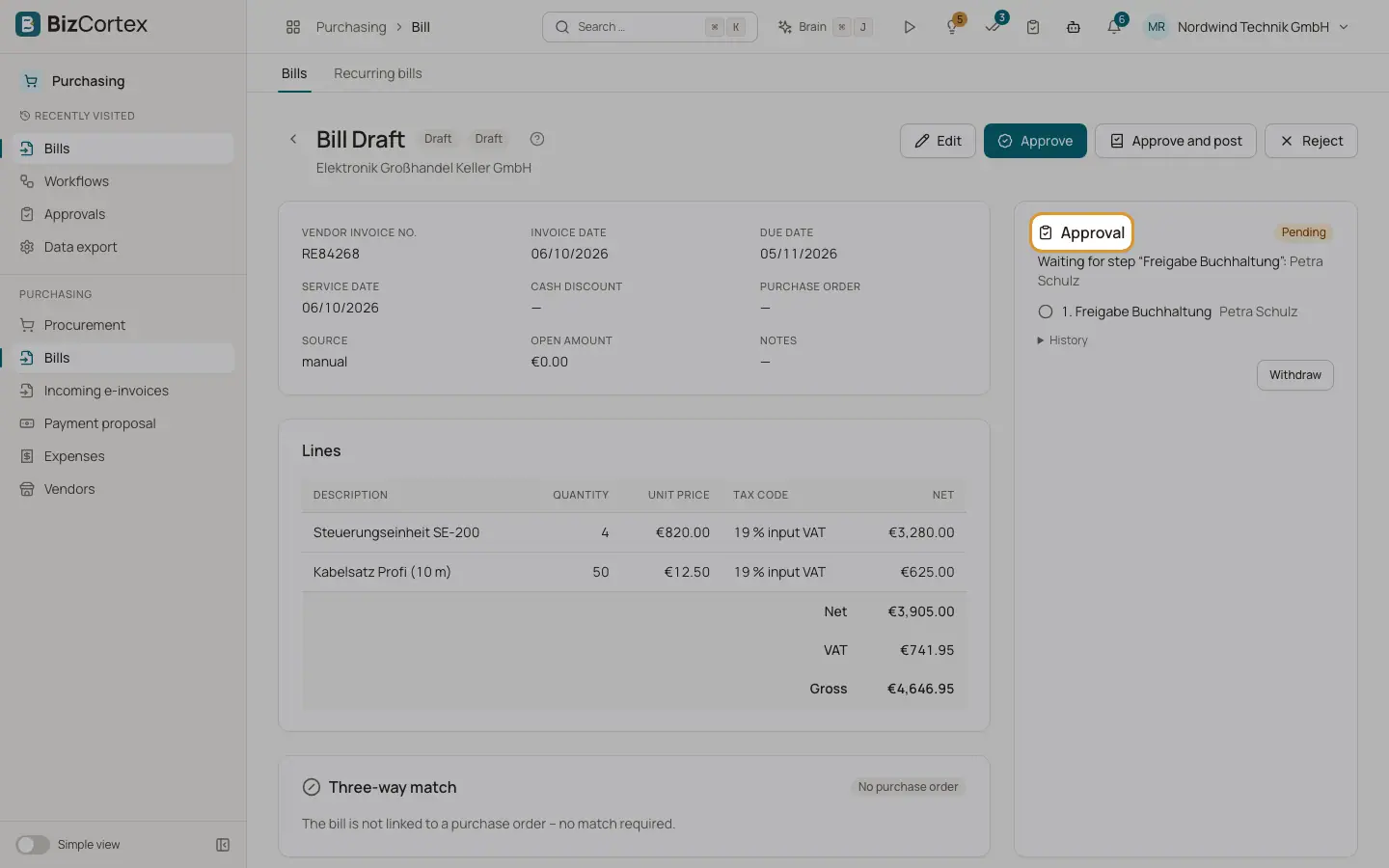
When an active workflow matches a record, the record shows an "Approval" panel. It shows the status, the steps with the people responsible, the last comment and the "Approval history". Until the approval is granted, the critical action (posting, issuing, approving) is blocked.
Who can use this
- Every member who can edit the record
Steps
1. Submit
If the panel shows "Approval required", click "Submit for approval". Some records start the approval on their own, for example when you post a bill or submit an expense claim.
2. Wait for the decision
The panel shows "Waiting for step" with the name of the step and the approvers.
3. Decide on the record
Approvers see "Approve", "Reject" and "Request changes" directly on the panel.
4. Withdraw or submit again
The requester can "Withdraw" a running request. After a rejection or a change request, correct the record and click "Submit again".
Fields and options
- Vendor bills
Approving and posting wait for the approval. Approved: the bill is approved, posting stays a separate step. Rejected: the bill is rejected.
- Purchase orders
Issuing the order waits for the approval.
- Expense claims
Submitting the claim starts the approval. Approved: the claim is approved. Rejected or changes requested: the claim is rejected and can be edited. Withdrawn: back to draft.
- Leave requests
A request that needs approval starts the workflow. Cancelling the request withdraws the approval. The approval opens in a dialog from the leave lists.
- Credit notes
Each credit note, also a full cancellation, needs its own approval. When it is approved, exactly the requested credit note is issued.
- Journal drafts
Posting waits for the approval. In a bulk post, drafts without approval are reported as failed.
Good to know
- Editing a record while its approval is pending does not restart the approval. The approver sees the data captured at submission.
- The amount of a credit note in an approval is an estimate.
Related
- Approvals inbox
Approve or reject documents and requests from every area in one place.
- Approving and posting bills
Approve a bill, post it to the ledger or reject it.
- Draft entries and the journal entry editor
Prepare entries as drafts, check them, and post them to the ledger one by one or in bulk.