Company master data
Legal name, address, tax numbers, register entry and bank details that appear on your invoices.
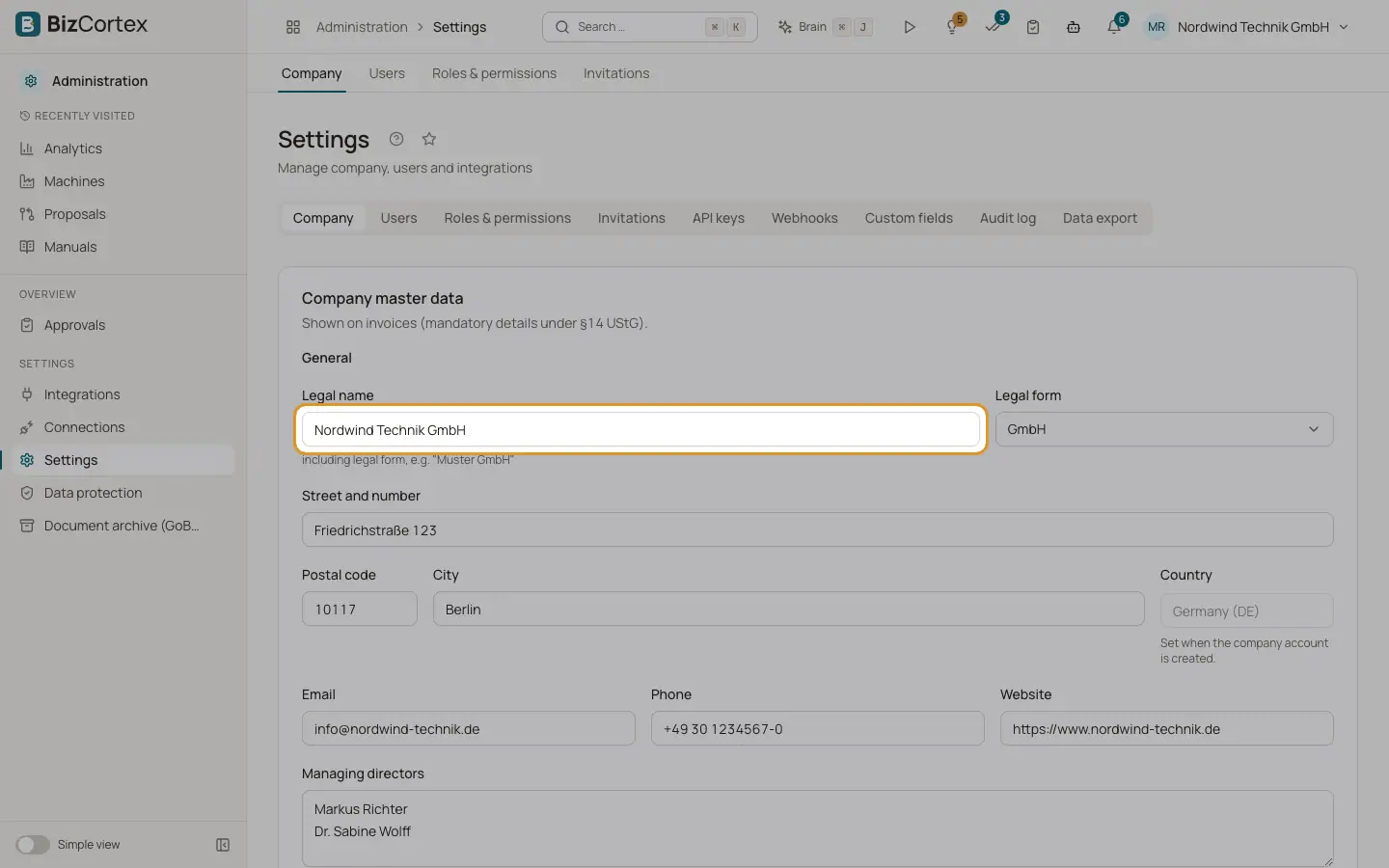
The company master data is printed on invoices and other documents. In Germany these details are mandatory on invoices under §14 UStG. Open "Settings" and the "Company" tab. The card is called "Company master data".
If no master data exists yet, the form starts with the company name from your account. Members without the edit right see the form read only and without the "Save" button.
Who can use this
- Everyone can view
- Owner, Admin and Accountant can edit
Steps
1. Open the tab
Open the Administration app, then "Settings" and the "Company" tab.
2. Fill in the general details
Enter the legal name including the legal form, the street, postcode and city. Add email, phone and website if you want them on your documents. List the managing directors, one per line.
3. Fill in the tax details
Enter the tax number, VAT ID, tax office and tax office number. Choose the VAT return period, the VAT accounting method and the month in which your fiscal year starts.
4. Fill in the register and bank details
Enter the register court and register number, then the IBAN, BIC and the name of the bank.
5. Save
Click "Save". Every field is checked. Fields with an error are marked and the data is not saved until you correct them.
Fields and options
- Legal name
The full name including the legal form, for example "Muster GmbH". Required.
- Legal form
Choose from GmbH, UG (haftungsbeschränkt), AG, GmbH & Co. KG, KG, OHG, GbR, e.K., Einzelunternehmen, Freiberufler or e.V., or leave it empty.
- Street, Postcode, City
Required. The postcode is checked against the rules of your country, for example 5 digits in Germany, France and Spain, 4 digits in Austria, Switzerland, Denmark and Norway.
- Country
Read only. The country is set when the company account is created and controls the chart of accounts, taxes and filings.
- Email, Phone, Website
Optional contact details. The email must be a valid address.
- Managing directors
One name per line. They appear in the footer of your documents.
- Tax number (Steuernummer)
The tax number from your tax office.
- VAT ID (USt IdNr.)
Your VAT identification number. The format is checked when you save.
- Tax office, Tax office number
The responsible tax office and its number.
- VAT return period
Monthly, Quarterly or Yearly. Default is Monthly.
- VAT accounting
Accrual basis (Soll Versteuerung, the default) or cash basis (Ist Versteuerung).
- Fiscal year starts in
The first month of your fiscal year. Default is January.
- Country specific identifiers
Extra company numbers that your country requires, for example SIREN in France, NIF in Spain, UID in Austria, the organisation number in Sweden and Norway or the CVR number in Denmark. Fields marked with a star are required. Each value is checked against its format.
- Small business (§19 UStG)
Switch this on if you use the small business rule. Invoices are then issued without VAT.
- Register court, Register number
Your commercial register entry, for example "Amtsgericht München" and "HRB 123456".
- IBAN, BIC, Bank
Your bank account for payments. The IBAN is checked when you save.
Good to know
- The country cannot be changed here. It is fixed once the company has posted transactions.
- Uploading a company logo is not available on this tab yet.
Related
- Country settings
Settings that only apply in your country, such as payment references, register numbers, filings and payroll.