Retention and registry
See which modules store personal data, for how long, and which erasures wait for a retention period.
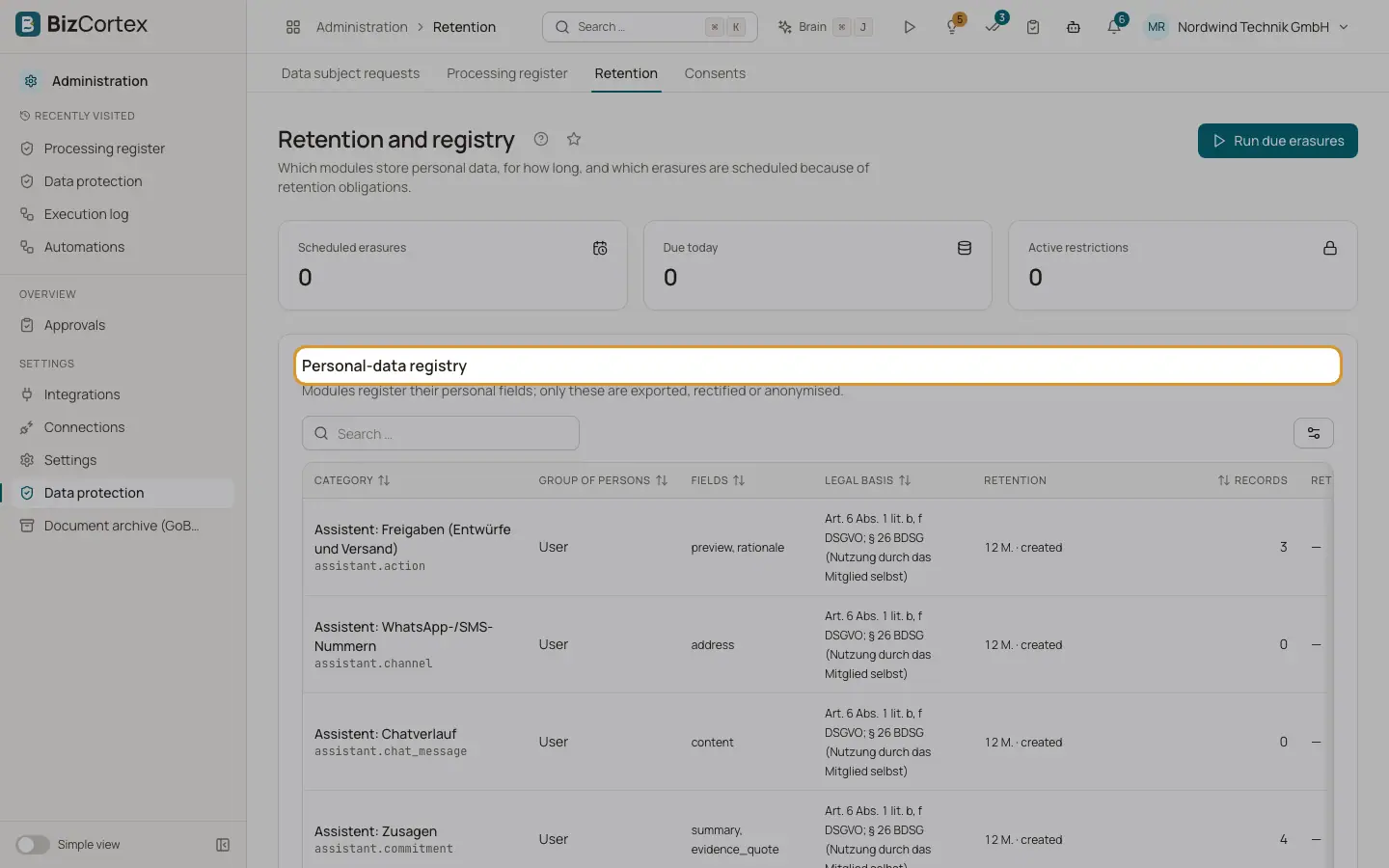
Open "Data protection" and then "Retention". The page shows counters for scheduled erasures, erasures due today and active restrictions, and three lists.
Who can use this
- Owner
- Admin
- Compliance
Steps
1. Personal data registry
Lists every category of personal data with the group of persons, the fields, the number of records, the legal basis, the retention and whether a retention check applies. Modules register their personal fields here. Only these fields are exported, rectified or anonymised.
2. Scheduled erasures
Lists anonymisations that were postponed by retention obligations (GoBD, AO, HGB, EStG), with the record, the reason and the due date. Click "Cancel schedule" to remove one.
3. Restrictions of processing (Art. 18)
Lists active restrictions with the date since when they apply. Click "Lift" to end a restriction.
4. Run due erasures
Click "Run due erasures". Each due anonymisation is executed after the retention obligation is checked again, and logged. A message shows how many were checked, anonymised and rescheduled.
Good to know
- The same job also runs automatically every night.
Related
- Handling a data subject request
Verify the identity, find the data, export, rectify, restrict or anonymise it and close the request.