The Analytics app at a glance
What the Analytics app contains, which package it belongs to and who can use which part.
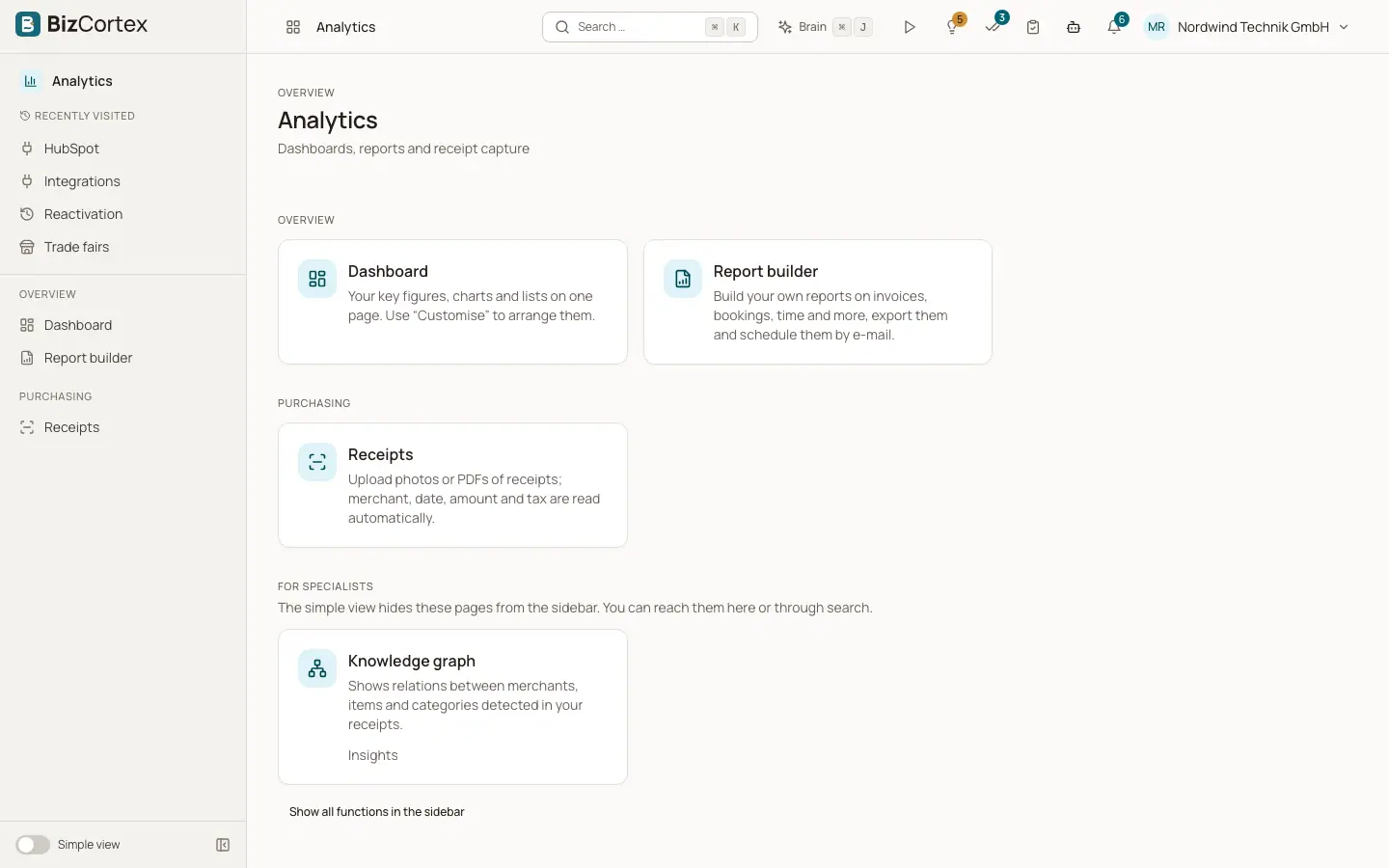
The Analytics app collects the tools that look across your data. Open it from the app launcher by clicking the "Analytics" tile (description: "Dashboards, reports and receipt capture").
The sidebar of the app has these entries: "Report builder" (under Overview), "Receipts" (under Purchasing) and "Knowledge graph" with its sub pages "Explorer" and "Insights" (under Operations). The global search is not a page. It is a button in the header of every page and opens with the keyboard shortcut Cmd+K (Mac) or Ctrl+K (Windows and Linux).
Who can use this
- Owner
- Admin
- Accountant
- Sales
- Purchase
- HR manager
- Viewer (read only)
- Employee (receipts only)
Steps
1. Open the app
Click the app launcher and choose "Analytics". The sidebar shows only the pages your role may open.
2. Show specialist pages
The "Knowledge graph" is a specialist page. In the "Simple view" it is hidden from the sidebar. Switch the view to "All functions" to see it, or find it through the global search.
Fields and options
- Report builder
Custom analyses over invoices, journal lines, time entries, employees and more. Save, share, export and schedule them.
- Receipts
Upload photos or PDFs of receipts. Merchant, date, amount and tax are read automatically.
- Knowledge graph
Shows relations between merchants, items and categories detected in your receipts, plus insights and recommendations.
- Global search
Finds customers, vendors, invoices, quotes, bills, products, employees, projects, accounts, documents and app pages.
Good to know
- The report builder, receipts and the knowledge graph belong to the Analytics package. If your company has not booked this package, these pages are not shown.
- The global search is always available, also without the Analytics package. It only shows record types your role may read.
- Dashboards and key figure tiles on the start page use the same key figure engine. See the page "Key figures (KPIs)" in this section.
Related
- Saved reports
The list of your own and shared reports, with dataset, sharing and schedule at a glance.
- Global search (Cmd+K)
Find customers, invoices, products, employees, documents and app pages from anywhere.
- Uploading receipts
Upload photos or PDFs of receipts and let BizCortex read merchant, date, amounts and items.
- Knowledge graph explorer
Explore the network of merchants, products, categories and payment methods found in your receipts.