Settings tab: manual settings
Name, access, retention, branding, manufacturer, reader chat, access code and languages of a manual.
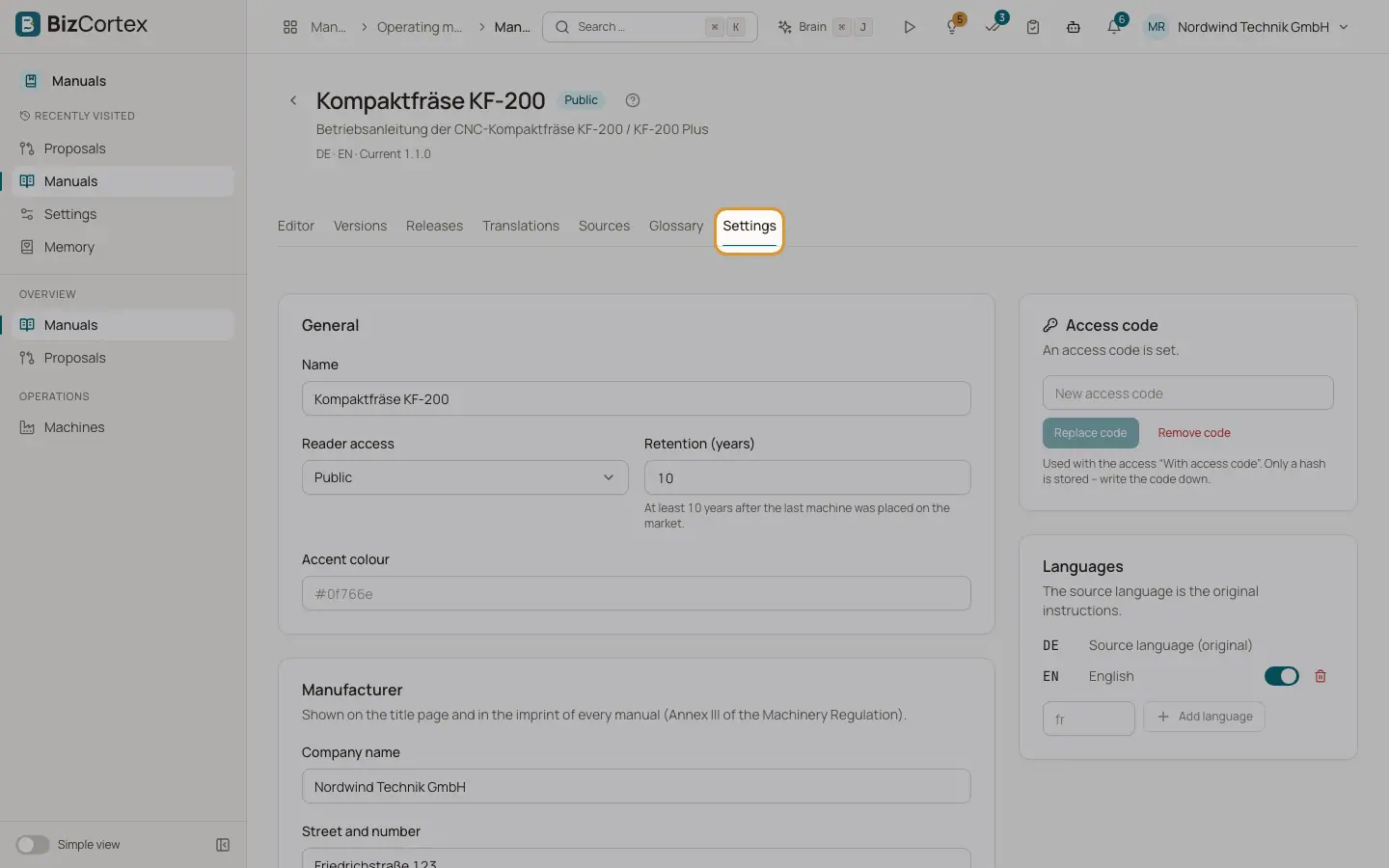
The Settings tab holds everything that applies to one manual. Users without the write permission see the settings read only. Click "Save" at the end of the form to store changes to the general, manufacturer and chat sections. The access code and the languages are saved on their own.
Who can use this
- Owner, Admin to change settings
- Owner, Admin to set the access code
Fields and options
- Name
The name of the manual.
- Reader access
Public, Customers only or Access code. See the page about reader access.
- Retention (years)
How long published versions stay available, counted from the last machine placed on the market. At least 10 years (the Machinery Regulation requires at least 10), at most 50.
- Accent colour
Optional colour of the public reader in the format #RRGGBB, for example #0f766e.
- Manufacturer
Company name, street and number, postcode, city, country, email, phone, website and the authorised representative in the EU. Shown on the title page and in the imprint of every manual. Name, street and city are needed to avoid a release warning.
- Reader chat enabled
Lets readers ask questions about the manual. Answers rely only on the released text and are not binding.
- Questions per day
The maximum number of chat answers per day for this manual. 0 means the company default.
- Service email and Service phone
Shown to readers when the chat cannot answer a question.
- Access code
The code for the access "Access code". Click "Set code" or "Replace code", or "Remove code". Only a hash is stored, so write the code down. The code needs at least 8 characters.
- Languages
The source language (original) and the translations. Add a language with "Add language". Switch a language off to keep it but leave it out of releases. Remove a language with the delete button.
Good to know
- Removing a language removes its translations from the working copy. Published versions stay unchanged.
- Changing the access code signs out all readers who unlocked the manual with the old code.
- Archiving or deleting a whole manual is not available in the web app yet.
Related
- Reader access: public, customers only or access code
Control who can open a published manual after scanning the QR code.
- Reader chat: questions about the manual
Let readers ask questions that are answered only from the released manual, with sources.
- Translations tab: AI translation and review
See the translation state of every page, translate with AI and review translations before release.