Reader chat: questions about the manual
Let readers ask questions that are answered only from the released manual, with sources.
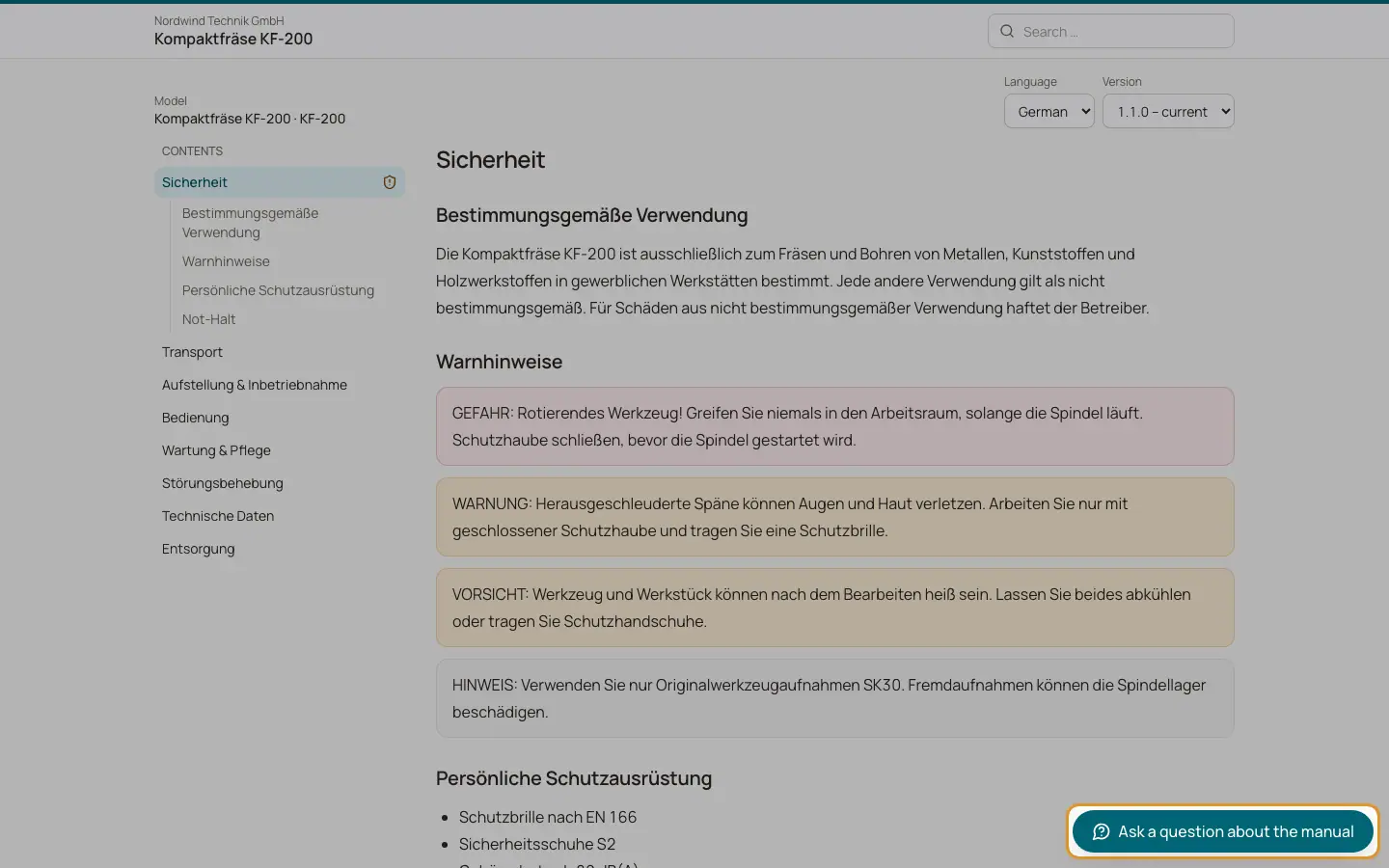
When "Reader chat enabled" is switched on in Settings and a version is published, the public reader shows "Ask a question about the manual". The answer is built only from the text of the release being viewed and shows numbered sources. Clicking a source opens the cited page at the right heading.
Who can use this
- Readers of the public reader, when the chat is enabled
- Owner, Admin to enable and configure it
Steps
1. Ask a question
The reader clicks "Ask a question about the manual", types the question and clicks "Send". The answer appears while it is being written.
2. Check the sources
Each answer lists its sources. Click a number to open the page.
3. Give feedback
The reader can mark an answer as "Helpful" or "Not helpful". Unhelpful answers count as gaps in the analytics.
Fields and options
- Disclaimer
Every chat shows that AI answers may contain errors and that the operating manual is authoritative.
- No answer
If the manual does not cover the question, the reader sees "The manual does not cover this." with the service email and phone from Settings.
- Daily limits
The company has a daily limit of chat answers (500 by default). Each manual can have its own lower limit in Settings. When a limit is reached, the chat says it is not available any more today.
Good to know
- A single reader can ask about 10 questions per minute and 60 per day per code. After that they see a message to wait.
- Questions are stored without personal data and deleted after 12 months.
- Questions the manual could not answer are grouped every night and turned into gap proposals when you have set up the "Unanswered reader questions" source.
Related
- Settings tab: manual settings
Name, access, retention, branding, manufacturer, reader chat, access code and languages of a manual.
- Analytics and paper copy requests
See how manuals are used, which questions stay unanswered and handle paper copy requests.
- Proposals: reviewing suggested changes
Review the evidence and the changes of each proposal, edit it, and apply or reject it.