Release details: PDFs, archive, compare and withdraw
Download the PDFs of a version, see the archive copies, compare versions and withdraw a version.
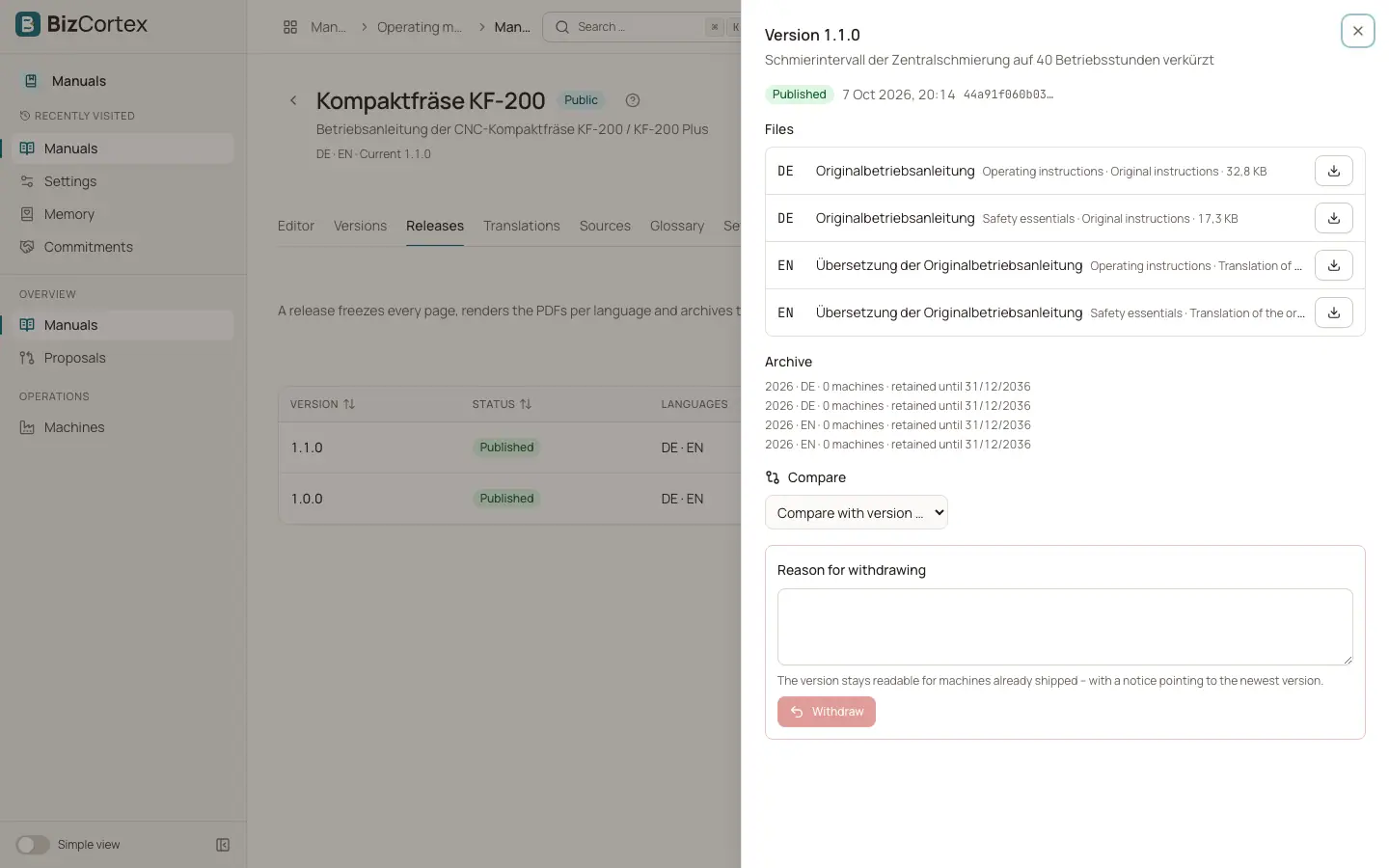
Click a release row or "Details" in its menu to open the release details. They show the status, the release notes, the files, the archive and a comparison with other versions.
Who can use this
- Everyone with the Manuals release read permission
- Owner, Admin to withdraw
Steps
1. Download a PDF
Under Files, every PDF is listed per language with its kind, whether it is the original or a translation, and its size. Click the download button next to the file.
2. Compare two versions
Under Compare choose "Compare with version …". BizCortex lists which pages changed and how many pages stayed unchanged, for example "1.0.0 → 1.1.0, 7 pages unchanged".
3. Withdraw a version
For a published version, enter a "Reason for withdrawing" and click "Withdraw", then confirm. The version stays readable for machines already shipped, with a notice pointing to the newest version.
Fields and options
- Operating instructions
The full manual PDF for one language, with a cover, the manufacturer block, a table of contents with page numbers, styled safety notices and page numbers in the footer.
- Safety essentials
A short PDF with only the safety chapters. It is created when at least one page is marked as safety chapter.
- Original instructions
The PDF in the source language. Its cover names it as the original instructions.
- Translation of the original instructions
The PDF in every other language.
- Archive
One archive entry per language and year in which machines with this version were placed on the market, with the number of machines and the date until which it is retained.
- Withdrawn
The reason is shown as "Withdrawn:" followed by the text.
Good to know
- The law counts the 10 years from the last machine placed on the market. Therefore BizCortex archives the same PDF again for each year in which machines with this version were shipped. A daily job keeps these archive copies complete.
- The archive copy keeps the retention years of the manual, up to a maximum of 30 years.
- A withdrawn version can never be published again or deleted.
- Files are listed as soon as the release is published. Drafts have no files yet, because the files are rendered on publishing.
Related
- Releases tab: publishing a version
Freeze the manual as a numbered version, run the checks and publish the PDFs.
- Machines and models
Register machine types and serial numbers, place machines on the market and pin them to a manual version.