Manuals list and creating a manual
Find your manuals, see their state at a glance and create a new one.
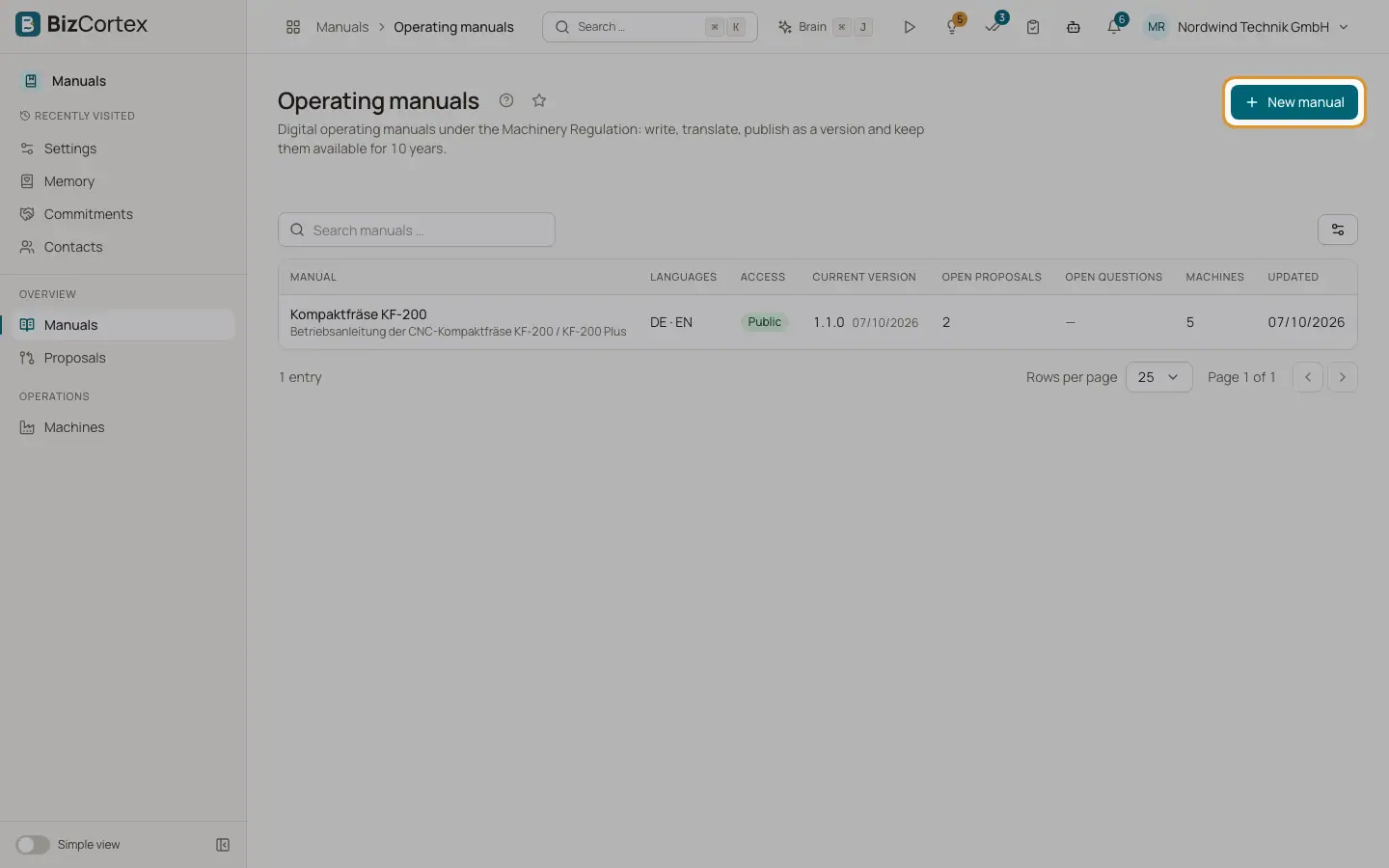
The Manuals page lists every operating manual of your company. Click a row to open the manual workspace. You can search by name with the search field "Search manuals …".
Who can use this
- Everyone with the Manuals read permission can see the list
- Owner, Admin to create a manual
Steps
1. Open the list
Open the Manuals app and click Manuals in the sidebar.
2. Start a new manual
Click "New manual". You can also use the quick task "Create a manual" from the sidebar. The dialog "New operating manual" opens.
3. Fill in the dialog
Enter the name, choose the source language and the reader access, type the other languages as codes separated by commas (for example en, fr) and add an optional description. Click "Create". BizCortex opens the new manual in its workspace.
Fields and options
- Manual
The name and, below it, the description of the manual.
- Languages
The language codes of the manual, for example DE · EN.
- Access
Who can read the published manual: Public, Customers only or Access code.
- Current version
The newest published version with its date, or "Not published yet".
- Open proposals
How many change proposals are waiting for a decision.
- Open questions
How many reader questions the manual could not answer. A number above zero is highlighted.
- Machines
How many machines are linked to the manual.
- Updated
When the manual was last changed.
- Name (dialog)
Required, up to 300 characters, for example "Compact milling machine KF 200".
- Source language
The language of the original instructions. You can choose German, English, French, Italian, Spanish, Dutch, Polish or Czech. Default: German.
- Reader access
Public, Customers only or Access code. Default: Public. You can change it later in Settings.
- Other languages
Language codes separated by commas, for example "en, fr". Default: en. Codes must look like "en" or "fr" (two or three letters, optionally with a region). The source language is removed from this list automatically.
- Description
Optional, up to 5000 characters. Shown below the name.
Tips
- Create one manual per machine type. Several model numbers of the same type can share one manual.
- The empty list shows a hint that operating manuals may be supplied digitally from 20 January 2027.
Related
- Editor tab: writing pages
Build the page tree of a manual and write the content with automatic saving.
- Settings tab: manual settings
Name, access, retention, branding, manufacturer, reader chat, access code and languages of a manual.
- Reader access: public, customers only or access code
Control who can open a published manual after scanning the QR code.