Manuals at a glance
What the Manuals app does, how it is organised and how a manual travels from the first draft to the machine.
Manuals is a paid add on package of BizCortex. It helps machine manufacturers create operating manuals (operating instructions) and deliver them digitally. From 20 January 2027 the EU Machinery Regulation allows manuals to be supplied digitally, reachable from the machine through a QR code or a link, as long as they can be downloaded, printed and stay available for at least 10 years after the last machine was placed on the market. A paper copy must still be provided free of charge on request.
In BizCortex you write one manual per machine type. The source language is the original instructions; every other language is a translation of the original instructions. You publish frozen versions (releases) with PDFs per language, register your machines with serial numbers and print QR labels. When a customer scans the QR code, they see exactly the version that was valid when their machine was shipped.
Who can use this
- Owner
- Admin
- Employee
- Sales
- Accountant
- Purchase
- Viewer
Steps
1. Open the app
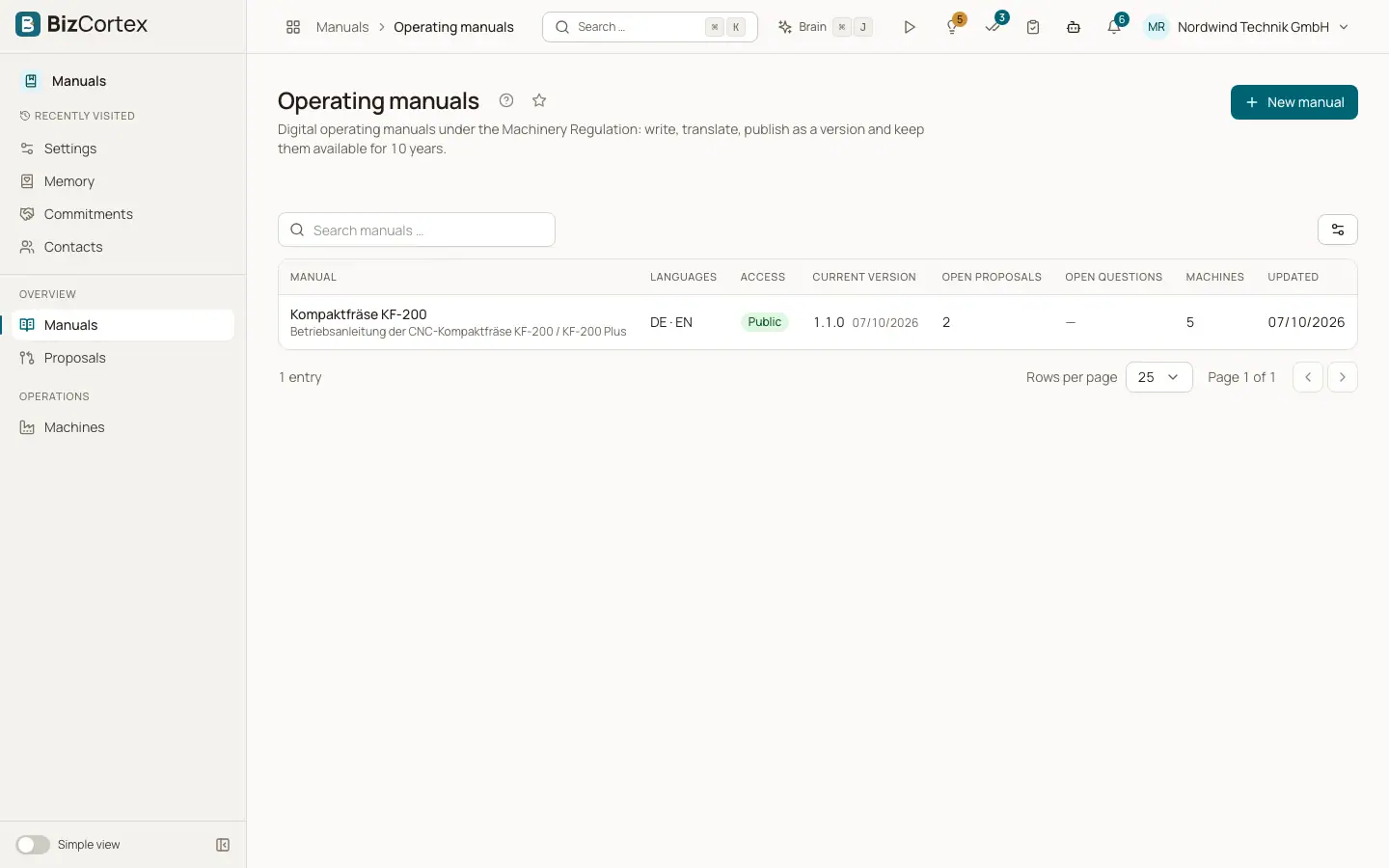
Open the app launcher and choose Manuals. The sidebar shows Manuals, Proposals and Analytics in the overview group and Machines in the operations group. Analytics is an advanced item and may be hidden until you show advanced items.
2. Create a manual
Click "New manual" on the Manuals list, give it a name, choose the source language, the other languages and the reader access. The manual opens in its workspace.
3. Write and translate
Write the pages in the Editor tab or import an existing manual. Translate them under Translations and have every translated page reviewed.
4. Publish a release
In the Releases tab create a draft with a version number, check the preflight list and click "Publish". BizCortex renders the PDFs per language and archives them.
5. Register machines and print labels
Under Machines create a model for the machine type, add each machine with its serial number, place it on the market and print QR labels.
6. Keep the manual up to date
Connect sources such as documents, software releases or support tickets. BizCortex turns relevant changes into proposals that a person reviews and applies. Questions that the manual could not answer become proposals too.
Fields and options
- Manuals
The list of all operating manuals with languages, access, current version, open proposals, open questions and machines.
- Proposals
Suggested changes from documents, software releases, support tickets and unanswered reader questions.
- Machines
Machine models and serial numbers with QR codes. Every shipped machine stays linked to its manual version.
- Analytics
How often manuals are opened, downloaded and asked about, which questions stay unanswered, and paper copy requests.
Good to know
- Manuals is a separate package. You only see the app when your company has booked it.
- The manual text is the binding instruction. Answers of the reader chat are not binding.
Related
- Manuals list and creating a manual
Find your manuals, see their state at a glance and create a new one.
- Releases tab: publishing a version
Freeze the manual as a numbered version, run the checks and publish the PDFs.
- Machines and models
Register machine types and serial numbers, place machines on the market and pin them to a manual version.
- The public reader: what readers see after scanning
What an anonymous person sees when they scan the QR code on a machine.
- Roles and permissions in Manuals
Which built in role can read, write, approve and administer what.