Sources tab: where updates come from
Connect documents, software releases, support tickets and reader questions as sources for change proposals.
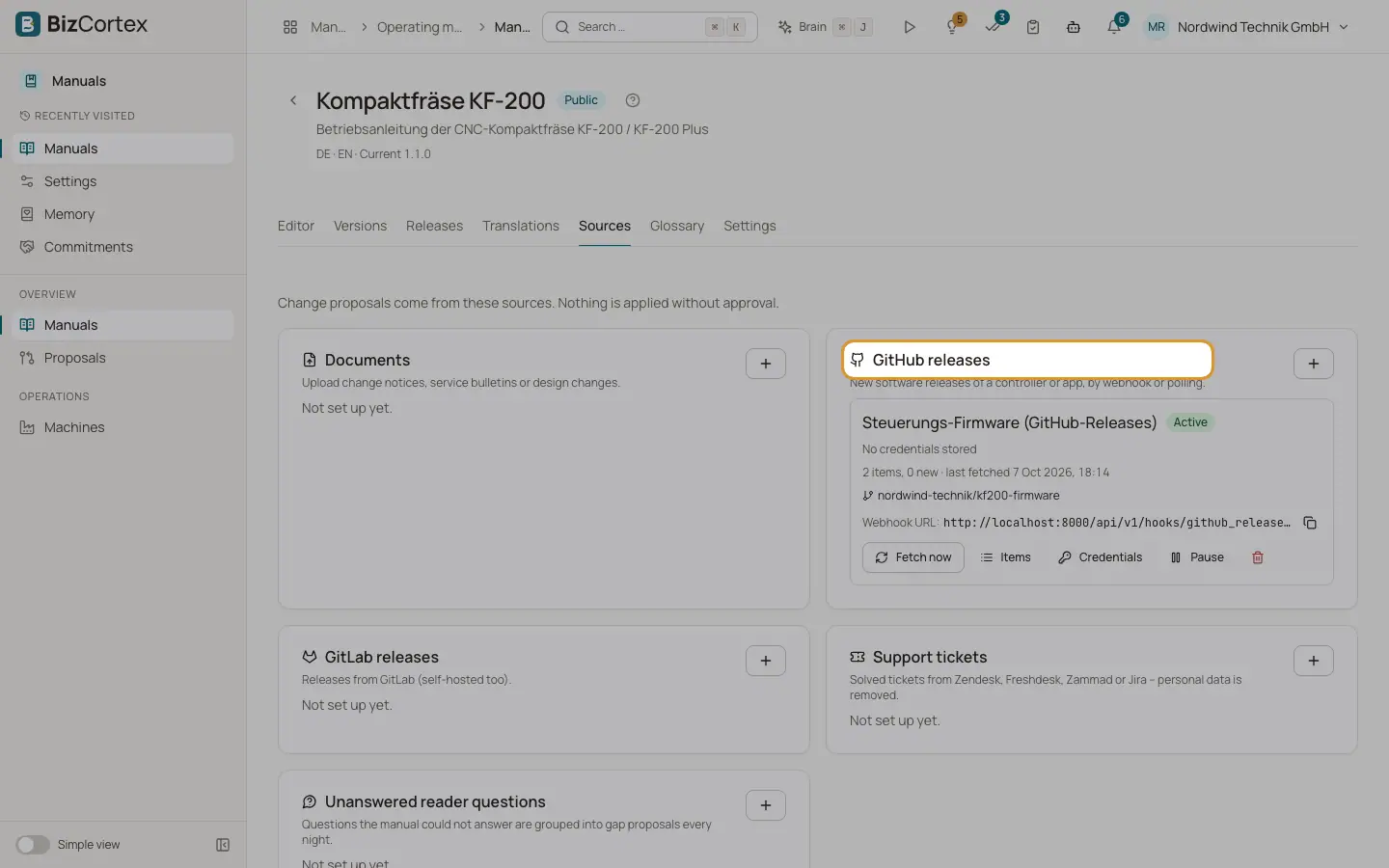
Sources feed the self updating part of Manuals. BizCortex reads what a source delivers, checks whether it affects the user instructions and, if so, drafts a change proposal. Nothing is applied without approval. The tab shows one card per kind of source.
Who can use this
- Owner, Admin to add, configure, upload to and fetch sources
- Everyone with the Manuals source read permission can view
Steps
1. Add a source
Click the plus button on a card, for example "Add GitHub releases". Fill in the dialog and save.
2. Set up the webhook (GitHub and GitLab)
After you create a GitHub or GitLab source, BizCortex shows the webhook URL and the webhook secret. The secret is shown only now; copy it before you close the dialog. Enter the URL and secret in the webhook settings of the repository and choose the releases event. New releases then arrive at once.
3. Store credentials
Click "Credentials" on a GitHub, GitLab or ticket source and store an API token with read access. Click "Save token". A stored token is never shown again; a new one replaces it.
4. Upload documents
On a Documents source, drop PDF, DOCX, Markdown or text files (up to 50 MB each) into the upload area. BizCortex shows how many items were captured.
5. Fetch, pause and check items
Click "Fetch now" to read a source at once. Click "Pause" to stop a source and "Resume" to start it again. Click "Items" to see what the source delivered and what became of it.
6. Delete a source
Click the delete button and confirm. Proposals already created are kept.
Fields and options
- Documents
Upload change notices, service bulletins or design changes. The same file uploaded twice adds nothing.
- GitHub releases
New software releases of a controller or app. Enter the repository as owner/name. Optional: "Include prereleases". BizCortex checks every 30 minutes and also accepts the webhook.
- GitLab releases
Releases from GitLab, also self hosted. Enter the repository and the "Server address" (default gitlab.com).
- Support tickets
Solved tickets from Zendesk, Freshdesk, Zammad or Jira. Choose the system and an optional filter, for example a tag or a view. By default only solved tickets of the last 30 days are read, checked every 60 minutes. A ticket with a new reply is read again.
- Unanswered reader questions
Questions the manual could not answer are grouped into gap proposals every night. Each manual can have only one such source.
- Status
Active, Paused or Error. The last error is shown on the source. A source in error goes back to Active after the next successful fetch.
- Counts
Total items and new items, and when the source was last fetched or "never fetched".
- Item status
New, Not relevant, Processed, Duplicate or Failed.
Good to know
- Personal data is removed before an item is stored and before any AI model sees it: email addresses, phone numbers, IBANs, names after greetings, signature blocks, mentions and every name the helpdesk attached to the ticket.
- An item is turned into a proposal only when it is relevant and affects the user instructions. Very uncertain drafts are dropped.
- Uploading and fetching need the Manuals source write permission; adding, pausing and deleting sources and storing tokens need the Manuals source admin permission. By default both are with Owner and Admin.
Related
- Proposals: reviewing suggested changes
Review the evidence and the changes of each proposal, edit it, and apply or reject it.
- Analytics and paper copy requests
See how manuals are used, which questions stay unanswered and handle paper copy requests.