Settings: Company
Company wide switches and usage counts for administrators, never anyone's content.
The Company tab is visible only to administrators. It holds settings for the whole company. You only see numbers here, never anyone's content.
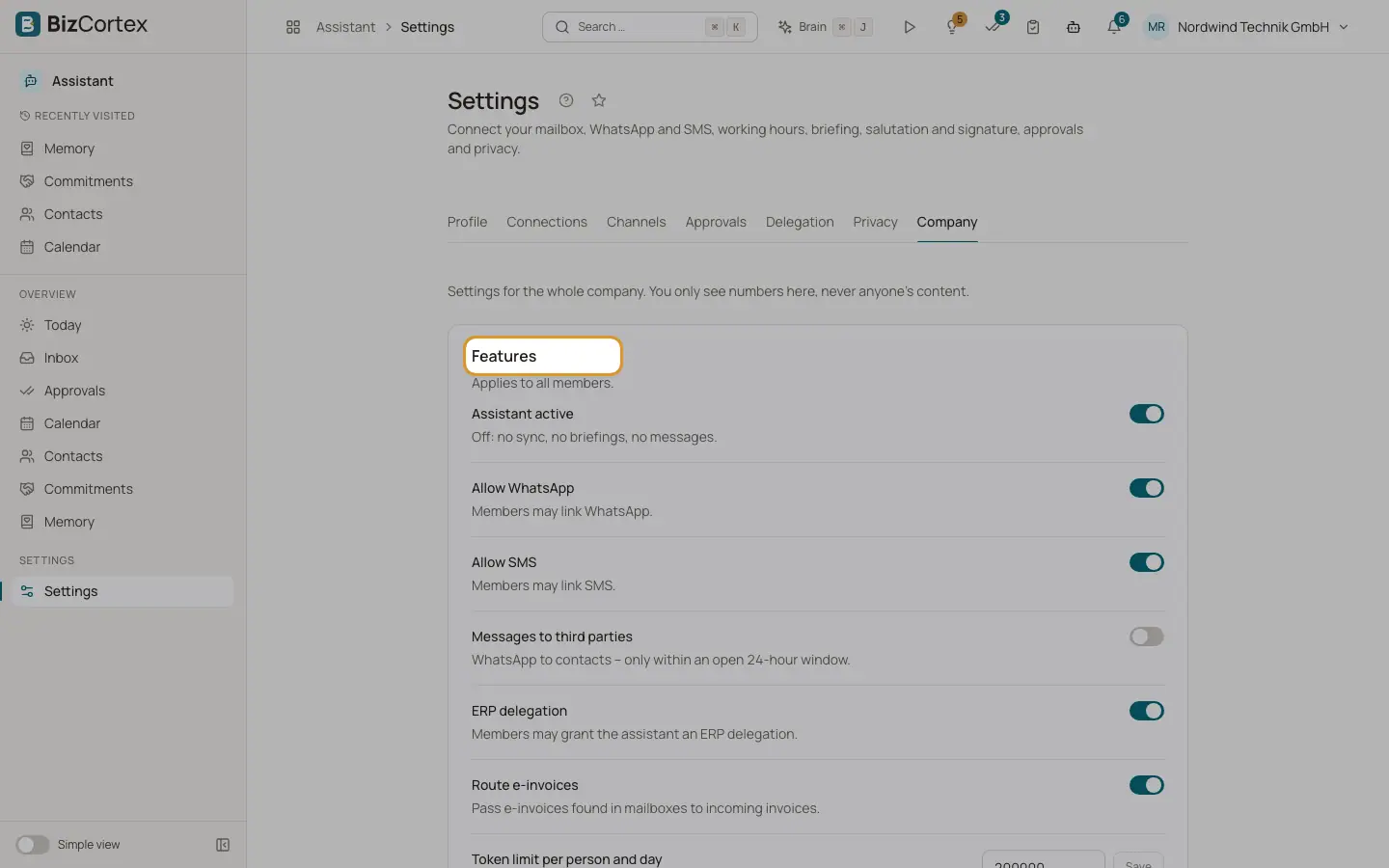
Who can use this
- Owner
- Admin
- Anyone with the Assistant settings admin permission
Fields and options
- Assistant active
Off: no sync, no briefings, no messages for anyone.
- Allow WhatsApp
Members may link WhatsApp.
- Allow SMS
Members may link SMS.
- Messages to third parties
WhatsApp messages to contacts, only within an open 24 hour window.
- ERP delegation
Members may grant the Assistant an ERP delegation.
- Route electronic invoices
Electronic invoices found in mailboxes are passed to incoming invoices.
- Token limit per person and day
The default AI allowance for everyone. 0 means no AI use. Without a value, 200,000 tokens per day apply.
- Counts
Members with a profile, Connected mailboxes, Linked channels, Active delegations, Open approvals, Sent (30 days), Failed (30 days), Tokens (30 days).
Good to know
- When the daily limit is used up, drafts fall back to templates, mail sorting to fixed rules, and the chat pauses until the next day.
Related
- Privacy and your data
Who sees your Assistant data, how long it is kept, and how to export or delete it.
- Settings: Delegation
Let the Assistant look things up in BizCortex for you and propose changes.