Hints and reminders
Every check the Assistant runs on your data, and when it reminds you.
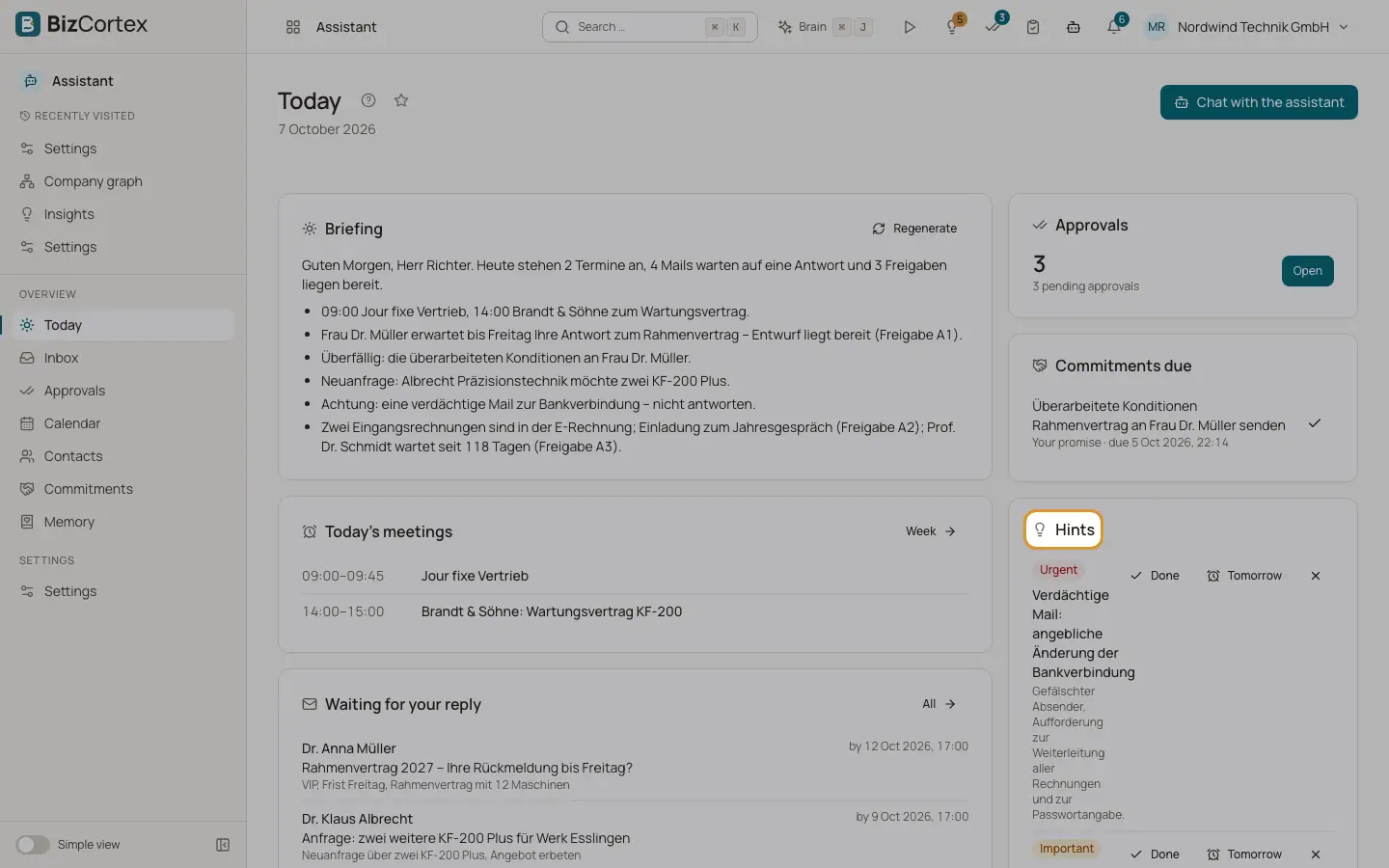
The Assistant runs checks on your own data every hour and right before your morning briefing. Each result becomes a hint on Today. Urgent hints can also be sent to your linked phone as a reminder. Facts in a hint always come from your data, never from the AI model.
A hint disappears by itself when the reason is gone, for example when you answered the mail.
Who can use this
- Owner
- Admin
- Sales
- Accountant
Fields and options
- Reply overdue
Mail that needs your reply and has no answer from you yet. It is overdue after the reply date, or after 48 hours when no date is known. Checked hourly.
- VIP waiting
A contact you marked as VIP has waited more than 4 hours for your reply. Checked hourly and sent as a reminder.
- Conflict
Two of your meetings in the next 7 days overlap. Checked hourly and sent as a reminder.
- Holiday or outside working hours
A meeting in the next 7 days falls on a public holiday or outside your working hours.
- Invitation open
You have not answered a meeting invitation. Checked hourly and sent as a reminder.
- External meeting without preparation
An external meeting in the next 24 hours has no preparation yet.
- Commitment due today
Your own promise is due today. Checked hourly and sent as a reminder.
- Your commitment overdue
Your own promise is past its due date.
- Commitment owed to you overdue
Someone owes you something and is late. You can ask the Assistant to draft a short reminder; it never drafts one unless you ask.
- Approval waiting
A draft has waited for your decision for more than 24 hours. It is flagged more strongly if it expires within 12 hours.
- Check connection
Your mailbox needs to be reconnected (Urgent), needs IT approval (Important), or its sync keeps failing (Important). Sent as a reminder.
- Contact gone cold
Before the briefing: up to 5 contacts you have not been in touch with for 1.5 times their contact goal. Muted and internal contacts are left out.
- Birthday
Before the briefing: a contact has a birthday in the next 3 days.
- Advisor
Before the briefing: your top 3 open Advisor insights, if your company has booked the Brain package.
Tips
- Limit how many unprompted reminders reach your phone with "Reminders per day" on the Profile tab (0 to 10, default 3).
- Mute a contact on its detail page to stop relationship hints for that person.
Good to know
- Reminders to your phone are not sent during your quiet hours unless they are urgent, and never when the channel is paused.
Related
- Today and the morning briefing
Your day at a glance: briefing, meetings, replies, commitments, hints and approvals.
- Contacts
The people you correspond with: salutation, form of address, relationship and timeline.
- Settings: Channels
Link WhatsApp or SMS for briefings, reminders and approvals on your phone.