Memory
What the Assistant remembers about your preferences and routines, and how to correct it.
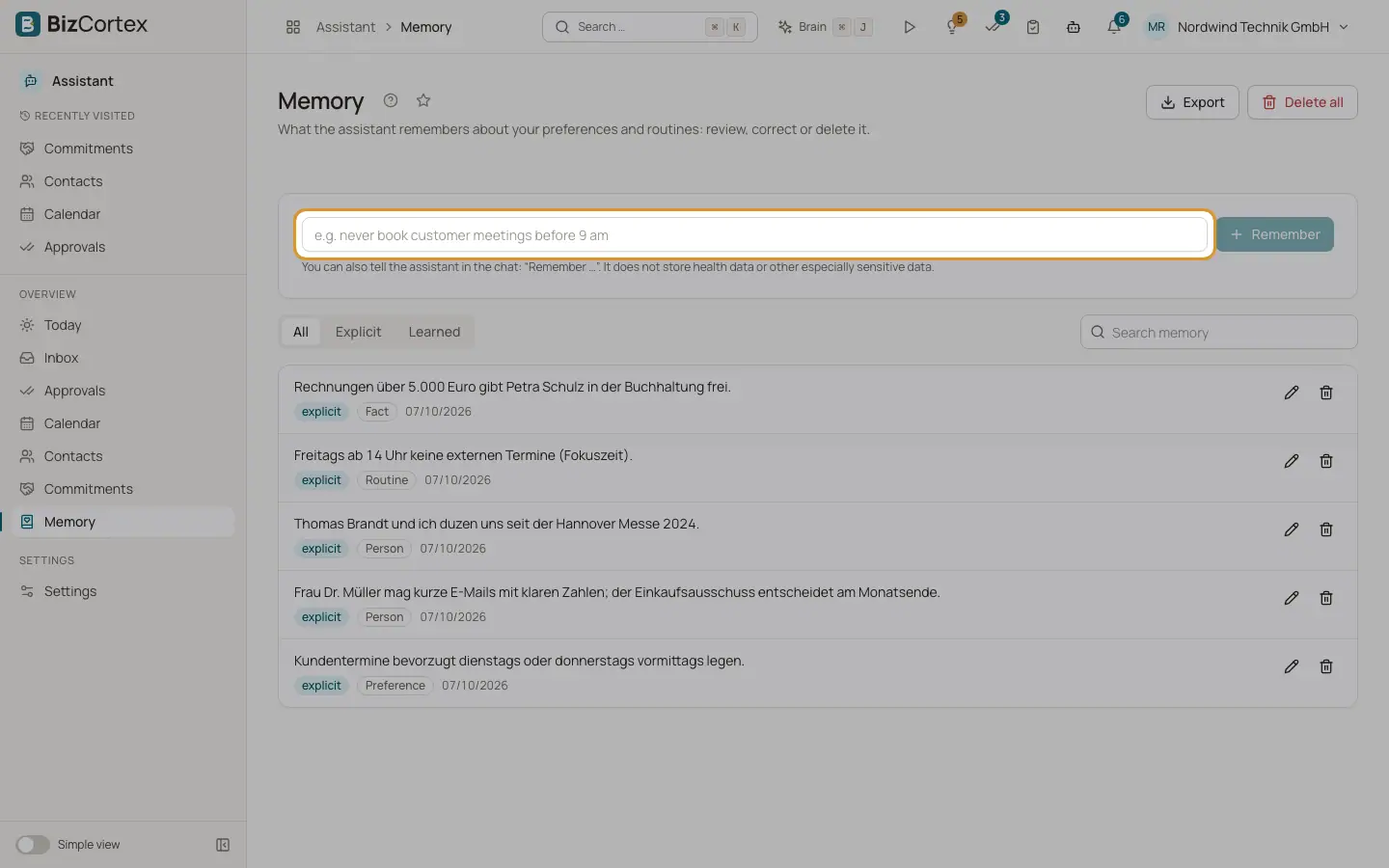
Memory holds what you told the Assistant ("explicit") and what it learned from chat, mail or meetings ("learned"). Learned entries are marked "Inferred by the assistant, please check" until you confirm them.
Who can use this
- Owner
- Admin
- Sales
- Accountant
Steps
1. Add a memory
Type into the field (for example "never book customer meetings before 9 am") and click "Remember". You can also say "Remember ..." in the chat.
2. Review learned entries
Use the filters All, Explicit and Learned. Click "Confirm" on a correct learned entry, "Edit" to correct it, or "Delete".
3. Search and export
Use "Search memory". Click "Export" to download all memories as a file.
4. Delete all
Click "Delete all", type DELETE and confirm "Delete all memories". Mail, contacts and commitments are kept.
Fields and options
- Categories
Preference, Fact, Person, Routine, Other.
- Learned entries
Expire after 180 days unless you confirm them.
Good to know
- The Assistant does not store health data or other especially sensitive personal data. Such text is refused.
- Text from a mail flagged as suspicious is never stored as a memory.
Related
- Chatting with the Assistant
Ask questions and give instructions in the app, on WhatsApp or by SMS.
- Privacy and your data
Who sees your Assistant data, how long it is kept, and how to export or delete it.