Settings: Delegation
Let the Assistant look things up in BizCortex for you and propose changes.
With a delegation, the Assistant may look things up in BizCortex on your behalf, such as open invoices or tasks, and propose changes. It never gets more rights than your own role has at that moment. If your role changes, the delegation follows at once.
Every change it proposes becomes an "ERP change" approval with high risk. It is only carried out after you approve it in the app.
Who can use this
- Owner
- Admin
- Anyone with the Assistant delegation permission
Steps
1. Choose areas
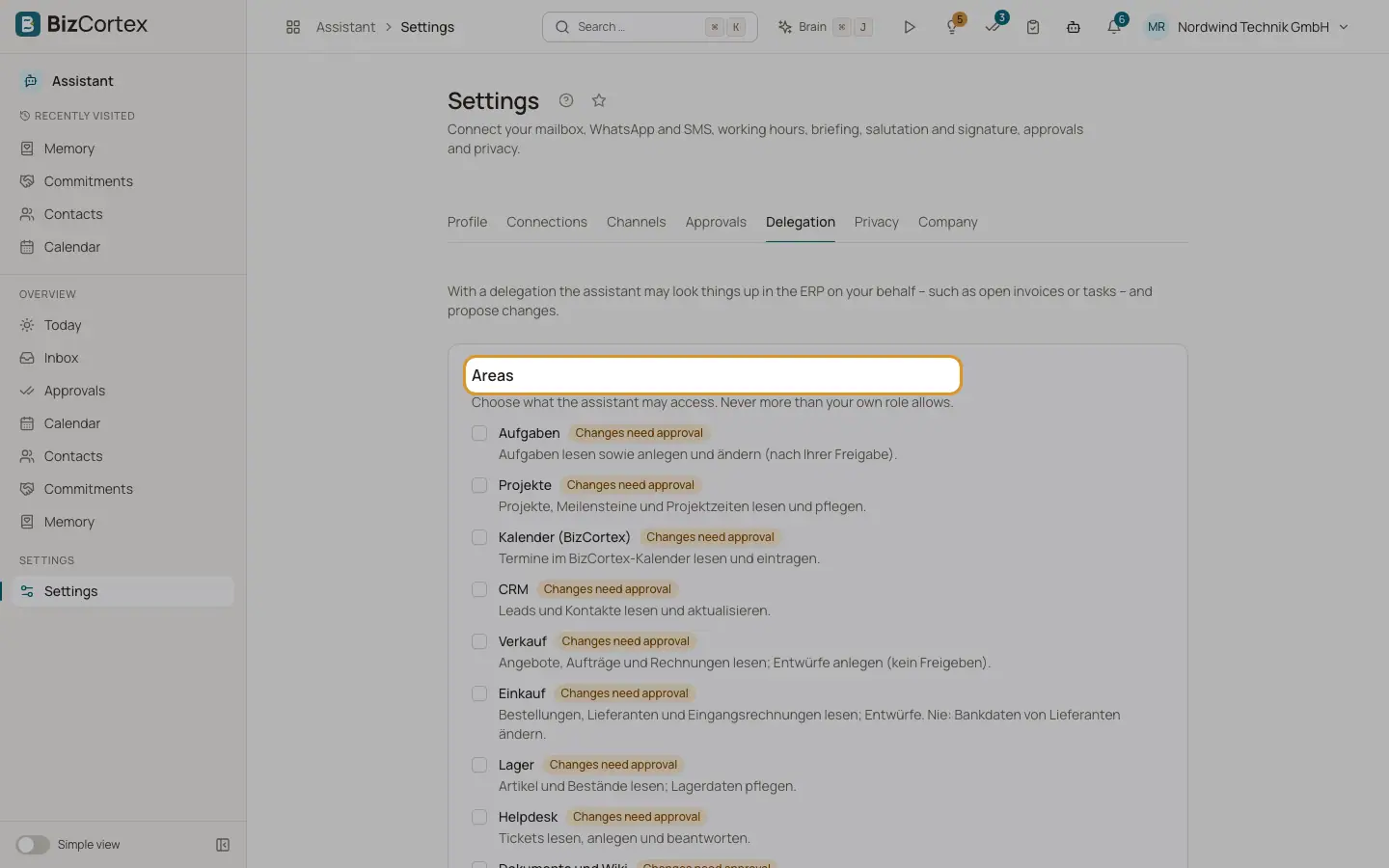
Under "Areas", tick what the Assistant may access. Areas marked "Changes need approval" allow proposals for changes.
2. Read the consent
Read the consent text and tick "I have read the text and grant the assistant this delegation."
3. Grant
Click "Grant delegation". The card "Delegation granted" shows Granted on, Expires on and Last used.
4. Revoke
Click "Revoke" and confirm. Mail and calendar features keep working.
Fields and options
- Areas
Tasks, Projects, Calendar, CRM, Sales (drafts only, no approving), Purchasing (never supplier bank data), Inventory, Helpdesk, Documents and wiki (no sharing or public links), Time tracking (read only, never approving timesheets), Reports and figures (read only), Accounting (read only, never posting).
- Never allowed
Payments, banking, payroll, HR changes, bookkeeping entries, approvals, and admin or privacy settings are never allowed through a delegation.
- Validity
90 days. A new grant replaces the old one.
- Proof
The time, IP address and browser of your consent are stored. Every use is logged.
Good to know
- If your role does not allow delegation, the tab shows "Your role doesn't allow delegation. Please contact your administrator."
- The delegation works only while the company switch "ERP delegation" is on and the Assistant is active.
- You can grant a delegation only yourself, in a normal sign in session. API keys and the Brain assistant cannot grant one.
Related
- Approval risk rules
Which actions are high risk and where each kind of action can be approved.
- Settings: Company
Company wide switches and usage counts for administrators, never anyone's content.