Settings: Profile
Working hours, meeting free times, briefing, quiet hours, salutation, signature and writing style.
Open Assistant, Settings, Profile tab. Change the fields and click "Save", or "Discard" to undo. Invalid fields are highlighted with "Please check the highlighted fields."
Who can use this
- Owner
- Admin
- Sales
- Accountant
Fields and options
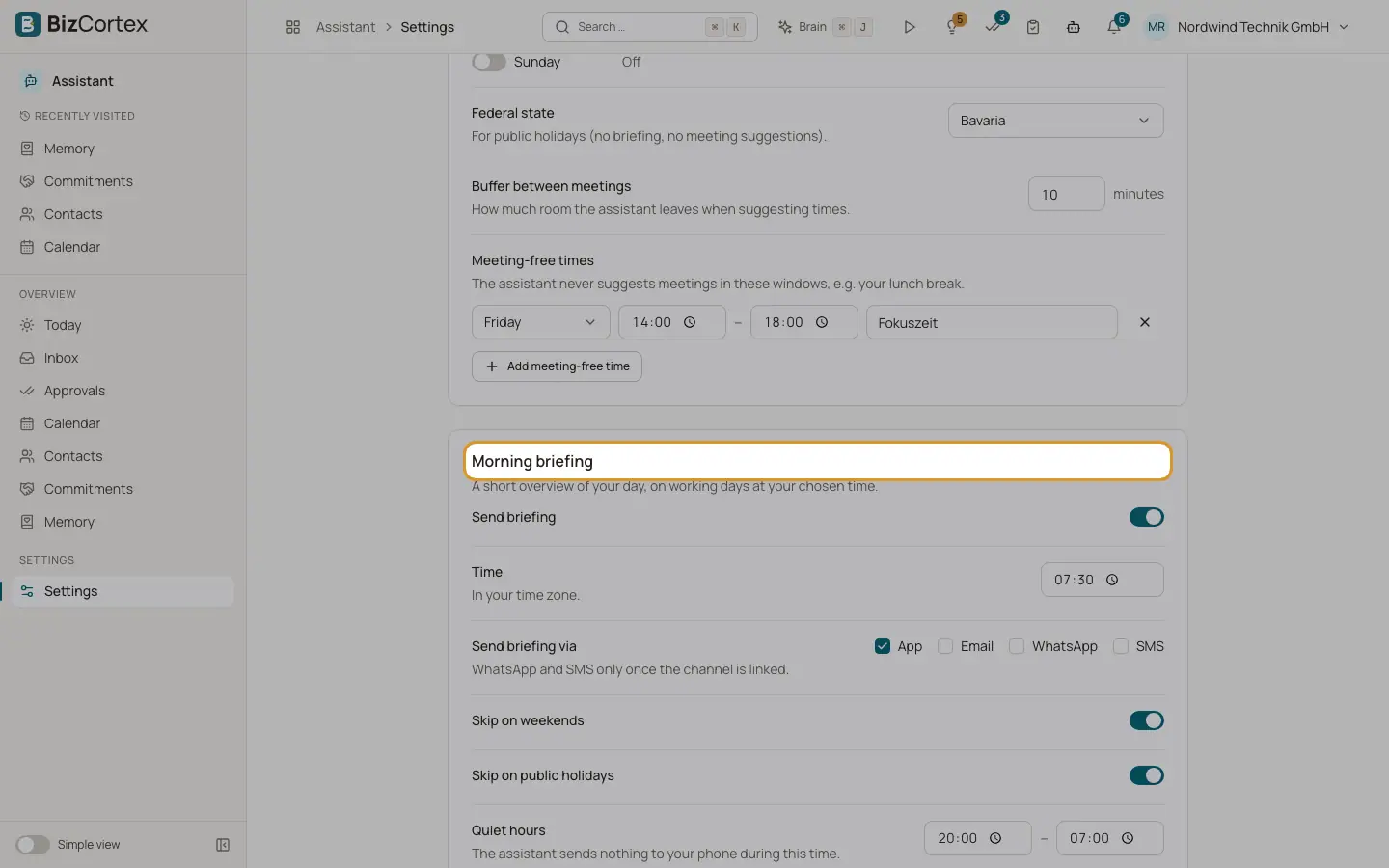
- Working hours
From and until per weekday, or Off. Default Monday to Friday 08:00 to 18:00, weekends off. Meetings outside are flagged as conflicts.
- Federal state
For public holidays: no briefing and no meeting suggestions on those days. Choose "No federal state" to skip.
- Buffer between meetings
Minutes left free when suggesting times. 0 to 120, default 10.
- Meeting free times
Weekday, from, to and an optional label (up to 80 characters), for example your lunch break. Click "Add meeting free time" or remove one.
- Send briefing
Turns the morning briefing on or off. On by default.
- Time
Briefing time in your time zone. Default 07:30.
- Send briefing via
App, Email, WhatsApp, SMS. WhatsApp and SMS only once the channel is linked.
- Skip on weekends / Skip on public holidays
Both on by default.
- Quiet hours
From and to. Nothing is sent to your phone in this time, except urgent hints. Default 20:00 to 07:00.
- Reminders per day
The most unprompted hints sent to your phone per day. 0 to 10, default 3.
- Default address
Sie (formal) or du (informal). Used until something else is known for a contact. Default Sie.
- Closing (Sie), Closing (du), Closing (English)
Up to 120 characters each. Defaults: "Mit freundlichen Grüßen", "Viele Grüße", "Kind regards".
- Signature
Added below every email the Assistant drafts. Up to 2,000 characters. If empty, your personal signature from your account is used ("Edit signature").
- Your writing style
Tone, Reply length (No preference, Short, Medium, Detailed), Typical phrases, Never use (one per line) and Further notes. The Assistant also learns your style from your sent mail.
Related
- Today and the morning briefing
Your day at a glance: briefing, meetings, replies, commitments, hints and approvals.
- Calendar
Your Outlook week with conflicts, invitations, suggested answers and meeting preparation.