Operating manual reader
The public reader that opens when someone scans the QR code of a machine.
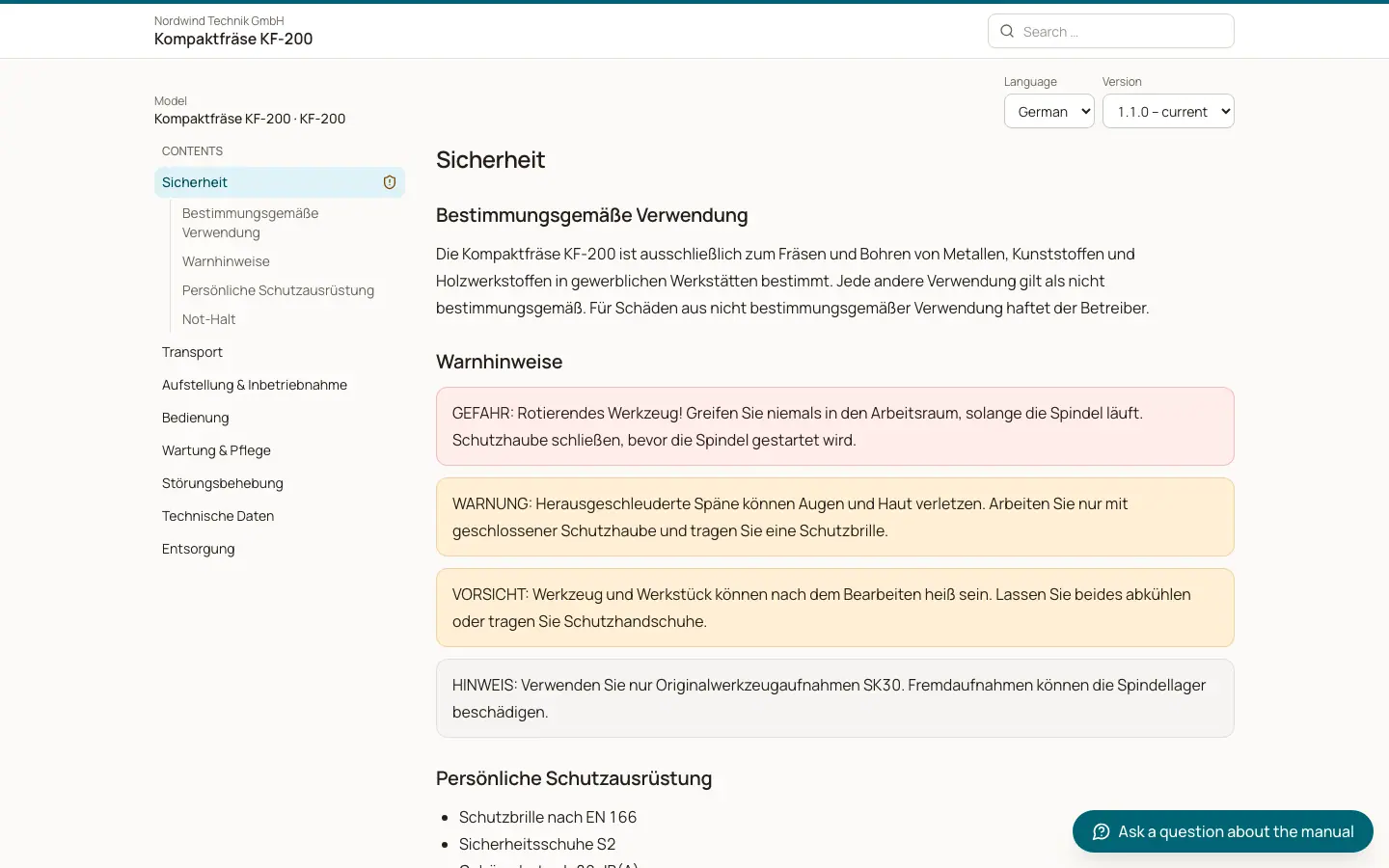
Each machine model and each single machine can have a public code, printed as a QR code on the type plate or in the documentation. Scanning it opens the "Operating manual" in the browser, without an account. Search engines are told not to index these pages.
Who can use this
- Machine users and customers who scan the QR code
Steps
1. Read and navigate
Use "Contents" for the table of contents, "Previous" and "Next" between pages, and "Search the manual". The "Safety" chapter is marked.
2. Choose language and version
Pick the "Language" and the "Version". By default the reader shows the "Version at delivery" of the machine. If a newer version exists: "A newer version of this manual is available" with "Show newer version" and "Back to the version at delivery".
3. Download
Click "Download PDF" for the whole manual or "Safety information (PDF)".
4. Request a paper copy
Click "Request a paper copy", enter Name, Company (optional), Phone (optional) and the "Delivery address", and click "Send". The paper copy is free of charge under the Machinery Regulation.
5. Ask a question
Click "Ask a question about the manual". The answer comes only from this manual, with sources. If the manual does not cover it: "There is nothing about this in the manual." Rate answers with "Helpful" or "Not helpful".
Fields and options
- Public
The manual opens directly.
- Access code
"Protected manual": enter the "Access code" you received with the machine and click "Open". Codes have at least 8 characters. After too many wrong attempts: "Too many failed attempts. Please try again later."
- Customers only
"Access by email": enter your "Email address" and click "Request link". Only contacts of a customer who owns the machine (or a machine of that model) receive a link. The page answers the same way for every address. The link is valid for 30 minutes and works once; then "Checking your sign in" opens the manual.
Good to know
- A reader session lasts 12 hours and only for the machine or model whose code was used.
- Unknown codes and codes of inactive companies show the same message: "This manual was not found. Please check the QR code or contact the manufacturer."
- AI answers can contain mistakes; the manual itself is authoritative.
Related
- Overview of public pages
Which pages work without a login and how each one is protected.
- The public reader: what readers see after scanning
What an anonymous person sees when they scan the QR code on a machine.