Signing page for electronic signatures
What a signer sees and does when they open a signature request link.
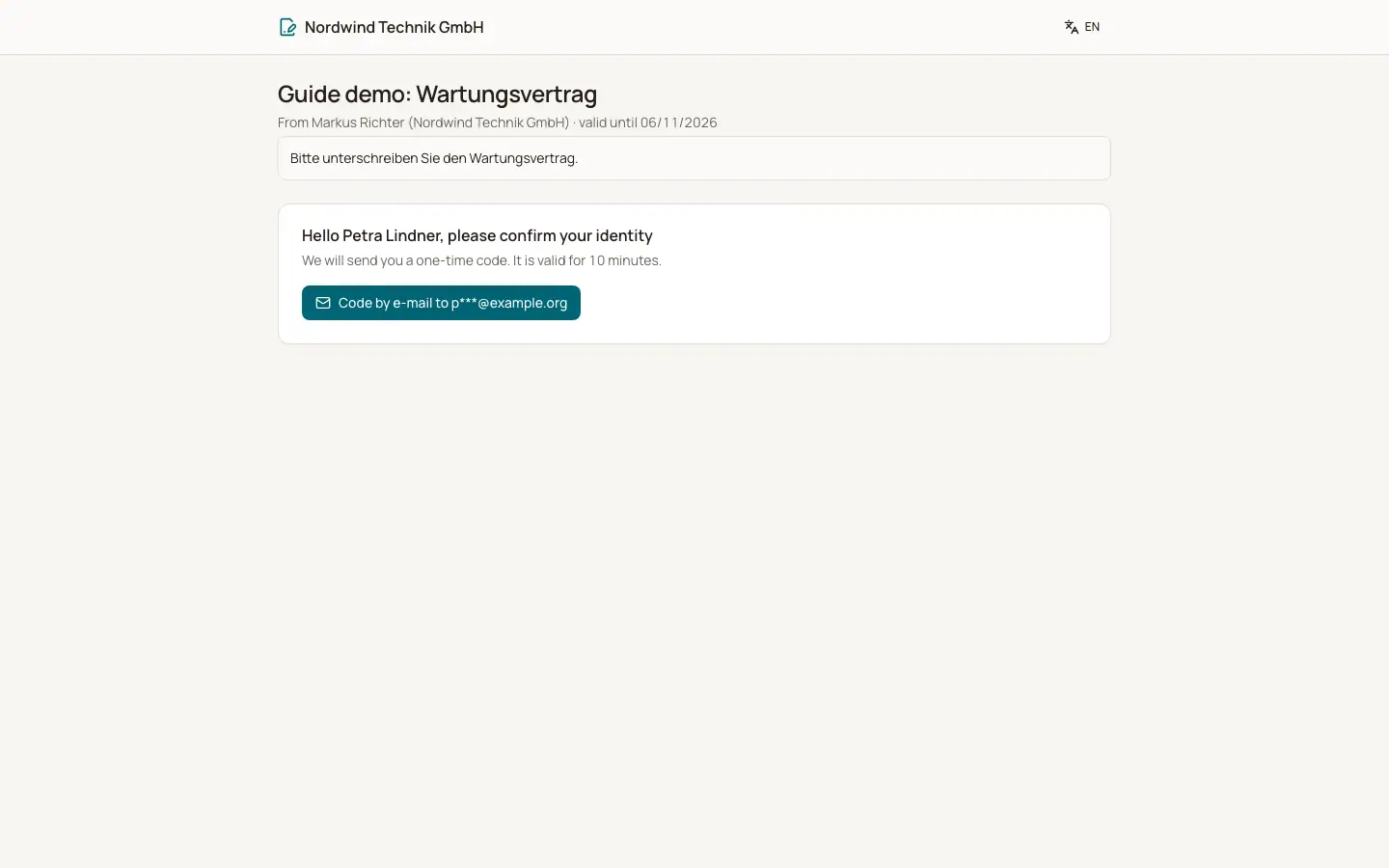
A signer opens the personal link from the email "Please sign". The page "Electronic signature" shows who sent the request ("From" the sender and your company) and until when it is valid. The signer does not need an account.
Who can use this
- Signers invited to a signature request
Steps
1. Confirm your identity
The page says "Hello", the signer name, "please confirm your identity". Click "Code by email to" or "Code by text message to" (the address and number are partly hidden). Enter the "Confirmation code" and click "Confirm". The code is valid for 10 minutes. After 5 wrong codes a new code is needed. A new code can be requested after 30 seconds, at most 5 times per hour.
2. Read the document
The document appears with "Your fields are highlighted". "Download PDF" saves a copy. Your signature also appears on the audit certificate at the end of the document.
3. Fill in your fields
Fields can be signature, initials, date, text or checkbox. "Please fill in" marks missing fields.
4. Sign
Under "Your signature" choose "Draw" (sign with mouse, finger or pen on the "Signature pad", with "Undo" and "Clear"), "Type" (enter "Your full name") or "Saved signature" (only for colleagues who have a handwritten signature in BizCortex). Tick the consent, then click "Sign now". "With Sign now you sign electronically. Time, IP address and code confirmation are recorded."
5. Or decline
Click "Decline", optionally give a "Reason" and confirm. "This ends the signature request for everyone."
Fields and options
- After signing
"Thank you, you have signed. Once everyone has signed you will receive the document by email." When everyone has signed: "Done: everyone has signed."
- Not your turn
In a sequential order: "It is not your turn yet. You will get an email as soon as you can sign."
- Ended requests
"You declined to sign.", "This signature request was declined and has ended.", "This signature request was withdrawn.", "This signature request has expired."
- Invalid link
"This link is invalid or no longer active." This also appears when a newer link was sent by a reminder.
Good to know
- After the code is confirmed, the signing session lasts 60 minutes.
- The signature is an electronic signature under eIDAS (simple or advanced) with an identity check by one time code. It does not replace a qualified electronic signature where the law requires written form.
- The final PDF carries the signatures, an audit certificate page and an electronic seal. Any later change to the PDF invalidates the seal.
Related
- Overview of public pages
Which pages work without a login and how each one is protected.
- Electronic signature: what the signer sees
How a signer confirms their identity and signs, without an account.