Public document page
The page behind the link in invoice and quote emails, without any login.
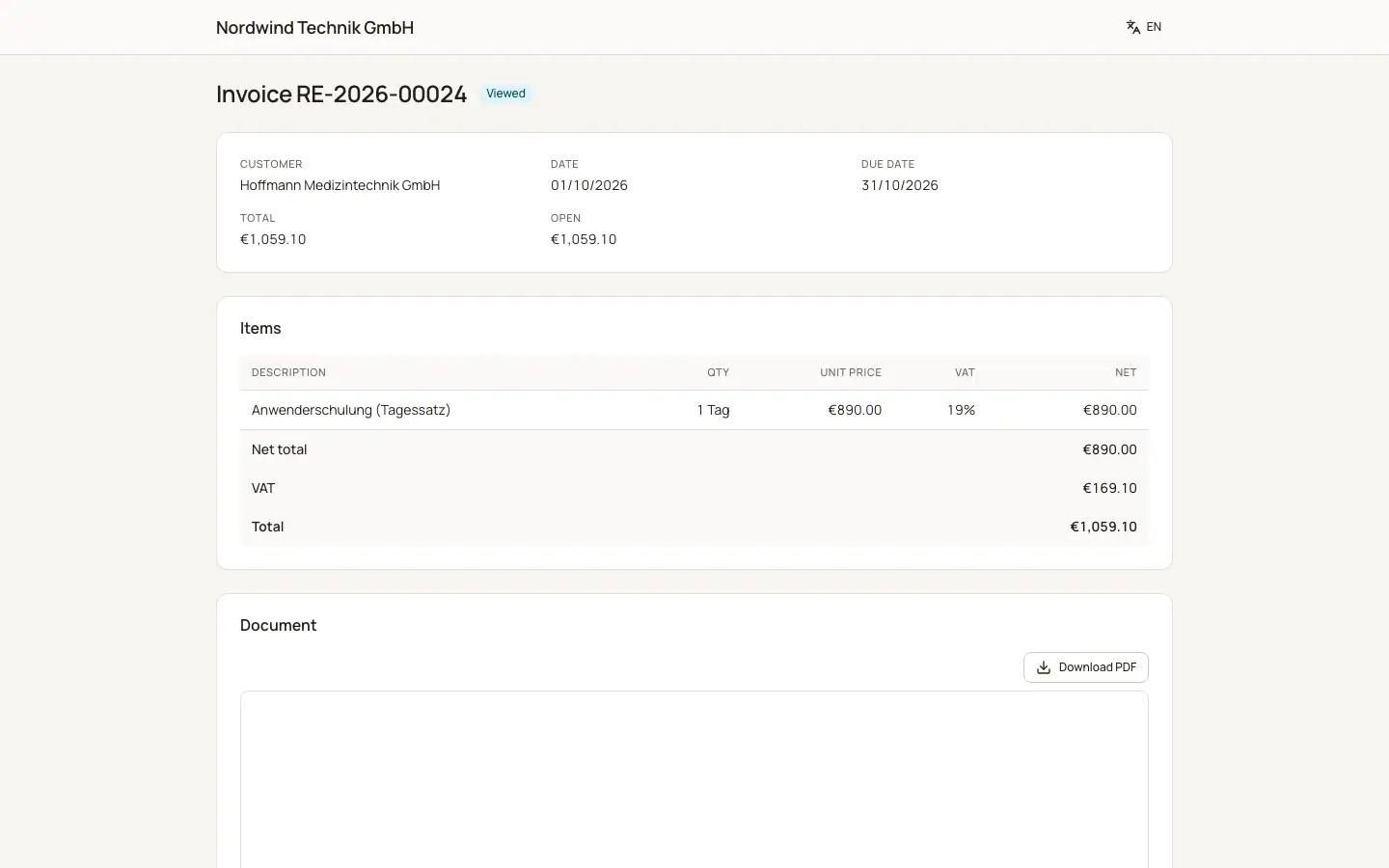
Every invoice, credit note, quote, order confirmation and delivery note can have a public link. BizCortex adds it to the document email ("View and pay online" or "You can accept the quote online"). The link contains a long secret code, so only people who received the email can open the page. The header shows your company name and a language switch.
Who can use this
- Anyone who has the link
Fields and options
- Title and status
The document type and number, for example "Invoice" and its number, with a status badge.
- Details
Customer, Date, Due date (invoices) or Valid until (quotes), Total and, for invoices, the Open amount.
- Pay online
Shown when the invoice is still open and your company has an online payment provider. "Amount due" and one button per provider.
- Your decision
Shown for a quote that can still be accepted: "Accept quote" (with "Your name" and "Accept (binding)") and "Decline" (with an optional reason).
- Items
Description, Qty, Unit price, VAT, Net, then Net total, VAT and Total.
- Document
A PDF preview with "Download PDF". "The PDF preview is currently unavailable." if the PDF service is down.
Good to know
- If the link is wrong or was withdrawn, the page shows "This document was not found or the link is no longer valid."
- After an accepted or declined quote the page shows the decision instead of the buttons.
- Anyone who gets the link can see the document. Do not share it publicly.
Related
- Paying online
How customers pay an invoice by card or PayPal from the portal or the document link.
- Customer portal
What customers see and do in the portal: invoices, quotes, payments, statement and billing address.