Payment proposal
Pick due bills for the next SEPA transfer with cash discounts in mind.
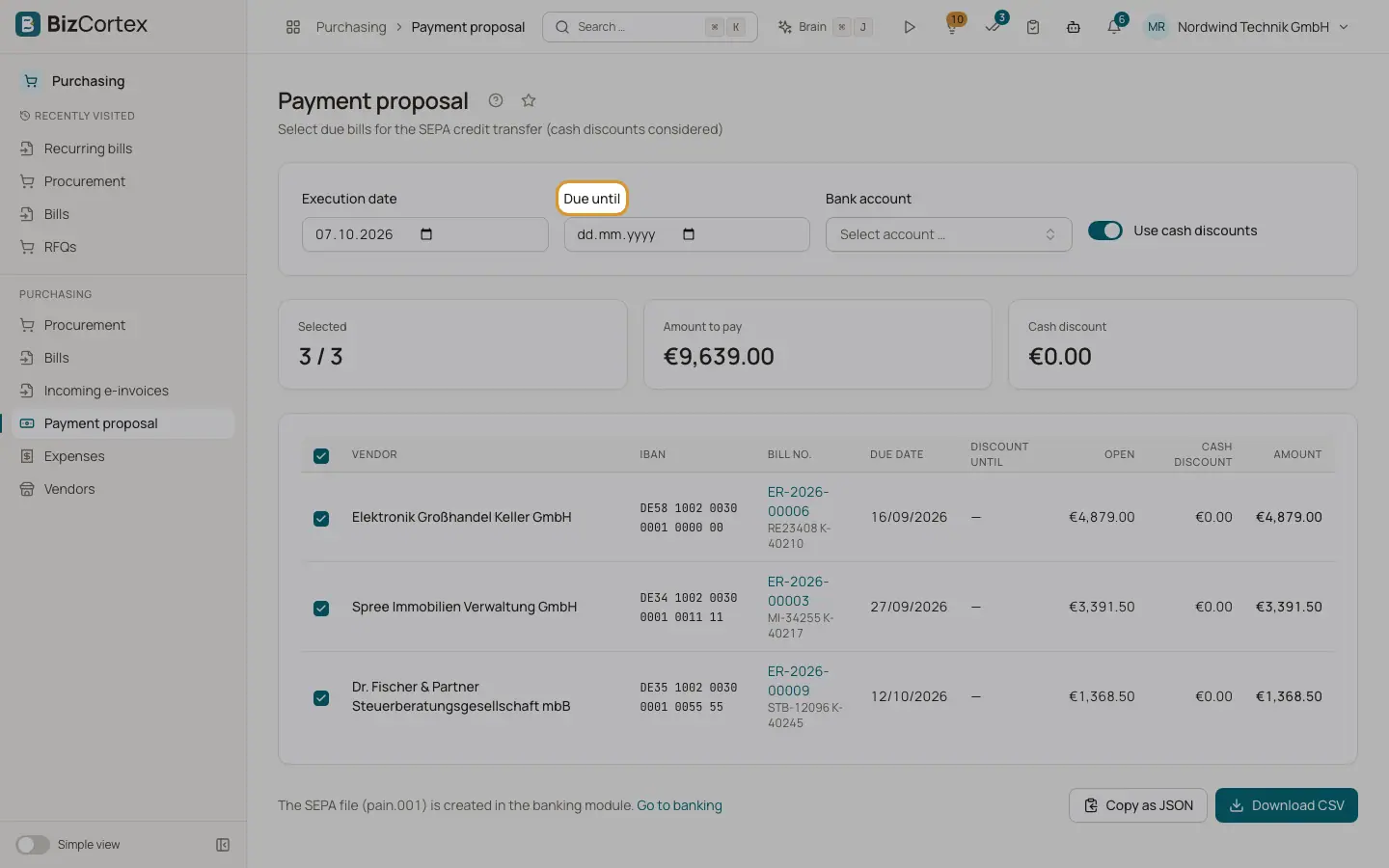
Purchasing, Payment proposal lists all posted, open bills that are due by a date or whose cash discount period ends by that date. It shows vendor, IBAN, bill number with remittance information, due date, discount until, open amount, cash discount and the amount to pay.
Who can use this
- Owner
- Admin
- Accountant
- Purchase
- Viewer
Steps
1. Set the parameters
Enter the execution date (default today), "Due until" (empty means execution date plus 7 days), the bank account and "Use cash discounts" (on by default).
2. Select bills
Bills with an IBAN are selected by default. Use the checkboxes or "Select all". The cards show the selected count, amount to pay and cash discount.
3. Export
Click "Download CSV" or "Copy as JSON".
4. Create the SEPA file
Click "Go to banking" and create the SEPA credit transfer file (pain.001) in the banking module.
5. Record the payments
Record each payment on the bill or match it in banking.
Good to know
- The payment proposal does not create the SEPA file, post anything or mark bills as paid. The selection is not handed over to banking automatically.
- There is no approval step for payment runs yet.
- When bills are added to a transfer in banking, the cash discount is not deducted there.
- The remittance information is the vendor invoice number plus your customer number at the vendor, otherwise the bill number.
Related
- Bill payments and cash discount
Record or reverse a payment and take cash discounts.
- Creating SEPA credit transfers (pain.001)
Pay supplier bills and other payees in one bank file.