Documents: templates and export
Start pages from templates, save your own templates and export pages.
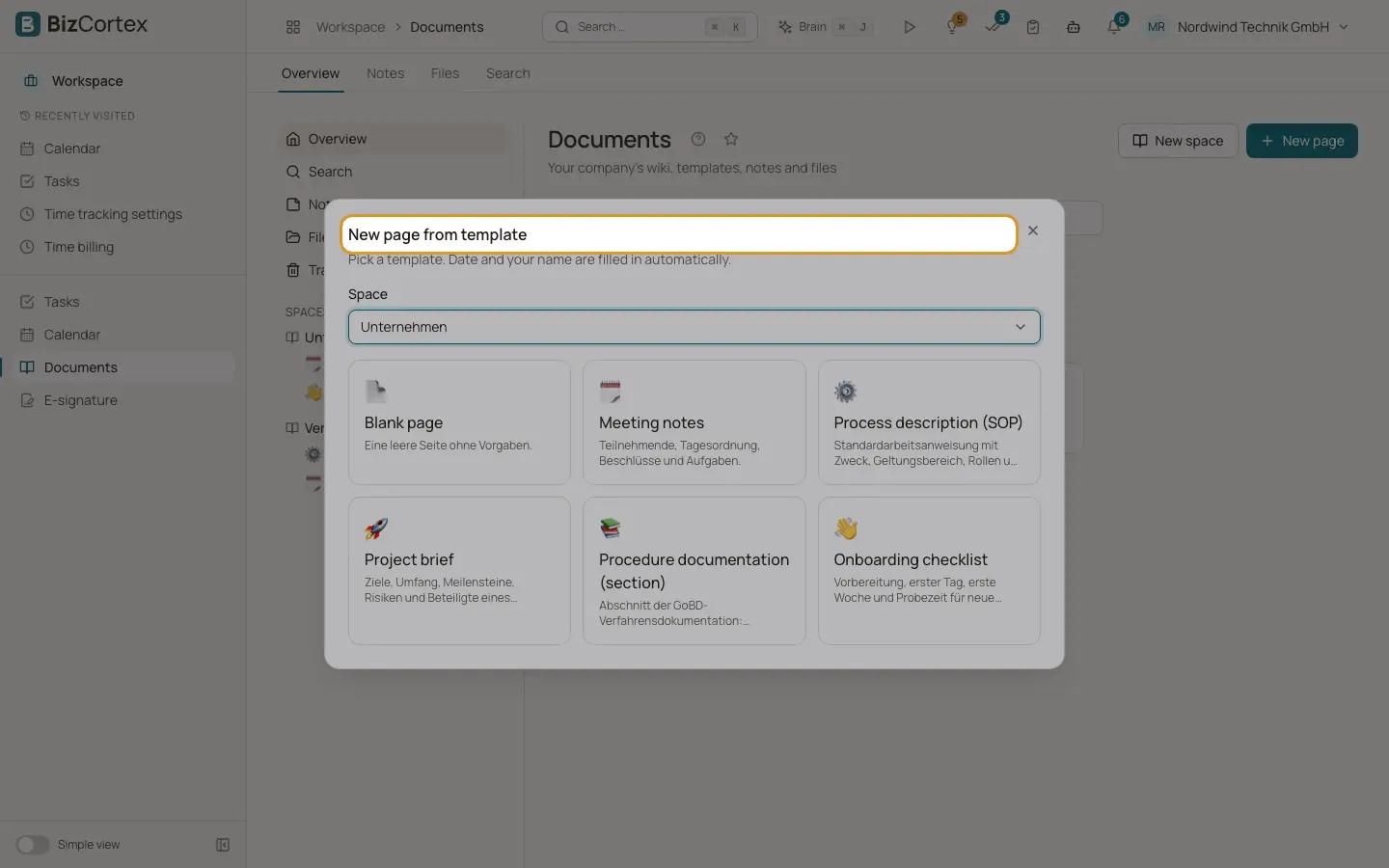
When you create a page, "New page from template" opens. Date and your name are filled in automatically.
Who can use this
- Anyone with the Documents page write permission
Fields and options
- Built in templates
Blank page, Meeting notes, Process description (SOP), Project brief, Procedure documentation (section) and Onboarding checklist.
- Own template
Click "Save as template" on any page. Your own templates are shown under Own template.
- Export as PDF, Export as Markdown, Export as HTML
Downloads the page in that format.
- Space as ZIP
Downloads the whole space.
Good to know
- Images from the file library are left out of PDF exports. External web images are included.
Related
- Documents: writing pages
The page editor, autosave, the page tree, mentions, links and favourites.
- Documents: finalize into the GoBD archive
Store a page or file unchangeably in the archive with the right retention period.