Documents: finalize into the GoBD archive
Store a page or file unchangeably in the archive with the right retention period.
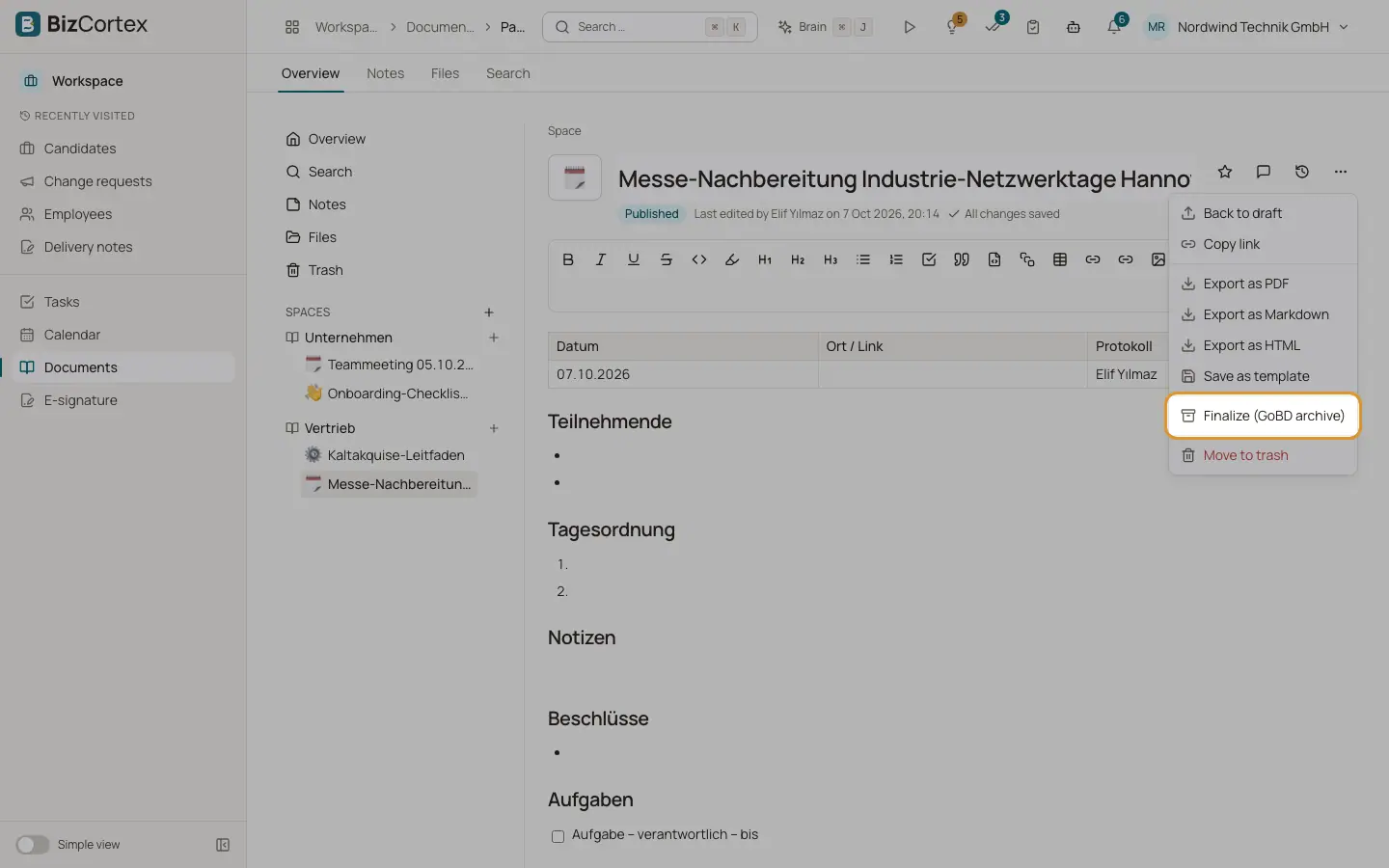
Click "Finalize (GoBD archive)". The current state is stored unchangeably in the GoBD archive with a checksum and a retention period by document type. A page is stored as a PDF. A file is stored as it is. The page then shows "Finalized on … and archived tamper proof. The page is read only."
Who can use this
- Owner
- Admin
- Accountant
- HR manager
- Space role Edit is also needed
Steps
1. Finalize
Choose the Document type, optionally a Reference, and click Finalize.
2. Reopen
A space manager can click "Reopen for editing". The archived copy stays unchanged. Finalizing again archives the new content as a new document.
Fields and options
- Document type
Procedure documentation, Organizational document and Other: 10 years. Contract, Business letter, Meeting minutes and Certificate: 6 years. Retention counts from the end of the calendar year.
- Reference (optional)
A reference number for the archive.
Good to know
- Pages in private spaces cannot be finalized, because the archive is visible to accounting.
Related
- Documents: templates and export
Start pages from templates, save your own templates and export pages.