Tasks: quick add
Type one line to create a task with a due date, time, label and priority.
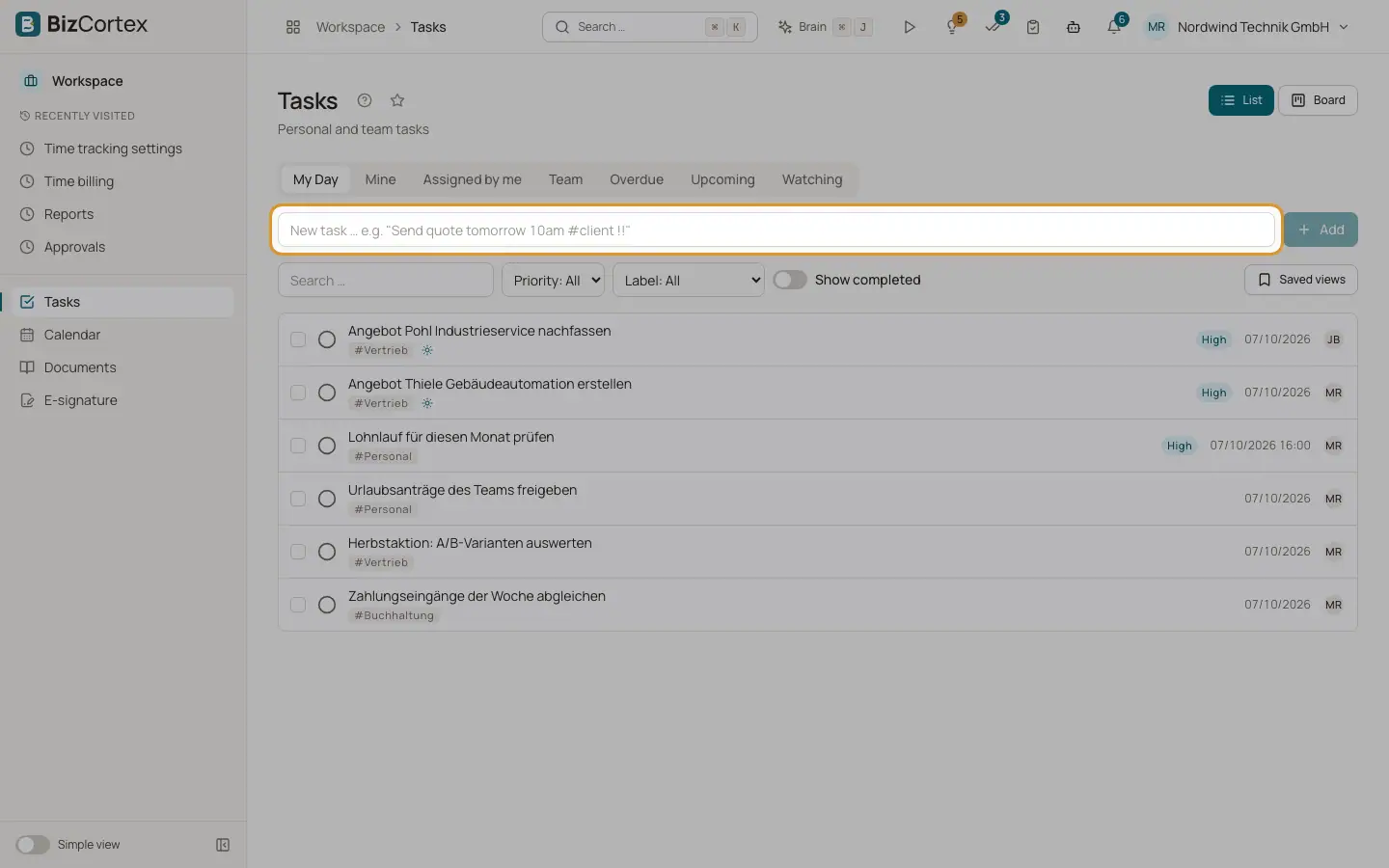
The quick add field at the top of the Tasks page understands plain language in English and German. While you type, a preview shows the recognised due date ("Due: …"). Press Enter or click "Add".
Example: "Send quote tomorrow 10am #client !!" creates the task "Send quote", due tomorrow at 10:00, with the label client and high priority.
Who can use this
- Anyone with the Tasks write permission
Fields and options
- Relative days
today, tomorrow (German: heute, morgen, übermorgen).
- Weekdays and weeks
Weekday names, "next week" and "in 3 days".
- Dates
Dates such as 24.12. or 24.12.2026.
- Times
Times such as 10:30, 10am, 3pm or "10 Uhr".
- Labels
A word with # in front becomes a label, for example #client.
- Priority
Two exclamation marks (!!) or "!hoch" set a higher priority.
Tips
- When you create a task without choosing an assignee, you are the assignee.
- The Tasks panel on a client, invoice, lead, employee or project also has a quick add. Tasks created there are linked to that record.
Related
- Tasks: views and layouts
Use My Day, Mine, Team and the other views, and switch between list and board.