Electronic signature: the send wizard
Upload the document, add signers, place fields and send.
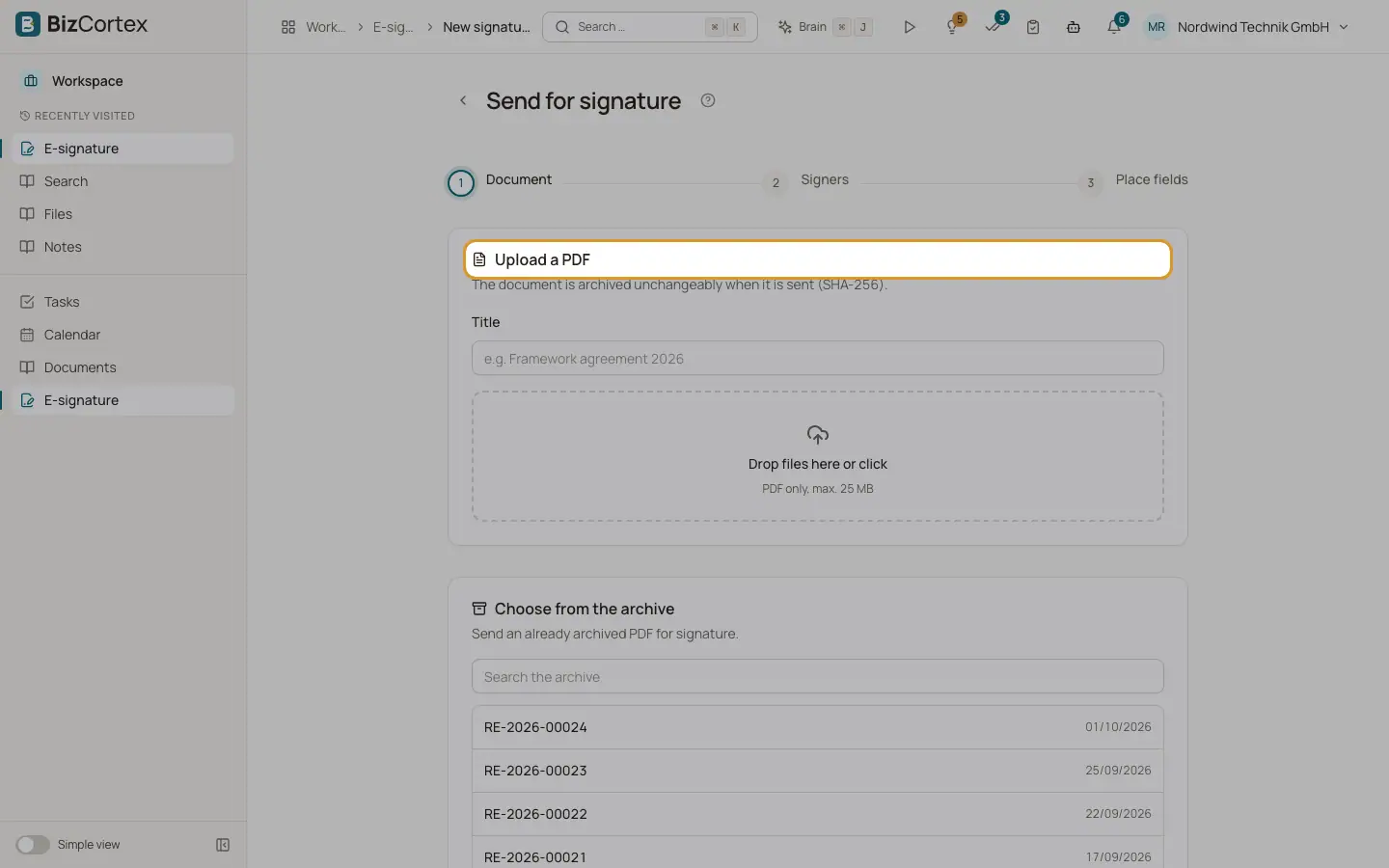
The wizard "Send for signature" has three steps: Document, Signers and Place fields. A draft is saved as you go ("Draft saved"), so you can leave and come back with "Continue editing".
Who can use this
- Anyone with the E signature write permission
Steps
1. Document
Enter a Title (for example "Framework agreement 2026") and upload a PDF (PDF only, max. 25 MB). Or use "Choose from the archive" and "Search the archive" to send a PDF that is already archived. The document is archived unchangeably when it is sent.
2. Settings
Write a "Message to the signers". Choose the Order: "All at once" (everyone is invited at the same time) or "One after another" (each signer is invited when the previous one has signed). Choose the "Language of the emails" and set "Valid until" and "Remind every … days".
3. Signers
Click "Add" for each signer and enter Name, Email, optionally Role and Mobile number. Turn on "Confirmation code by text message instead of email" to send the code by SMS. With "One after another", use "Move up" and "Move down" to set the order. "Remove" deletes a signer (at least one must remain).
4. Place fields
Under "Field for" pick the signer and under "Field type" the kind of field, then click on the page to place it. Move through the pages with the page selector. Use "Remove field" to delete one.
5. Send
Click "Send". Confirm "Send for signature?". The document is archived and each signer whose turn it is receives a link by email. The document cannot be changed afterwards.
Fields and options
- Field types
Signature, Initials, Date, Text and Checkbox.
- No fields
Fields are optional. Without fields, the signatures appear only on the audit certificate at the end of the document.
- Language of the emails
Deutsch, English, Français, Español, Svenska, Norsk bokmål or Dansk. The signing page uses the same languages.
- Valid until
Default: 30 days after creation.
- Remind every … days
Default: every 3 days, at most 3 reminders. Allowed: 1 to 30 days and up to 10 reminders.
- Mobile number
International format, for example +491701234567.
- Discard draft
Deletes the draft and the uploaded document.
Good to know
- Limits: PDF up to 25 MB and 300 pages, up to 20 signers and 200 fields per request, message up to 4000 characters.
Related
- Send a quote for signature
Let the customer sign a quote electronically; signing accepts the quote.
- Handwritten signature and initials
Draw or upload your signature and initials for documents and electronic signatures.
- Electronic signature: the request detail page
Follow the signers, send reminders, correct addresses, withdraw and download.
- Electronic signature: what the signer sees
How a signer confirms their identity and signs, without an account.