Electronic signature: the request detail page
Follow the signers, send reminders, correct addresses, withdraw and download.
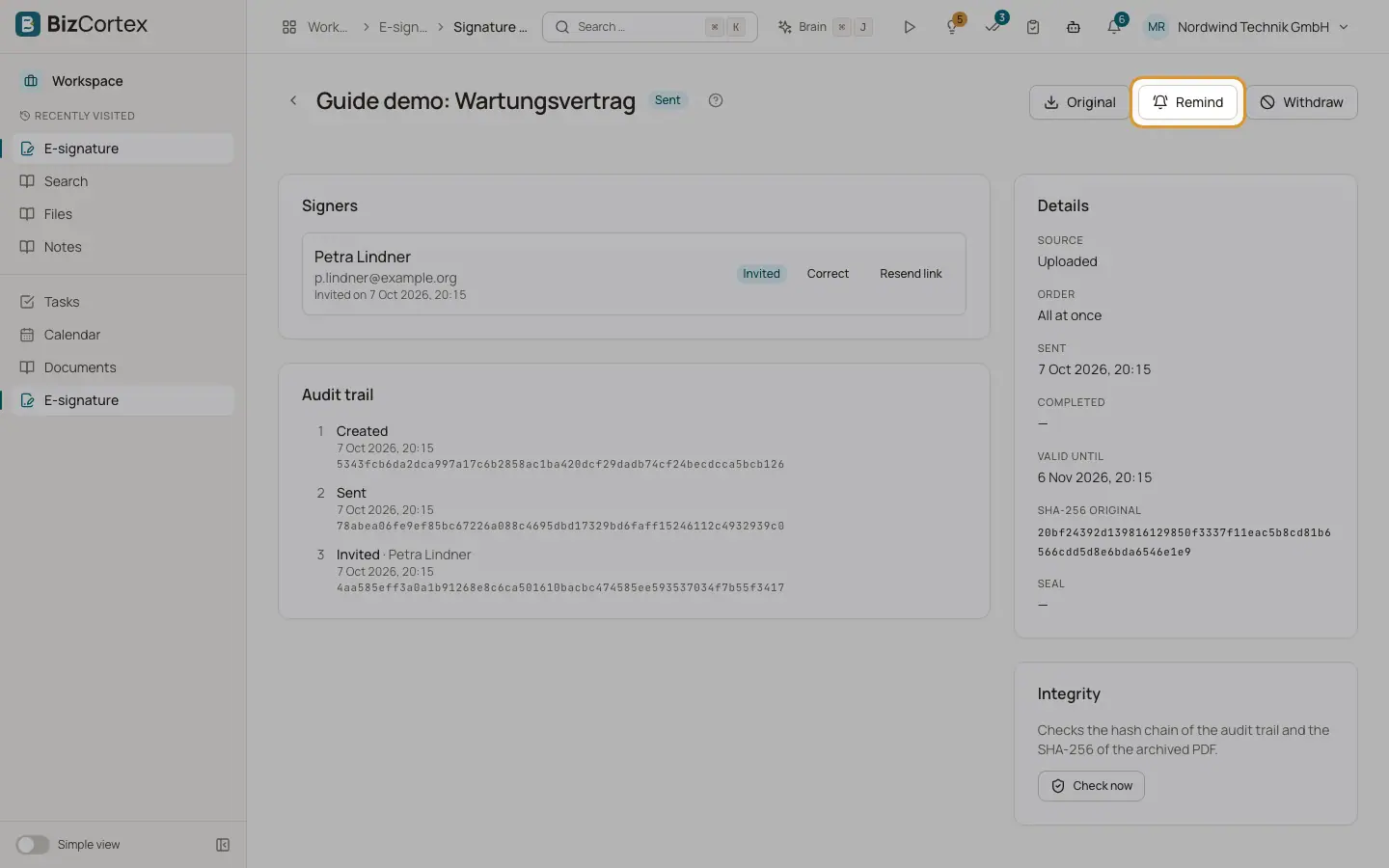
Click a request in the list. The page shows the Signers, the Details and the Audit trail.
Who can use this
- Anyone with the E signature read permission (view)
- Anyone with the E signature write permission (actions)
Steps
1. Remind
Click "Remind". Every signer whose turn it is receives a fresh link.
2. Resend one link
Click "Resend link" next to a signer.
3. Correct a signer
Click "Correct" next to a signer who has not signed yet. Change name, email or phone. A new address receives a new link; the old link stops working. The change is logged.
4. Withdraw
Click "Withdraw", optionally enter a Reason, and confirm. Open signers are told by email and their links stop working.
5. Download
Use Original, "Signed PDF" and "Audit certificate".
6. Check integrity
Under Integrity click "Check now". It checks the hash chain of the audit trail and the checksum of the archived PDF and shows "Unchanged (… events checked)" or "Mismatch found".
7. Retry completion
If building the final PDF failed, a "Completion error" is shown. Click "Retry completion". All signatures are kept.
Fields and options
- Signer status
Waiting, Invited, Opened, Signed or Declined. Below each name you see for example "Signed on … (drawn)", "Declined on …: reason", "Opened on …", "Invited on …" or "Waiting for the previous signers".
- Details
Source, Sent, Completed, SHA256 of the original, SHA256 of the signed PDF, and the Seal (or "test certificate" or "No seal").
- Audit trail
Every event with its time: Created, Sent, Invited, Code sent, Wrong code, Code confirmed, Document opened, Signed, Declined, Withdrawn, Expired, Reminder sent, Link resent, Signer corrected, Document built, Completed and archived, Source updated or Source not updated.
Good to know
- Every resend, reminder or correction creates a new link and the old one stops working.
Related
- Electronic signature: completion and audit certificate
What happens after the last signature, and what the audit certificate contains.
- Electronic signature: the send wizard
Upload the document, add signers, place fields and send.