Documents: writing pages
The page editor, autosave, the page tree, mentions, links and favourites.
Click "New page" (or "Add subpage" in the tree) and pick a template. The editor opens. Type "/" for commands and "@" to mention someone. Every change is saved automatically about one second after you stop typing.
Who can use this
- Space role Edit or Manage (to write)
- Space role Read (to read)
Steps
1. Arrange pages
Drag pages in the tree. Dropping on the upper or lower part of a row reorders; dropping in the middle makes it a subpage.
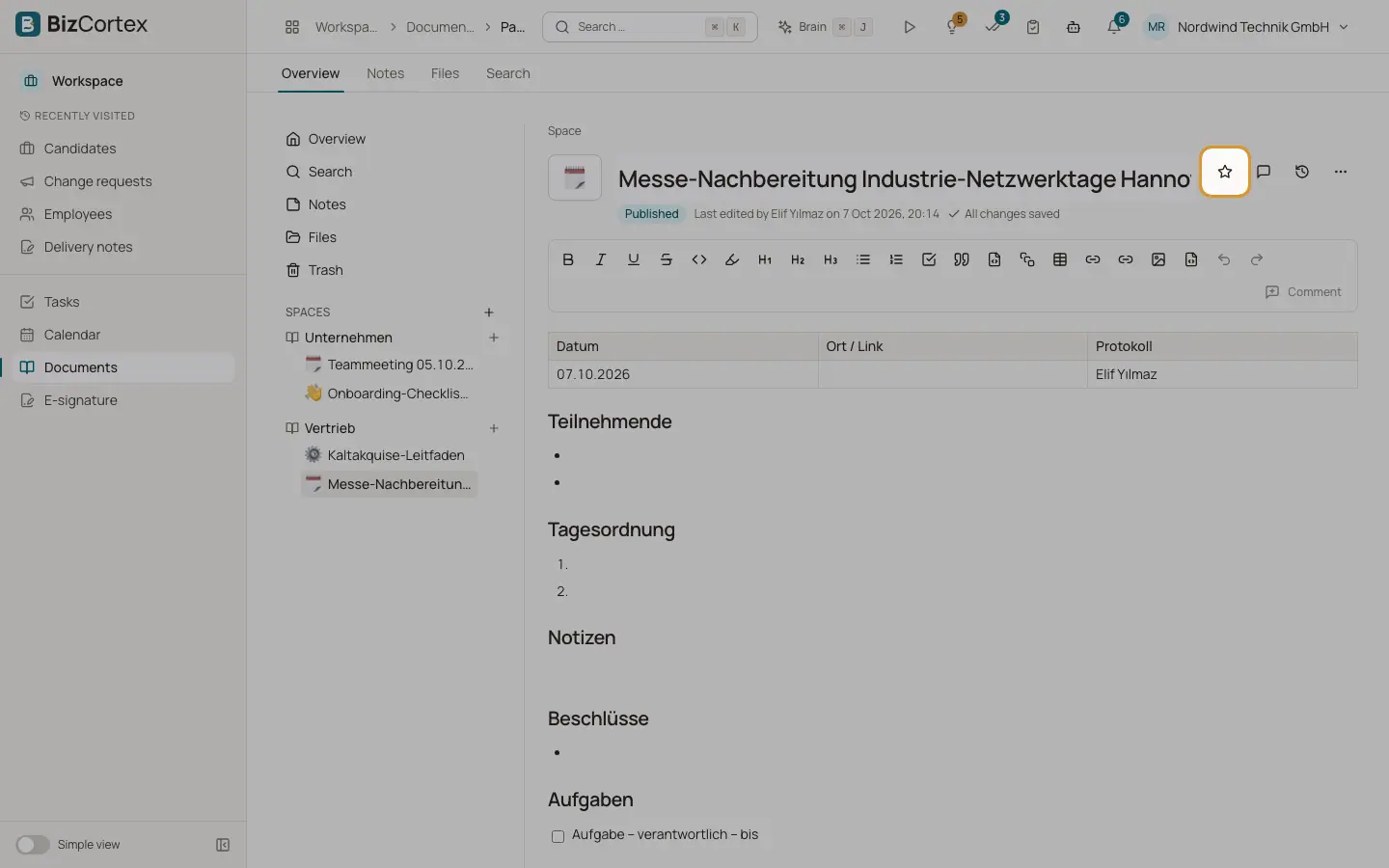
2. Favourite a page
Click "Add to favorites". Favorites appear on the Overview.
3. Copy the link
Click "Copy link" in the page menu to share the address with colleagues.
4. Trash a page
Click "Move to trash". Subpages are moved as well. The trash is emptied after 30 days.
Fields and options
- Formatting toolbar
Bold, Italic, Underline, Strikethrough, Code, Highlight, Heading 1 to 3, Bullet list, Numbered list, Checklist, Quote, Code block, Callout, Table, Divider, Link, Undo and Redo.
- Link a page
Inserts a link to another wiki page. The linked page lists this page under "Linked from".
- Image from the library, File from the library
Inserts an image or a file from the file library.
- Mentions
Type @ and pick a colleague. A newly mentioned person is notified once, and only if they may read the page.
- Save status
All changes saved, Unsaved changes, Saving …, Saved at a time, or "Saving failed, retrying with the next change".
- Status
Draft, Published or Finalized. Click "Publish" or "Back to draft".
- Page icon
An emoji in front of the title.
- Insert field
Type {{ or choose "Insert field" in the / menu to insert a piece of company data as a field reference. The page then always shows the current value.
Good to know
- There is no live co editing. If someone else saved the page in the meantime, you see "Conflict" with a "Reload" button. Reload before you continue writing. Nothing is overwritten.
- Links may only point to web addresses, email addresses, phone numbers or pages inside BizCortex.
Related
- Documents: versions and comments
Compare and restore earlier versions, and discuss text with inline comments.
- Documents: templates and export
Start pages from templates, save your own templates and export pages.
- Field references in documents
Insert company data into wiki pages and page templates once, and every document shows the current value.