Company settings: checks, thresholds and AI wording
Switch checks on or off, tune thresholds, control AI wording and run a check now.
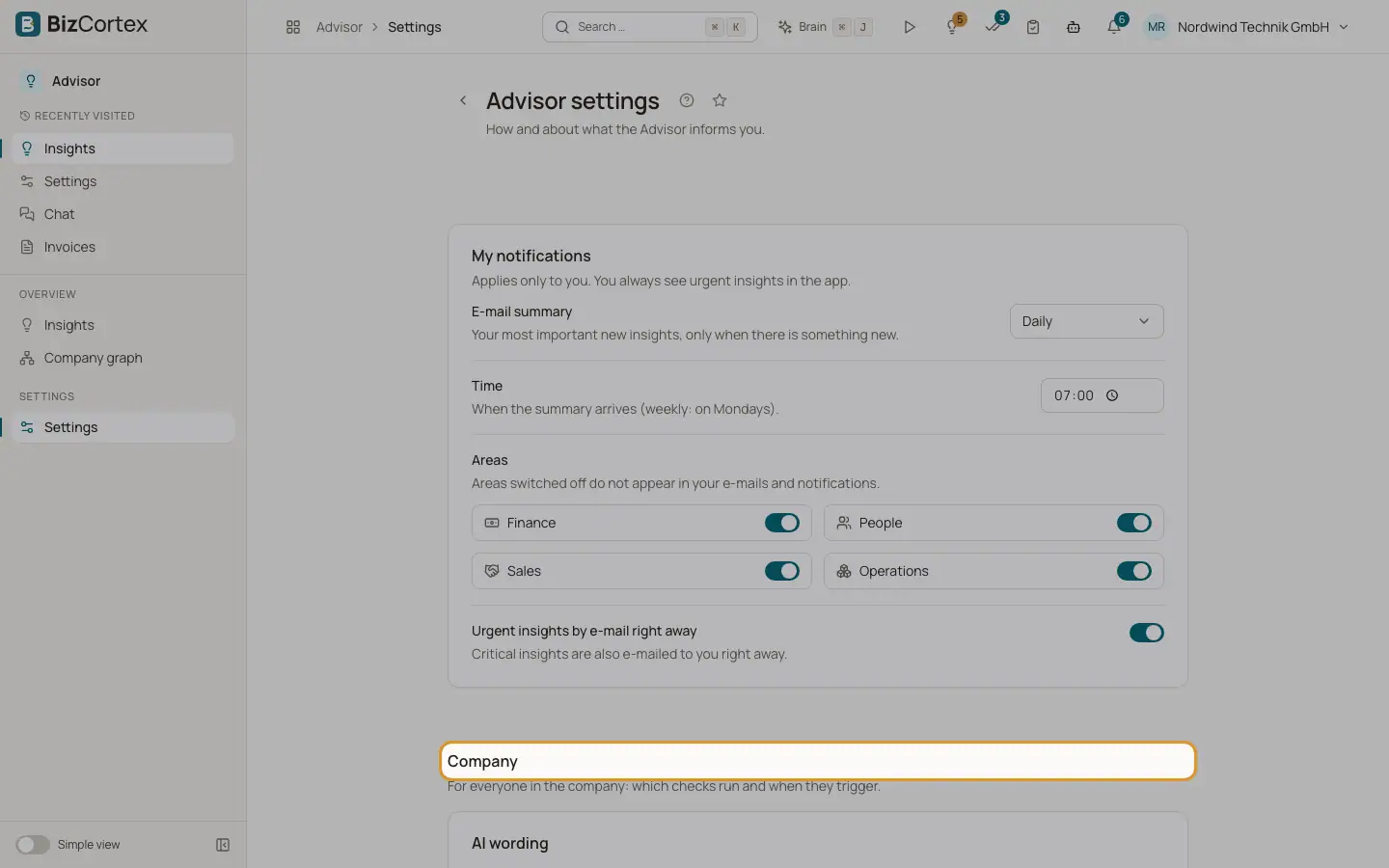
Below "My notifications", administrators see the section "Company". It applies to everyone in the company: which checks run and when they trigger. The checks are grouped by area. Each check shows its title, a badge with its schedule (Nightly, Hourly or On event), a description and a switch.
Who can use this
- Owner
- Admin
Steps
1. Switch a check on or off
Use the switch next to the check. A switched off check no longer creates insights.
2. Change a threshold
Edit the number fields under the check. Each field shows its default value ("Default: …"). The fields are disabled while the check is off.
3. Return to defaults
When you changed a threshold, click "Default" to restore all default values of that check.
4. Set the AI wording
Under "AI wording" switch "Word insights with AI" and set the "Monthly token budget".
5. Save
Click Save. The change is recorded in the audit log.
6. Check now
On the Insights page click "Check now" to run all nightly and hourly checks at once. You see "Check finished" with the number of findings and of new, updated and expired insights.
Fields and options
- Word insights with AI
On by default. The AI writes title, reason and recommendation only from the computed numbers. When off, fixed text templates are used.
- Monthly token budget
Default 200,000 tokens per month. Leave empty for no limit. When the budget is used up, the text templates apply until the end of the month.
- Thresholds
Each check has its own thresholds, for example a number of days, a percentage, an amount or a factor. The meaning of each is listed on the pages about the checks.
- Minimum number of values
Checks that compare with the past need a minimum amount of history (3 values by default) before they report anything.
Tips
- If people in your company mark an insight type as Not useful many times, consider raising its thresholds.
- Only values that differ from the defaults are stored. When BizCortex improves a default later, unchanged checks get the new default automatically.
Related
- Finance checks
Every finance check of Advisor, when it triggers and its default thresholds.
- People checks
Every people check of Advisor, when it triggers and who sees it.
- Sales checks
Every sales check of Advisor, when it triggers and its default thresholds.
- Operations checks
Every operations check of Advisor, when it triggers and its default thresholds.