Letting Brain fill a form
Brain can fill the form that is open on your page. You review and save.
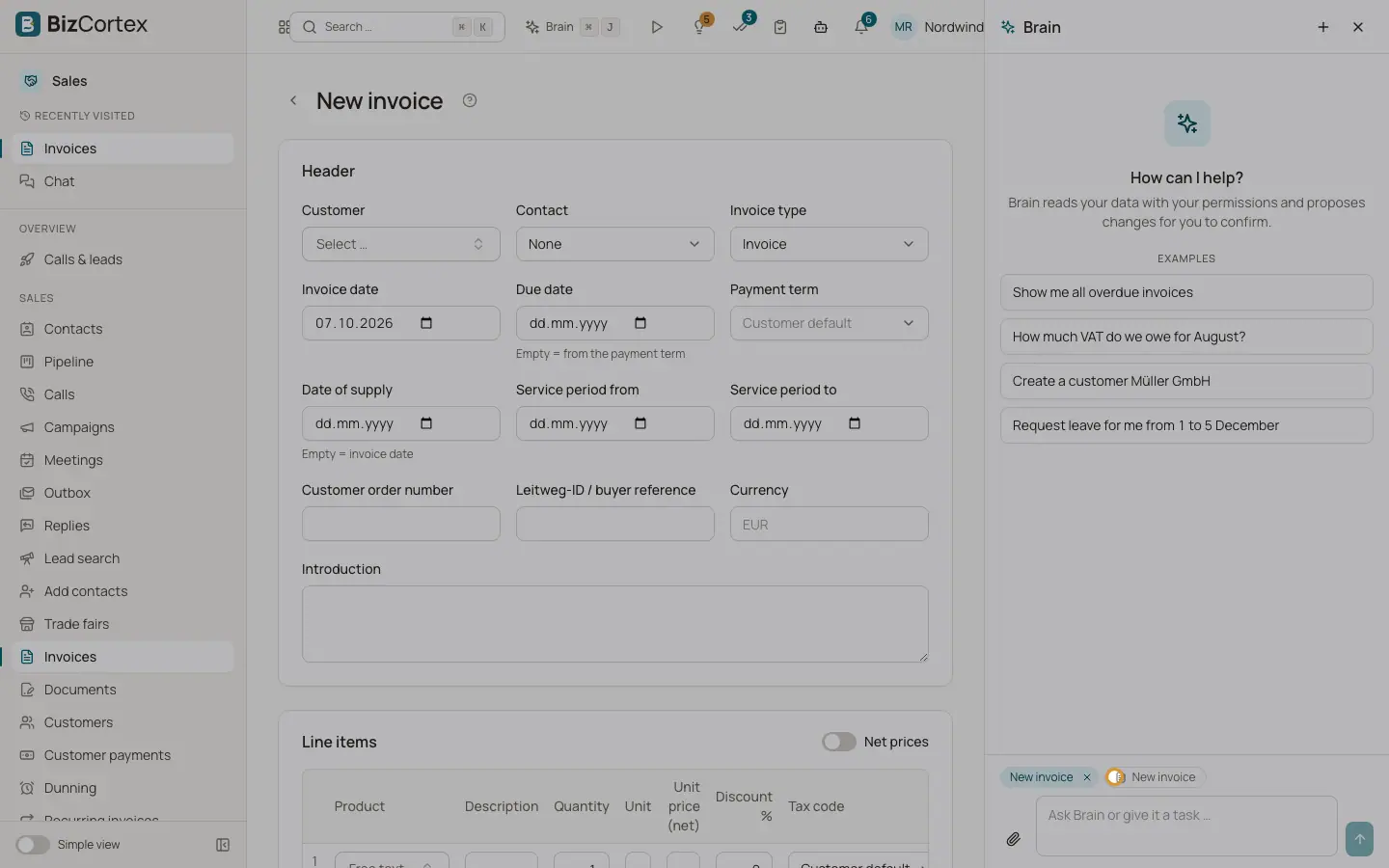
When a form is open (for example a new invoice, a new customer or a leave request), the Brain panel sends its fields with your message. You can then say "Fill this with the data from the attached PDF" or "Add three lines for consulting, 8 hours each". Brain writes the values into the form. It never saves the form. You check the values and click Save yourself.
Who can use this
- Every member with a built in role: Owner, Admin, Accountant, Sales, Purchase, HR Manager, Employee, Viewer and Compliance
- Members with a custom role only when the role includes the Brain chat permission
Steps
1. Open the form
Open the page with the form you want to fill. The Brain panel shows a "Form" chip with the name of the form.
2. Ask Brain to fill it
Describe what should go into the form, or attach a document that holds the data.
3. Review
The chat confirms "N fields filled, not saved. Please review and save." Check every filled field on the page.
4. Save
Click the normal Save button of the form. Only then is the data stored.
Fields and options
- Field types
Text, long text, numbers, yes or no switches, dates, choice lists and tables of rows (for example invoice lines).
- Numbers and dates
Brain accepts German formats such as 1.234,56 and 31.12.2025 and converts them to the format the form expects. Currency signs are removed.
- Choice lists
Brain may use the visible label of an option; it is matched to the correct option.
- Rows
Brain can replace all rows of a table or append new rows to the existing ones. A table can receive at most 500 rows.
Tips
- Values that do not fit the form are not filled. Brain gets a message about them and tries to correct them.
Good to know
- If you close the form before Brain finishes, nothing is filled and the chat says "The form is no longer open; nothing was filled."
- Filling a form needs no confirmation card because nothing is saved.
Related
- Attaching files to a Brain conversation
Give Brain a PDF, image, spreadsheet or document to read.
- The Brain panel on every page
Ask Brain about the page you are on without leaving it.